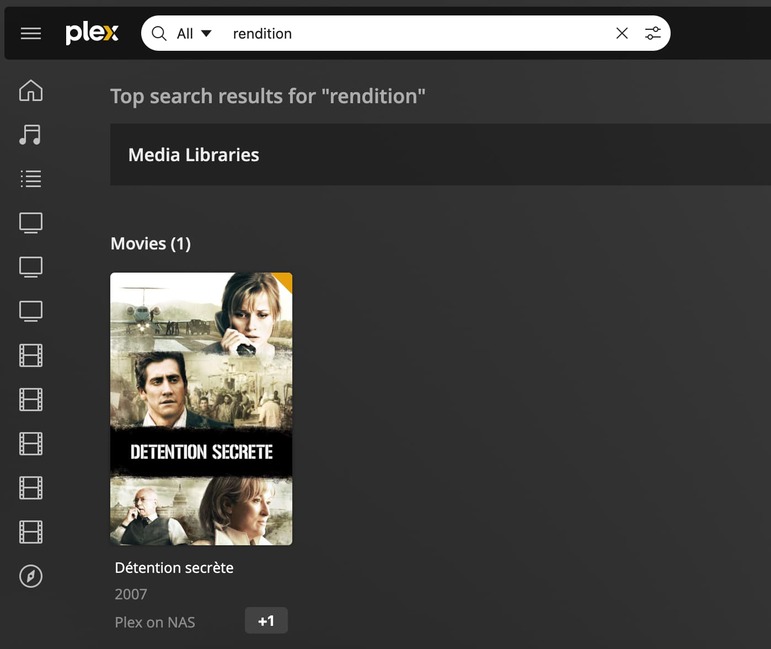
I have two libraries, one in English and one in French. When I do a search (here with an english keyword: Brexit), for movies that are in both libraries, they sometimes appear in English, sometimes in French
Expected:
All results to appear in the same language as the keyword searched.
The result will be whatever language the title is saved as. Are you using the option to “use original title”? Search also looks at the original title which is likely what it is matching for “Par effraction”.
Hi, I have two libraries:
- one for movies in English
- one for movies in French (using library language)
In this case, the movie is in both. It seems random which title (French or English) is displayed in this case. The other two twilight movies are also in both libraries and they are shown with the title from the English library, the last one is in both libraries and showing with the title in the French library.
If it can’t match the search language (which would be the best option), then it should pick the original language (out of the two)… the current scenario of picking the French title is effectively the least logical.
Breaking and entering is an American movie (par effraction is the French title).
Does it make sense?
It is not picking the French title. Search has no concept of language. For English we do search for words that look similar. We do not do that for other languages. The result is due to it finding the “original title”. The result will always be the “title” but can be based on finding the search phrase somewhere else.
For example, if your movie title is “The Greatest Movie Ever” and the original title for that is called “In My Opinion” and you search for the phrase “Opinion” the result will be “The Greatest Movie Ever” because the search matched to the original title. If you change the title to “Bob the Builder”, that will become the result since it is still matching to the original title.
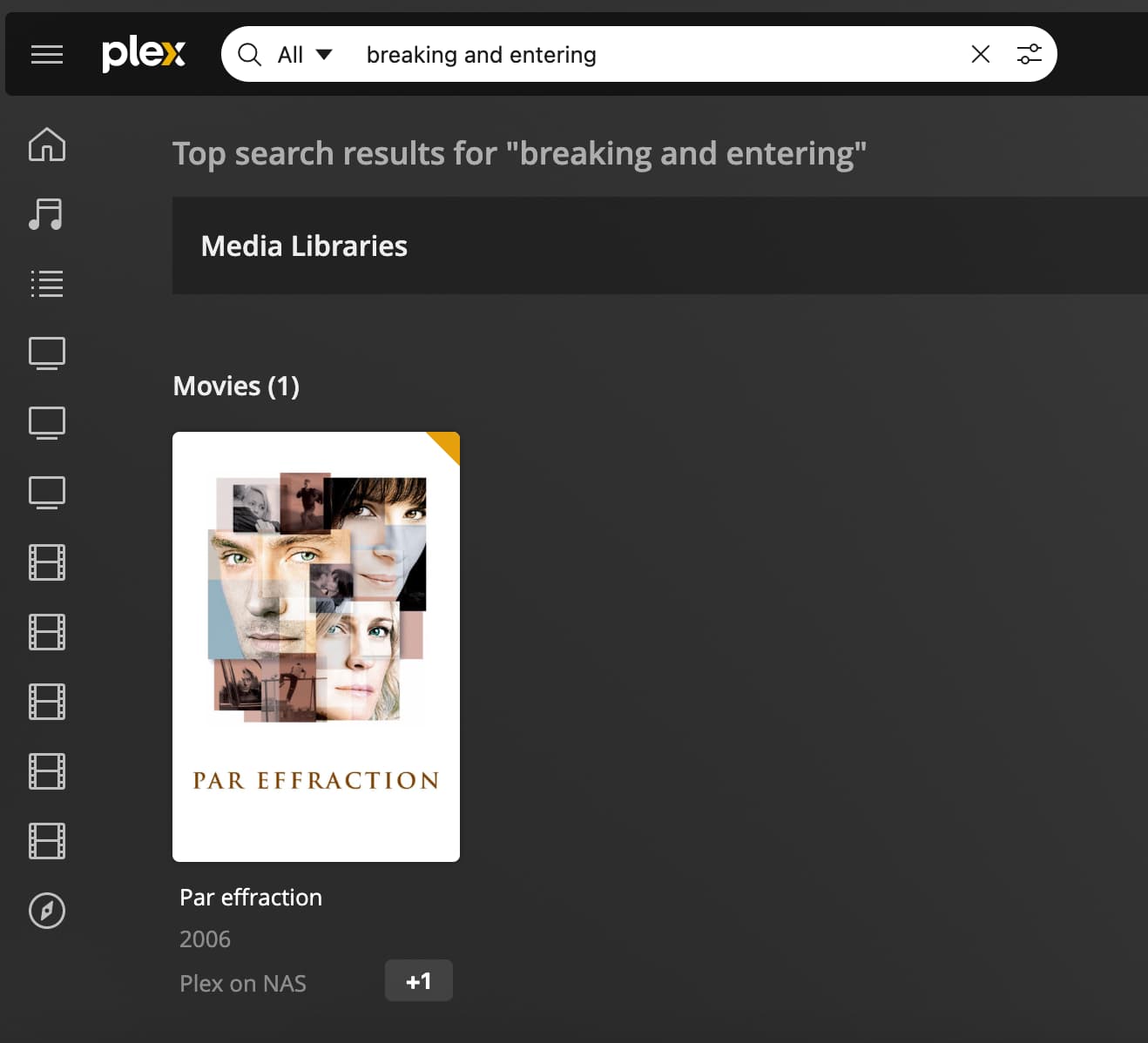
This isn’t picking the original title, it is picking the french title (see screenshots)
Original Title is in English.
Search keywords match the original title (in English)
Search result shows in the French title.
So “Original Title” field is just a way for you to display a secondary title for searching and the like. It’s usually populated with the language in which it released in (apparently, only if you over-ride the language title by specifying you want english-only titles).
The “Title” field is populated with what the title is in your library’s language. If you add a “originally released in US” video to your french library, it will post the english title in the “Original Title field”, which allows it to “respond” to searches for the movie by that title. But the “Title” field is what is displayed in search results and the movie details page when it shows.
Is the issue here that you have the movie in multiple libraries at once (english AND french), and it seems to be arbitrary in which movie entry is picked for search? It sounds like you wish the English library version of the movie to be displayed when you search for it by the english title. What you seem to be seeing is an almost arbitrary choice by the server to pick one of the two movie versions (and it’s “Title” metadata and poster) and display THAT regardless of the language used to search for it.
If this is the case, I’m curious (from @anon18523487) how the server decides which to pick. Since the server doesn’t appear to allow a choice of which library it pulls the poster/title metadata from for a search match, how does it pick which of the two to display? Is it a race condition (whichever library it finds it in first) or does it pick based on an unknown “added to server” date field based on when Plex indexed the file in the first place?
It sounds like you wish the English library version of the movie to be displayed when you search for it by the english title.
It’s exactly right. And it does seem very random. See another example.
As a test I disabled the “merge” checkbox in the settings. What’s interesting is the French instance of the movie sometimes does not appear at all in the search results.
FRENCH & ENGLISH VERSIONS STILL AVAILABLE
Test scenario 1A (with “merge” disabled):
Search keywords: echelon conspiracy (US original title)
Search result: conspiration (French title), “+1” button allowing access to english version
Test scenario 1B (with “merge” enabled):
Search keywords: echelon conspiracy (US original title)
Search result: conspiration (French title), “+1” button allowing access to english version
(same screenshots as 1A)
FRENCH VERSION NOW MISSING
Test scenario 2A (with “merge” enabled)
Search: breaking and entering
Search result: One “merged” entry labeled “Par effraction” (when you click on it you can pick which page to go to, the french instance or the english one)
Test scenario 2B (with “merge” disabled)
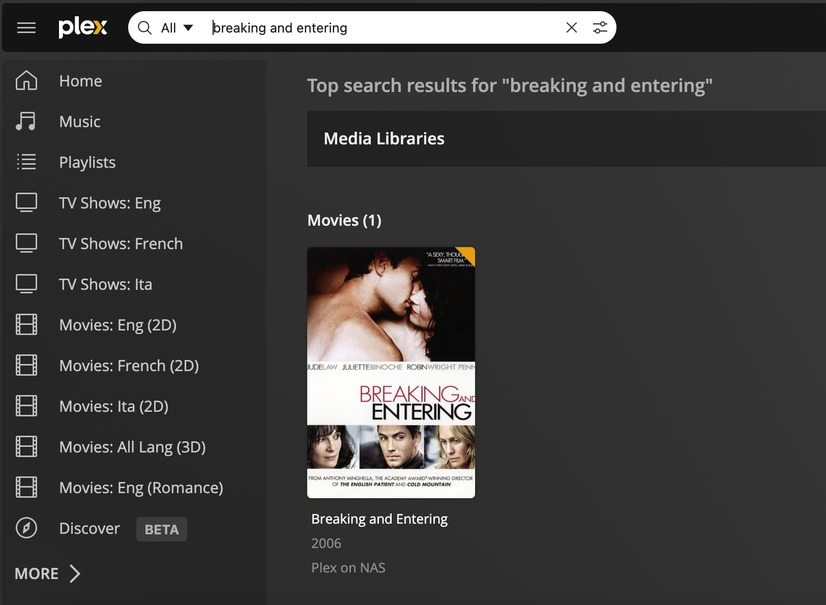
Search: breaking and entering
Search result: one one entry labeled “Breaking and entering” (the French version is missing and no longer shows up ie. no “+1” displayed)
note: I have now “re-enabled” the “merge” but the “+1” as displayed in scenario 2A doesn’t reappear
Side note – the libraries seem to always be listed in the same order when clicking on the “+1” (French first, then English)
As a test I disabled the “merge” checkbox in the settings. What’s interesting is the French instance of the movie sometimes does not appear at all in the search results.
This is odd. That should only affect “Recently added” not the search. I will need to test this myself and get back to you.
Side note – the libraries seem to always be listed in the same order when clicking on the “+1”
Yes. The results are based on the id for the library.
Thank you!
Re: 2A and 2B, confirming the “+1” no longer appears when searching for either the french title or the english title. It appears Plex no longer recognizes the two are the same movie.
Can we flip the ids? It’s inconvenient to have the French name being prioritized since I am the only one who speaks French in my household.
Alternatively, my preference would be to have the results be displayed in the language of the search keywords, or to be displaying the original US title.
I think Identifying the language that was entered into the search is probably an insanely difficult task. Especially if the titles were the same in both languages, Plex would have no idea which language was entered to pick which version of the movie to give you.
As for the library ID, I suspect it might be based on the order in which a library was created. So if you made the French library first, the ID will be lower and it’s results prioritized. I don’t know if remaking the library will result in the same ID (the ID was freed up, becoming available for the library when it was remade) or result in an ID higher than any other before (Plex picking the next never-used-before ID. This could cause issues down the road if a user intentionally drives up the ID count by making and remaking libraries…).
If the former, you can move French up the list by deleting the library (ouch, I know), making a temporary empty library to consume the ID, then making the french library again. Once you verify the french library is de-prioritized by Plex in results, you can delete the temporary library.
If the latter, simply remake the French library (ouch, again).
The app has no sense of language. It’s just doing a text search and giving results for whatever matches. If you don’t want people you share with to get the French results, it would be easier if you just didn’t share that libraries with them.