Server Version#: 3.95.2
Player Version#: latest
Did they remove the all movies/tv options? Can no longer view all movies. Have to use the search rather than browse everything in my library.
Hi @alee.darcx3_gmail.com. In the latest update we’ve made UNO (the internal name for our unified experience - please read more about it here) the dafault experience for browsing your media on the Xbox One.
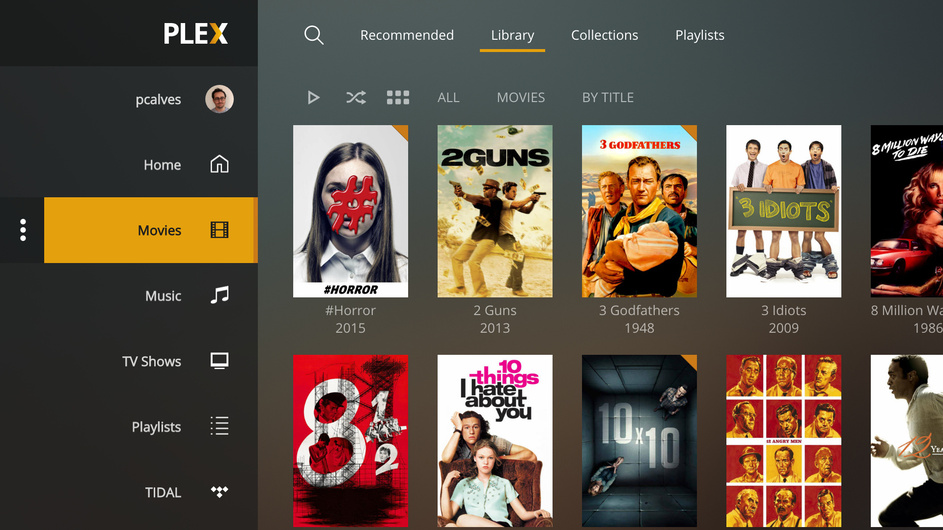
Your librarie are be available in the global sidebar. By selecting one of them, you’ll see a page with a set of tabs: Recommended, Library, Collections, etc. Selecting Library will take you to a familiar grid view where you can browse all the content of that library, with the same affordances (filters, sorts, view by type, etc.) as before.
Here’s what it should look like:
2 Likes
Thank you for the reply. I’ll make a note to keep a better eye on the latest release notes!
@pcalves Would it be possible to provide an option to group by type? Navigating by user library is ok, but I’d still like to group by type.

That’s the home screen, you need to navigate to a specific library section to see that top row. To do that you must go to More, then the section you want - you can also pin any libraries you want to the home screen from the More screen.
You can read about how to navigate around the TV interface here: https://support.plex.tv/articles/navigating-the-big-screen-apps/
2 Likes
This isn’t something that we’re considering at this point. However, you can customize the list of sources in your sidebar, so you could always arrange them by type.
Ignore the Employees as clearly they don’t bug check properly!
If you want all your Library’s to show properly hit your user pic to get to the settings area and hit “Reset Customization” this should and has done on all 5 of my Xbox’s bring it all back
1 Like
This is a stupid change to the Xbox UI.
And a blatant attempt to push Plex’s ‘online media’.
Here’s a tip to any developers reading this post; when I want to stream music I listen to Google play music or Spotify on my phone. When want to listen to podcast’s I use podcast addict on my phone!
When I want to watch movies & tv shows from my home media server I use Plex.
If you keep making it less convenient to find my local media I’ll just go back to using the VLC Xbox app to watch my media.
Very F-ing simple.
Try switching from one Plex server to another with the mobile phone app for Xbox. I’m convinced it’s not possible.
So I’m just using Reset Customizations every, single, time. Then selecting a different server to browse it’s content.
Not exactly happy about the update
This topic was automatically closed 90 days after the last reply. New replies are no longer allowed.
