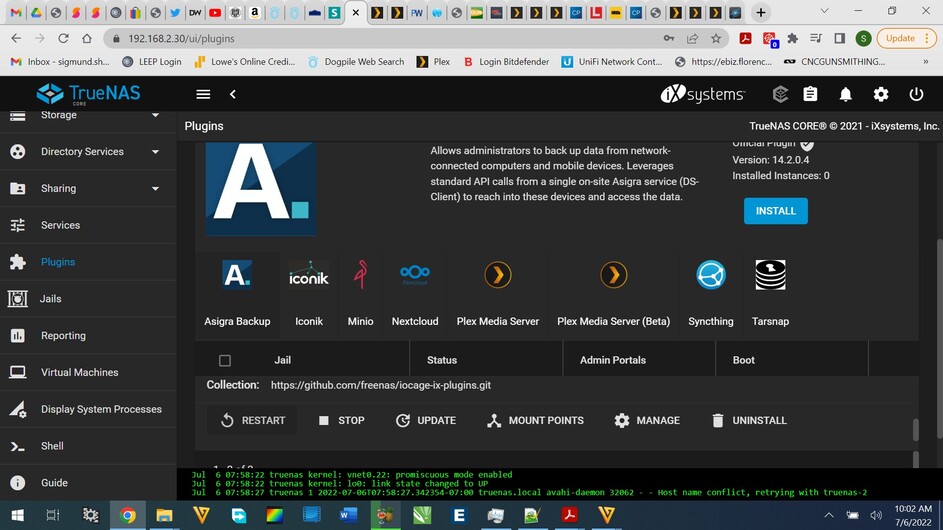
Just updated to the latest Plex version (12.2-RELEASE-p15). Everything seemed like it updated fine and when the update was complete. clicked “Manage” and are unable to access my local content. Plugin running on the latest version of Truenas, never had an issue before. Stopped the plugin, restarted the plugin, rebooted the nas, everything. No changes to my network config. Also tried logging in via app.plex.tv and I can see my content (Plex lifetime member) but everything on my local nas has the “exclamation” mark and states “plex30” is not available. Retrying connection just fails. The plugin states it is up and shows no issues. Tried update again and it states that there is nothing to update since it is “up to date”. Any ideas would be greatly appreciated!!!
“12.2-RELEASE-p15” is the FreeBSD version in the jail, not the Plex version.
Since you are using the Plex plugin, I believe that makes a ZFS snapshot when you run an update operation on it. If you go to the Storage > Snapshots section you can roll back the jail to the previous version where it was still working.
Tried rolling back but the service will still not start. Executing "ps -ef | grep -i “plex” shows nothing but the grep itself. Seems the service refuses to start.
Downloaded the Plex “beta” plugin that requires a plexpass. Populating it now but just wondering if I should install something other?
You can either restart the plugin or restart the jail. Also look at your shell/console messages and see if you have a message that reads to the affect “Exited on Signal 11”. I get an occasional crash every 2-3 months and a simple restart of the plugin clears it.
To make things a bit easier, go to System>Advanced and check the box under Console to Show Text Console without Password Prompt and under GUI to Show Console Messages. This will make the last 3 messages appear at the bottom of the GUI and clicking on them will open a window of messages you can scroll back through.