Server Version#: 4.108.0
Player Version#: Plex for LG client 5.62.0, platform 5.4.3
Hi
On our LG tvs (C7, CX & C1) I’m getting a message about the Sinology NAS cpu not being powerful enough to convert. I have direct play enabled on the Plex tv settings so my understanding is there should be no conversion taking place. The TV is connected to the same switch via ethernet as the Sinology NAS.
If I login to the Plex media server on MacBook and click play on the same movie it plays fine from the NAS.
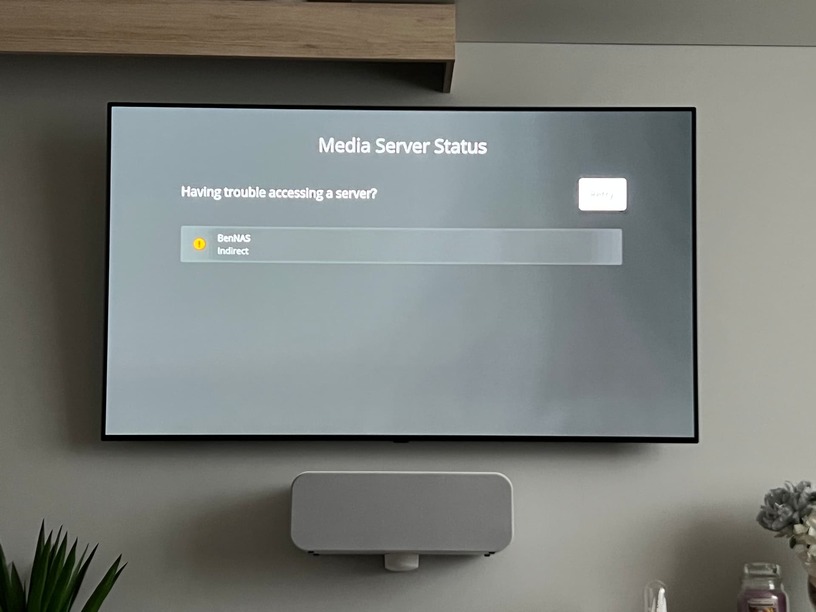
Any ideas what is causing the lack of direct play? I’ve noticed on the TV it’s saying indirect connection to the NAS. Is this potentially part of the issue?
That just means the TV will direct play if everything is compatible. What’s the media info of the file? The video and audio codec (and subtitle format, if applicable) will determine whether it can actually direct play.
Is this a limitation of the Plex app for LG then? When I use the LG movie player to stream the same movie from my NAS it works fine. It’s just a pain the interface is horrible compared to Plex.
The problem is the indirect connection. It should be local. The stream is going out over the Internet, through a server at Plex, then back to your TV.
Any pfSense, Pi-holes, etc on the network?
If so, you need to whitelist the plex.tv domain.
See How to use Secure Connections
Verify the network settings on the Synology NAS are correct.
IP address
Gateway ← usually the IP address of your Internet router
Subnet Mask
DNS server ← use a public DNS such as 1.1.1.1 (Cloudflare), 9.9.9.9 (Quad9), 8.8.8.8 (Google)
Make sure the NAS can sync with a NTP server.
This tests that DNS is working correctly.
Control Panel → Regional Options → Time
Select Synchronize with NTP server
Select a server from the list, and Update Now.
Verify the network settings on the TV.
Try a “network reboot.”
Shutdown the Synology
Turn off the TV and remove from power
Power cycle the internet router.
After router fully boots, power on the Synology & wait for it to fully start.
MacBook shows as direct play in the Plex dashboard
TV I can’t get anything to play now because of the CPU error message so can’t confirm the connection type using the dashboard but presume this means indirect as there’s definitely lots of movies I’ve watched via Plex on the TV that are no longer working
@ChuckPa
Server LAN IP = 192.168.0.99
TV LAN IP = 192.168.0.87
I do have mesh wifi routers but the TV is currently set to wired and not wifi. The wired connection of the TVS go directly to a switch and the switch to the router. The NAS is direct into the router.
Here’s a basic network diagram to help visualise. I’ve tried moving the NAS to both switches shown by the arrows and I’m still seeing an indirect connection to the NAS on the TVs Plex app.
Sorry just saw your edit. On the MacBook if I go to https://app.plex.tv/desktop/ I get the same CPU error message as the TVs. However if I go to 192.168.0.99:32400/ it plays ok.
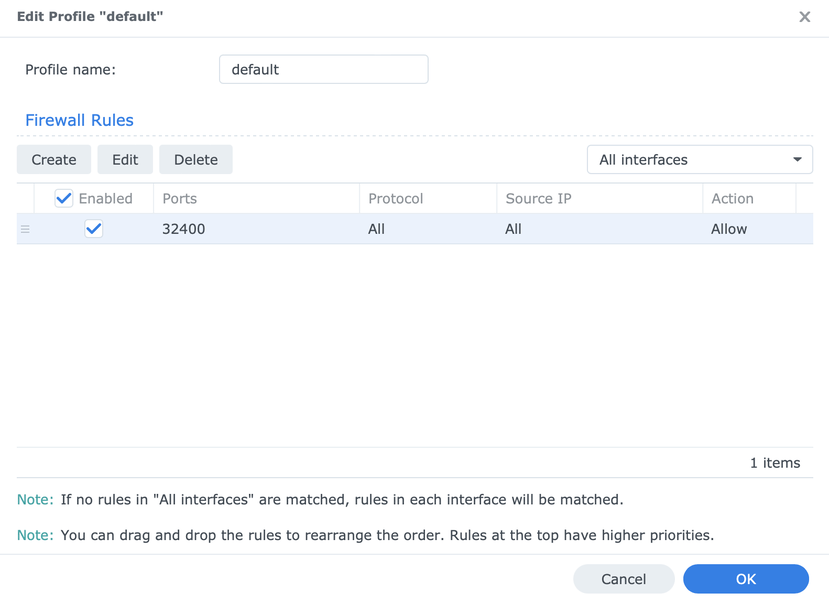
I’ve added the Plex port to the synology NAS firewall rules. No joy. Also tried with the firewall completely disabled and still getting the same error message.
@ChuckPa - I’ve added all those to the Synology firewall rules now. No improvements though. I did try with the Synology firewall disabled already so I guess that should in theory rule out any sort of issue with that. P.s. there’s an option for source or destination on the port settings, stupid question time.. I choose “destination”, is that right?
@FordGuy61 - I’ll have a check through the routers settings from Virgin my ISP. Is there anything in particular to look out for? I’ve tried disabling the routers firewall and that had no effect on the issue. Would the fact that I’ve tried plugging the NAS into the same switch as the TV essentially not mean they’re directly linked without the router interfering anyway, or does it not work like that?
Just downloaded that and put it on the on NAS. Didn’t bother with using a new folder and “Other videos”, was that critical? Got the same error message about not enough CPU to convert. Literally no movies work now and I know they have in the past so it’s 100% network related and not file types.