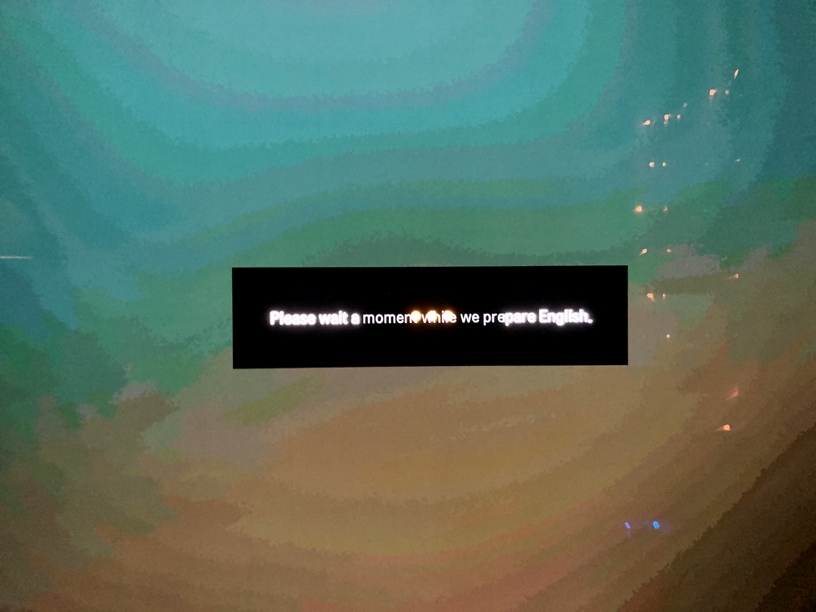
65E6 & 55C8 user here. I notice some weird color banding in the Plex UI on both my TV’s. Kind of like when you reduce a high resolution photo to a lower bid-depth kind of thing. the 55C8 is new which is probably why I was a little nitpicky this week. Attached is a picture from the 55C8. Has this always been the case?
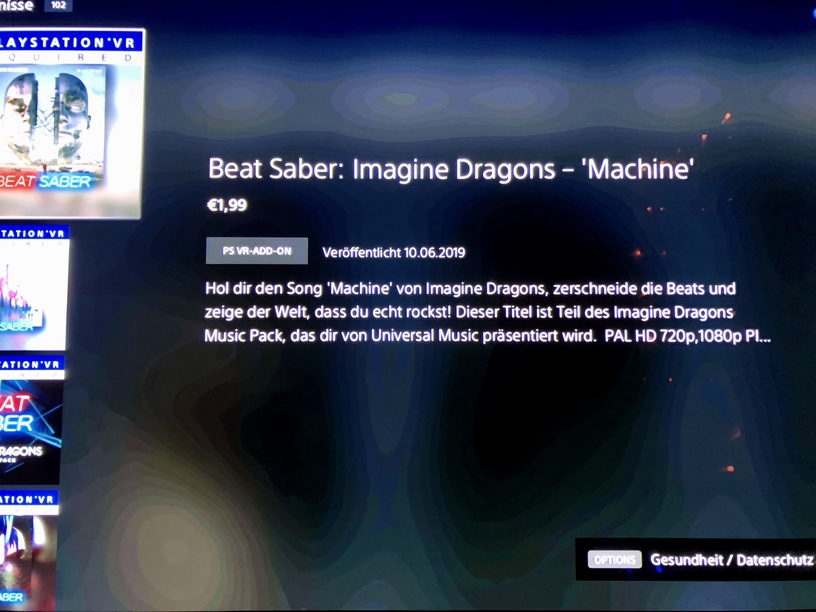
I can confirm that with my 55C9. It looks really bad and still leaves me wondering if there’s something wrong with my TV. I also saw color banding in other content (for example on the Playstation 4 Pro in the PSN Store when you go through different games and there’s this blended background images). The “Smooth Gradation” setting could help a little with that.
At last I think and hope that it’s all about content and the OLED TV just shows effects like that more clearly.
I tested many movies (UHD HDR etc.) and even color gradient test clips in 10bit depth (also through Plex TV App) and all of that looks just fine.
So it must be the Plex app theme I guess. But actually that just looks like even less than 8 bit color depth which I think would be kind of strange.
So I hope for people who can also confirm that. Besides that post here I can’t find anything in the web addressing that issue.
Server Version: 1.18.4.2171
Player Version: 4.17.3
WebOS Version: 4.7.0



 but would be great if the UI background could be fixed.