After re-coding content, even if the file name is exactly the same, the content is considered as new. Therefore, it would be useful that Plex checks the file name first, before checking the add-datetime. Plex can suggest that this file has already been added before and whether to link the ‘new’ file to the existing db-entries.
You must have changed metadata agents since you first added that file. <—that will do what you describe.
or
You must have something wrong somewhere - or have discovered a bug.
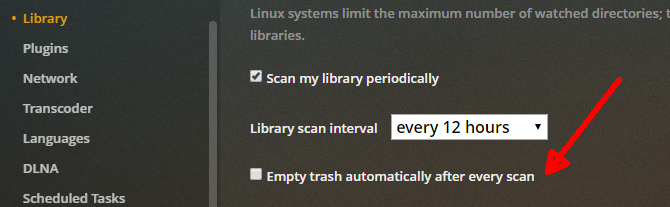
uncheck this option
True Dat.
I regularly have issues if I’m changing from MP4 to MKV, for instance. I’ve never changed my agent, but container swaps are an every day thing - all brand new to Plex.
Exact duplicates however are ‘usually’ just re-analysed after they’re overwritten and all is well.
Tis the nature of the beast - arrrrgh.
I think that Plex just looks at the file-date without considering whether a similar entry already exists in the DB.
there is only 2 reasons why a new copy of existing movie would show up as new.
- you have auto empty trash enabled, you delete the old one, then add the new one
- at some point after you added the original, you changed the agent, and the new copy is matched to the new agent.
plex identifies duplicate files based on metadata matching.
not filename or date/time or size.
I beg to disagree.
Especially when content is matched with ‘personal media’.
ok, well you never specified or provided much details ?
in fact, why don’t you provide, step by step, exactly what you are doing, and what exactly are you trying to accomplish ?
as before, plex does not go only by filename, timestamp, size.
it knows when a file has been modified from its previous analysis (ie it keeps track of bitrate/bandwidth/codecs/etc).
since personal media is not matched to any metadata provider, then I can only assume that when plex see’s a file has been modfied, it may be affecting the ‘recently added’ (which I assume is what you are complaining about).
So, again, please, give us some details.
For example, I had a lot of avi-files. Since it’s not possible to set a tumbnail for an avi-file, I put the avi into an mkv adding ‘cover art’. The file name remains 100% the same, except for the extension of course. I know/understand in this case the file name is the only link remaining between the original and the modified name. However, Plex could suggest that an almost similar filename was registered and whether metadata should be added from the original entry to the new entry.
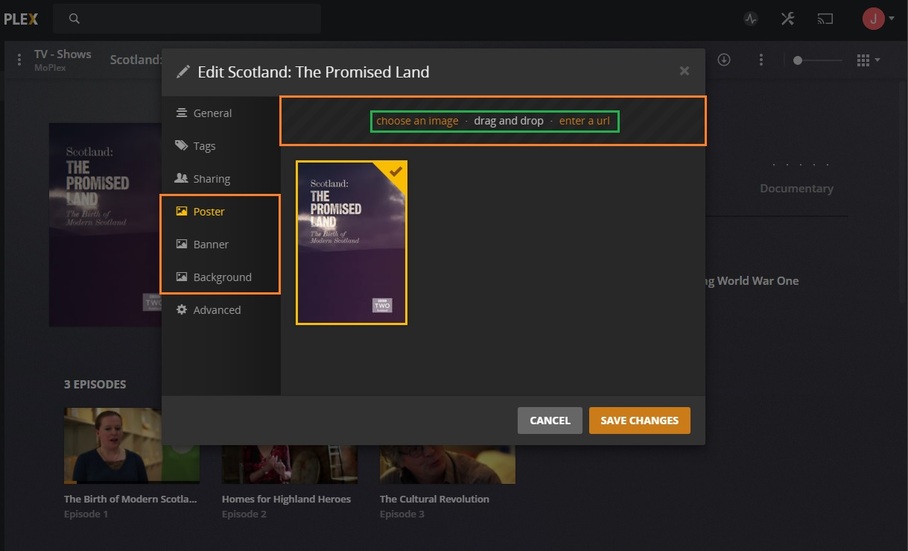
You can set artwork for file types from another planet on that screen.
Including AVIs.
If you’re putting artwork in MKV files - that won’t work.
If you’re editing artwork and moving it into the file structure - ur wasting time - the above is magnitudes of 1000 times faster, more reliable, not to mention easier.
(Episode ‘Thumbs’ are ‘Poster’ - when ur editing at episode level)
…just sayin’…
Why not adding the poster as a sidecar jpg file? That way the video file remains unchanged.
https://support.plex.tv/articles/200220677-local-media-assets-movies/
https://support.plex.tv/articles/200220717-local-media-assets-tv-shows/

