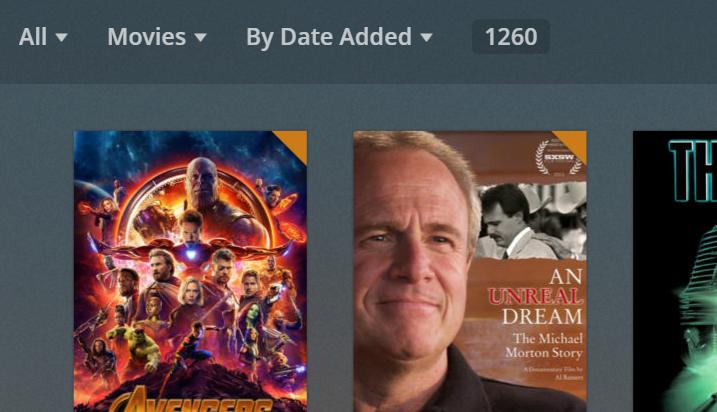
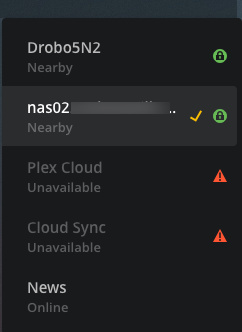
I seem to have hit a snag with Plex server. I cannot get it to work consistently with my large collection. I have a Linux server and a windows 10 server and they work, but become randomly undiscoverable until I restart the server app. I should add these are very powerful systems with tons of ram and disk space. The server app itself seems to be overloaded. I would like to know if there is a limitation of how many media files can be in a library and how big the library can be? Is there a system wide max?
Has anyone found a disk space size or a number of files size per library that seems to work every time? I don’t really want to start over and add files until it breaks.
Does anyone else have a problem with 1,000’s of files?
I should point out that this is NOT a networking issue. The server becomes undiscoverable even when attempting to access to the localhost:32400. The Web app loads, but the server isn’t there in the list even though the process is running. Restart the service and do nothing else, and it is discoverable again on all devices. The problem is the same on both the windows and linux servers with the same library, completely different hardware config and OS.
I haven’t hit a size or quantity wall yet. I have 3000 movies, 160, TV shows, tons of music, spread over 16 TB of space on a Windows 10 machine. I7 CPU usage rarely goes above 50 percent as well as 16GB of RAM rarely topping 60. So nothing beefy for my server, just a basic PC. Usually streaming 1-3 streams at a time. I have a weekly reboot to keep things fresh, but cannot say I have ever had a problem like you are experiencing. With completely different servers, common link seems to be the media. What types of files are you hosting? Folder and file structure? Does it crash during transcoding? Don’t have any answers for you other than stating in don’t see a limitation based on file count or size.
One TV Shows Library has 3500 items, but I wouldn’t think that would be an issue.
All my videos are m4v. Most SD. Fewer HD. Some 4k. I restricted it to scanning once a day which helped. It seems to have gotten worse more recently as I have added more media file quantity.
Like right now, both servers show up on my iphone. Both are offline on my apple TV. #2 is showing up on my mac “unavailable” while I am watching a TV show from #2 on my phone. Same wifi. If I restart the linux service, it will come up available on the apple TV and the mac too.
I know, #1 isn’t showing up on the screen shots and I don’t feel like going upstairs to restart the app tonight. Trust me. It will show up in the lists if I exit the server app and restart it on the Windows 10 NAS too.
It will be fine for a couple of days usually. It is super annoying. Don’t do transcoding. Only original. Have done 3-5 streams at a time with no problem. It doesn’t seem to be a server horsepower issue. Not a sleepy server / network card. The servers just disappear off the list seemingly at random, sometimes while I am streaming media to other devices. I have removed several of the libraries from the Linux server as a test to see if it has the same problem with half of the number of media files.
[root@nas02 Media]# find | wc -l
80900
[root@nas02 Media]# du -h --max-depth=1
163G ./Children’s Movies
246G ./Children’s TV Shows
78G ./Classic Movies
786G ./Classic Television Shows
2.3T ./TV Shows
693G ./Movies
4.6T .
with a couple thousand shows/movies, some shows that are 15+ seasons and tens of thousands of individual files, it has no problem.
once your server gets loaded up, i suggest turning off periodic scanning and doing it manually maybe once a week (you only really need it to full scan every so often), then set it to “Run a partial scan when changes are detected” that’ll make it only scan the files that are added/removed, instead of doing a total system scan every time you add a single file.
Good morning. I find all these massive libraries impressive indeed, great job everyone!
-wbm
ps. I align my thoughts about ascertaining the PMS problem with Chuck’s own. But I also suspect the difficulties lie somewhat within server layout? Jez lemme know if you want that or not, good luck two7.