Version 6.8 - Build 3
6.8.3.7132-9d030676d-PlexPreview
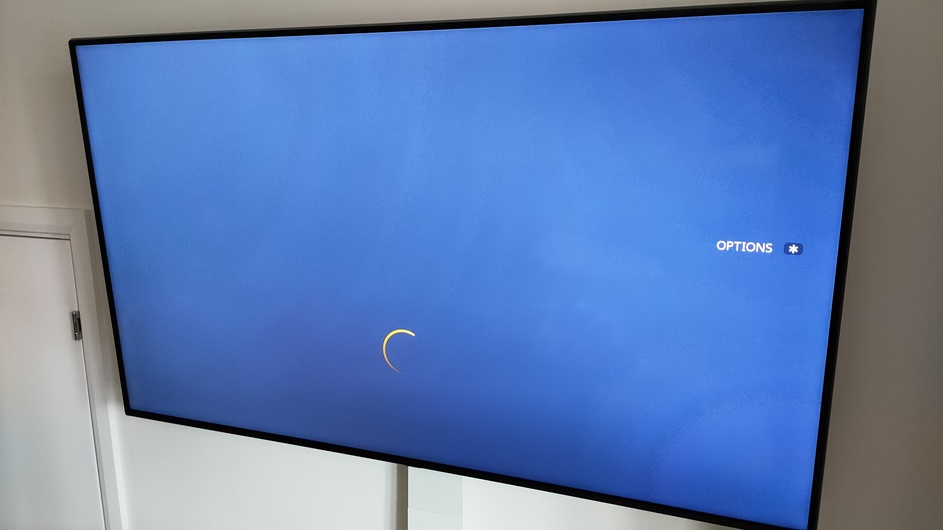
I am seeing the Live TV guide (DVR) not finishing loading after I have switched channels once. First time in it works as expected.
eg.
Pick a channel from the guide and tune it, press UP on the remote to open the guide, new look guide loads fine. I then pick a new channel to watch.
At this point if I attempt to open the guide again via the UP button it gets stuck on a blank screen with a loading symbol towards the bottom. If you press the ‘back’ button it shows the live feed again, press UP again it shows the same loading screen. I have to currently back out of playback to return to the menu to pick another channel.
Sorry for the troubles. I just tested this and can reproduce it, when you start playback from the “What’s On” tab, then start another channel in the guide. We will investigate further to find a fix. In the mean time, it doesn’t seem to occur if you started playback initially from the guide. When you navigate to Live TV & DVR source on the sidebar, go to the top taps and selected “Guide”. Playback started from here will not exhibit the issue.
Hey, thanks for the reply. Just tried that from the guide that is working for me too, phew. That’s gets me moving for now, cheers.
Having thought about it I probably always launch a channel from the ‘recent channels’ hub on my home screen about 95% of the time hence running into this. So I assume that is the same hub from the ‘What’s on’ screen.
@Claret ~ we’ve published an update to the preview channel that should fix this issue. Please give that version a try and let us know. Thanks again for reporting!
 from me though.