Server Version#: Latest
Player Version#: Latest
So I upgraded my Plex server and web client today to the latest version (Server runs on Windows and player runs in Vivaldi using Chrome engine).
I wanted to disable all the on-line stuff that Plex is pushing now but the “Movies and TV” was always on in spite me disabling it under my account settings. So I thought, let me log out and log back in. That was a mistake. After doing it, I no longer can log in to my own Plex server using browser (on my local network) unless I come there through my WAN interface via app.plex.tv.
What’s going on here? I am paying for this app and I feel like some else is always trying to make decisions for me?
There is no such thing as local login and there has never been.
What URL exactly are you using to access. What error if any is showing. Depending on the secure connection settings you may have to use http or https when using the local IP. Some browser like chrome will complain with a “connection not private” error but there will be an advanced button which when clicked will open another warning but also a link to proceed anyway
It might be site data/cookies saved in browser still trying to connect with credentials. I would try an incognito or private browser window as well.
Forgive then but I must have been dreaming for like EVER logging into my local Plex server through a local IP address and not the dreadful app.plex.tv. One thing I really dislike is when people make “definite” statements.
You are not very helpful and try to show your superior intellect, I see. If you are a Plex employee, that would explain a big nose dive in customer service and public relations. Sorry, but that’s how you come across.
I’m not trying to prove any superior intellect. You are using phrases that mean one thing to mean another. I can’t understand an issue if you call something which it is not.
You said that which I took to mean you logged out but could not log back in with your credentials and were trying to access without credentials.
Again I would try to clear out cookies/site data or try with an incognito window.
having the same issue, local link doesnt work, but thanks to OP i tried using app.plex.tv and that only works.
clearing browser cache, restarting PC, reinstalling plex, tried each of these and none worked, only going to app.plex.tv worked and i had to choose “insecure connection” within plex to make a connection.
looks like some issue with an auth server.
Same thing happens for me.
If I try http://192.168.1.55:32400/web/index.html
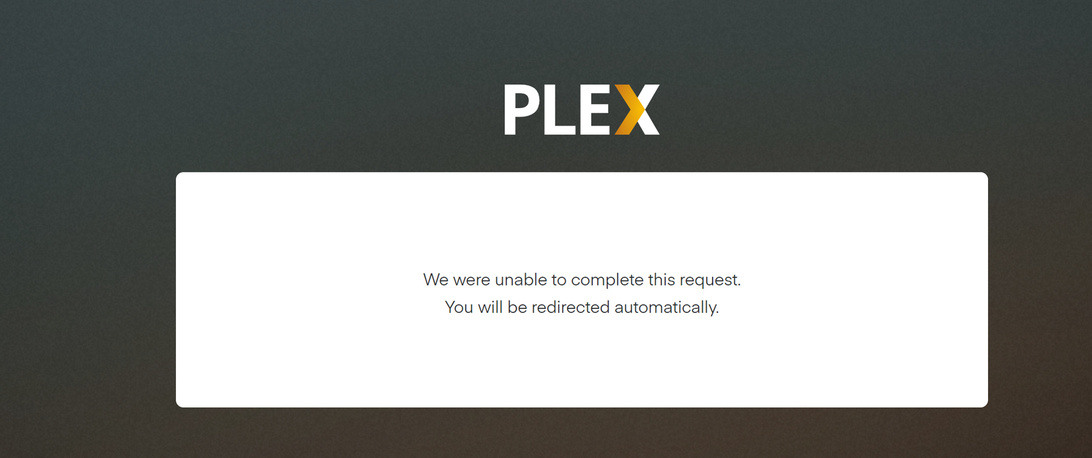
it gives me the same message and then redirects (internet connection needed) to
app.plex.tv
still doesn’t recognises my login and I have to authenticate again at plex.tv.
Only after that I can finally connect. Every time rinse and repeat
I think something was changed in the latest release for security reasons.
Did not mean to be harsh to you but for whatever reason something rubbed me the wrong way when my report/comment on the issue was so easily dismissed. In any case, it is working now and looking at this thread it seems I was the first one to report a “bug”.