Server Version#: 1.19.5.3035
Player Version#: 4.30.2
Am I missing something or did something change and we not see it.
In the past, PLEX has gotten better and better. Has made some changes according to the flow of the people. At one time Cloud service, Google Links, Facebook updates and a host of ONLINE options were available even third party plugins.
I didn’t want them but I always wanted to keep to the CORE of the theme of PLEX.
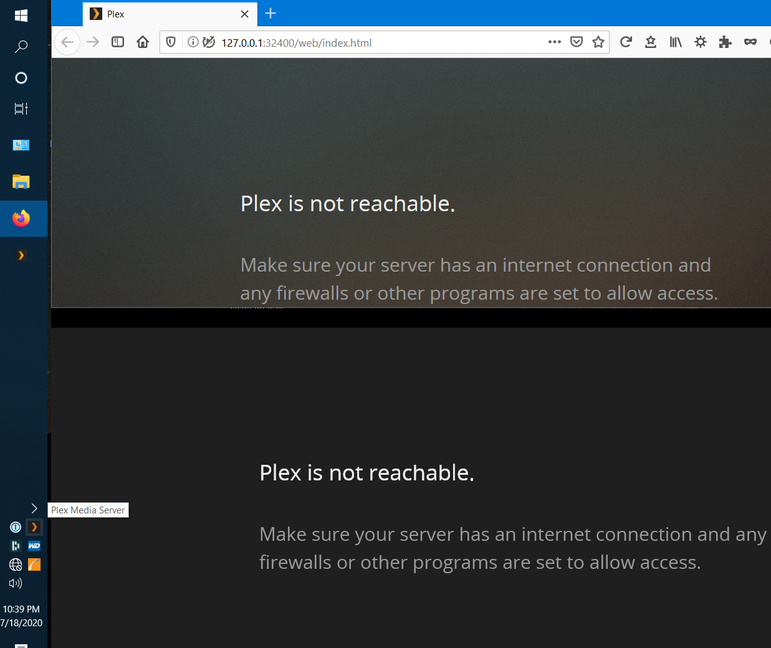
Allow me to buy a lifetime license and use it for MYself when I wanted. I don’t thing I should have to ask permission all the time. Point IN Case… The internet is down. I get this.
Plex is not reachable.
Make sure your server has an internet connection and any firewalls or other programs are set to allow access
Not to sound upset but I was kind of worried twice in one week. The first was this week when the login servers were having issues with existing accounts. and it seemed to be my lifetime license account only. My free account was still working.
Granted the problem was fixed in record time but it got me to thinking about it again.
I found out this.
If I keep a chrome page logged into my PLEX.TV account all the time even if the internet goes down or offline, I can still spin up PLEX and it will show me ONLY the main login with the proper PIN to get on.
If for some reason I have to reboot and the internet is down, I can Hotspot my phone long enough to get plex logged in and drop the hotspot so I don’t incur data charges.
But if for some reason like last week. The logon servers are down… Well too bad so sad.
Let me tell you something, when you tell someone you can’t watch X#&X because the internet won’t let you on PLEX. You have a house full of mad viewers.
Guys for the sake of sanity and safety. Could we look into maybe using a security certificate for PLEX that would allow you to log onto PLEX offline. I know that a certificate can be issued for daily use, monthly use and yearly use. You can even tie it in with the accounts to where you have to update THRU the account at a monthly or yearly time. I know that would open a few ways to trick the system but I thought PLEX was free and PLEXPASS was the addons. Also, the system seems to lock up if the LAN is turned off on the server. For me, this is an important thing, I don’t want my kids to have access to the internet but have access to PLEX. I have instructional vids that I have them watch when they are in timeouts.
I also noticed you lowered the lifetime sub. I paid mine way back then and never felt bad. I have been a loyal PLEX user. I have tried most of the all.
I had even bought the Nighthawk R9000 thinking it would be better but I can say without a doubt, my servers on my desktop are faster and less trouble.
Thanks for the time to look into this…