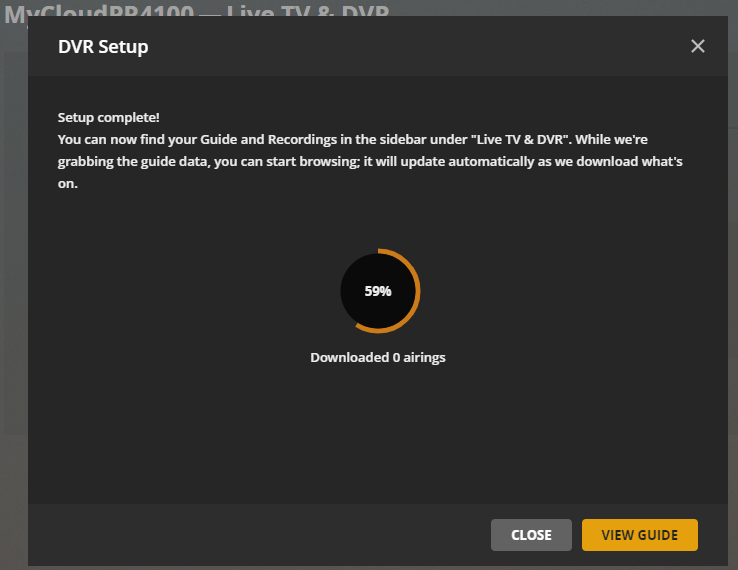
Please help. I know this is a long shot because Plex support is basically non existant (even for us LifePass owners), but I hope someone cares enough to answer this post.
My LiveTV & DVR functionality is gone. I get no episodes, so I can’t tune any channels. My TV Tuner is detected properly, scans and finds all channels properly, connects to the EPG source, and log files have no errors. But I get no TV shows or info, so I can’t tune on any channel. This happened between this and last week. I have installed so far 5 different previous versions. Every one of them does the same thing.
Here’s all relevant info. Hope someone from Plex cares enough to answer…
Server Version#: 1.18.8.2527 thru 1.20.1.3252
Player Version#: ANY
Tuner Make/Model: WinTV-HVR-955Q
Guide/Lineup name: TV Abierta México OTA Broadcast
Using XMLTV?: No
Channel number/Name: ANY channel
Hello, I am also from Mexico and I have the same problem, it does not mark any error but when the channel lists are updated, “downloaded 0 airings” appears and no channel appears in the channel guide.
It would seem that programming for open TV is no longer available in Mexico, but they should enable the option to tune in to channels even if there is no channel programming.
Same happened to me, here in Costa Rica. “0 airings downloaded”. Problem started somewhere after September 15th, at least those were my last episodes recorded.
Tried all different things, zip codes, cable providers, english/spanish language for the EPG guide, removing/readding the tuner, on another Plex server.
Yes. September 15th sounds pretty much like it. And I tried every combo, as you did. Also tried 6 different server versions. Something changed, and the logs mention no errors. Only zero items downloaded.
I find it sad to see that I paid for something that has zero support, but I fully expected this to happen. Now I know why I heard so many bad things about Plex. But hey, I had to buy the lifetime pass. Now I’m stuck with a license I have no use for because all I wanted Plex for was for streaming TV.
Well, Plex support has allways been pretty non-existant. You rely on other members, helping you. But being that we are the minority (using EPG guide data from Latin America) I would expect little to no help at all.
From what I can guess, the problem is the provider of EPG data.
The first time you run mc2xml, you’ll need to find by yourself the tv guide that has your shows. In my case, it was TVGuide.com. Select it, input your zip code.
You’ll end with an xmltv.xml file (or if you follow the guide, a tvguide.xml file. Doesn’t matter). And a .Dat file, which is the config file for mc2xml. This one has your config for your country, TV Guide, etc.
Create a windows scheduled task, so mc2xml.exe runs every day with the following modifiers: My own task looks like this.
Where -D is the config file that was automatically created, and -e is the file that has your tv guide.
Now, delete your DVR on Plex. Create your DVR again. This time, instead of letting Plex use their EPG or whatever, point it to the XML file on your hard drive. xmltv.xml.
VOILA!!!
I have all my TV channels back! No thanks to Plex support!
Thanks. Temporary fix and it works. Altough there should be no need to go around the existing provider. Using an external XML file, is normally done, when using custom EPG data, or there’s no providers from Plex.
In this case, there are providers from Plex, they just have empty data. Hope they fix it in the future, specially after reading this:
It’s a partial solution. At least I cannot do any recurring recordings. I can only record episodes “once”. Apparently, all shows are treated as “movies”, so there’s no way to tell the DVR to create a daily or weekly recording of a TV show.
Didn’t see you had updated this post. You had already marked it as solved so I was no longer tracking it.
Please restart PMS, don’t do anything, just let it sit for 5 minutes. Then get me the logs. Are you still using an XMLTV file or trying to use Plex’s EPG?