Server Version#:1.23.6.4881
Player Version#:4.59.2
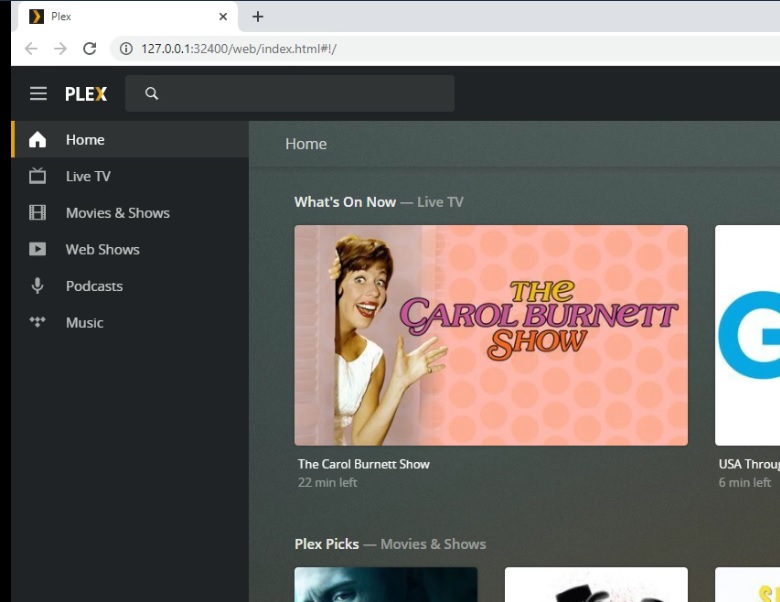
I am new to Plex and am trying to set up my server. I don’t see my server name in the Left panel. In attempting to find it I deleted the “More >” option. is there a way to bring it back?
Quite sure you can’t delete that.
Are you sure you are not already on the “More mode” ie seeing your server name first instead of the first library you have. In which case there should be a " < " icon above that is to go back to the PINNED libraries where you can see the " MORE > " again.
The server which is connected to your plex account has last been seen 3 months ago.
Is it possible that it is running under a different plex account than your web browser?
Verify that you have the plex icon in your task tray area.
If you do, see if it vanishes when you move your mouse pointer over it.
If it doesn’t vanish, quit the server, wait a few seconds then start it again via the Windows start menu.
Then go to the plex data folder and open the Plex Media Server.log. You should find the plex account of the server mentioned in there.
Compare the email address/username with what is used in your browser.
After reading your post @OttoKerner, I had set up a test PC that I loaded Plex on. It currently still has it loaded with all the expected side menu options and server. I no longer want Plex on this test PC, would I still follow your directions on this new server? or do I need to get it totally removed from my test?
It doesn’t matter what you do on your test machine.
You can have several servers at the same time, if you want.
My instructions were intended for your main machine.
@OttoKerner Hello Otto. I got busy with my work and am just getting back to this. I have followed your directions and found that the logon was not the one I intended. Do I need to delete my account on my “to be primary” plex server and re-do the server install using the proper logon credentials? Or is there another way to change it over.
Don’t delete your account!
If you are currently logged in and you can access your server settings, it is just a matter of going to
Settings - Server - General
and signing out
If you cannot access your server settings, perform this procedure instead: https://support.plex.tv/articles/204281528-why-am-i-locked-out-of-server-settings-and-how-do-i-get-in/
Make sure not to switch between several plex.tv accounts back and forth in your main web browser.
If you have to access a different plex.tv account from time to time, open an “incognito”/“privacy” browser tab and do it in there.
I went to Settings, but there was no “Server” listed, however there was a General under the Plex Web, but no sign out options.
I also went into the registry to look for the file com.plexapp.plexmediaserver.plist in
HKEY_CURRENT_USER\Software\Plex, Inc.\Plex Media Server, but this file was not listed.
You are mixing up the instructions for different platforms.
Windows stores the settings in the registry.
Mac OS stores the settings in a .plist file.
@OttoKerner Otto, Thank you for your tremendous help. I am now on my way to getting an active server again. Before I go clicking things again, my server is unclaimed. Do I proceed with claiming it now?
Yes. To do this, you must use the local web app, which has been loaded from the local/private IP of your server.
