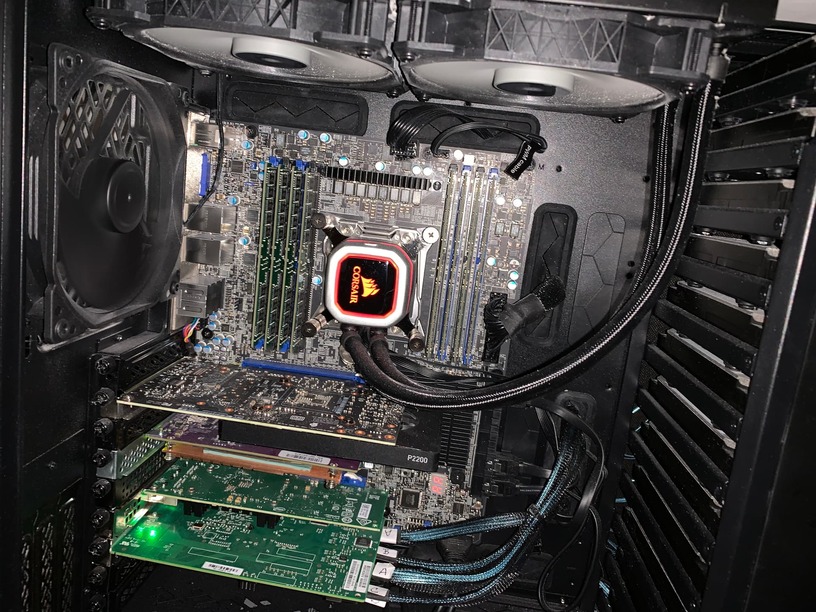
Here you can see the P2200 in my machine. It’s slightly wider than 1 slot.
On this board, the next PCIE slot is where you see the SSD QNAP (Purple) card.
@ChuckPa
dont get it … so do u mean that power delivered directly via socket vs cable can be different, better to say… the cable can reduce “power” and cause issue?
edit2
they also sold a box for a gpu card as holder with that cable… so its made for gpu mainly.
Yes. Mounting a card, suspended by one screw, is mechanically dangerous.
The card can warp easily. The screw can come out from long term vibration and the weight of the card.
While this sounds dumb, would you like your automobile engine mounted with 2 bolts?
In geometry, we all learned, 3 points determine a plane.
It’s for this reason the card is secured 3 ways. It won’t move.
@ChuckPa hello,
so in case i dont need low profile card… i am just seeking for a technical help… i am running plex and have max 2 users streaming (watching movies simultaneously). Also i need to encode/? stream from my hik camera inside frigate;
i can see that camera is producing stream in
Encoding the decoded stream to H.264 is a significant burden offloaded to the card so Yes, you want to hardware Decode and hardware Encode (e.g. HEVC → H.264)
VM vs Native.
Why in a VM? Unless you’re using ESXi, you’re going to lose a tremendous amount of throughput / performance? (hardware acceleration yet in a VM? – conflicting)
Are you using a Linux VM on Windows?
If Nvidia supports encode & decode for the card you want to use -AND-
You have the Nvidia drivers and encoder+decoder installed. Plex will use it.
– I use 510.85.02
– Well above the min required for Plex and demonstrated stable Nvidia driver.
not sure i get it, camera is producing h.264 i believe; so u need to go from h.264->to what is supported by frigate?
I think frigate needs to ffmpeg?
edit2: so i was told frigate needs GPU to be able to decode h264 and h265 streams.
"It is recommended to update your configuration to enable hardware accelerated decoding in ffmpeg. "
Well by VM i meant yes Guest os - ubuntu running on host - ESXi. So i passthrought gpu via esxi into the guest os ubuntu and it should work?
well not sure; encode & decode of what codec? the driver u mentioned is windows or linux version?
i mean what codec has to be supported by GPU for a plex transcoding?
i wanted something around 100euro ; p2200 is so expensive for my budget,
thats why i was asking how much power is required for max 2 simultaneous streams.
Also i am not clear; the transcode on plex will happen all the time? Its not possible to stream raw video that is stored in plex library?
edit3 and ideally card that consumes the less W during the idle