Server Version#: 4.53.0
Player Version#: 1.29.1.1974-a65b3ef3
How can I make Plex use the file name instead f the metadata title?
As you can see in this screenshot the file now uses the metadata title.
This thread suggests setting Local Media Assets (Movies) to the bottom priority in the Agents settings. The problem with this is that I still wish to use local media assets as the number one priority. That is, I always want to prefer local file information, I just don’t want to use the metadata for movies and TV Shows. But is this possible?
Which agent are you using?
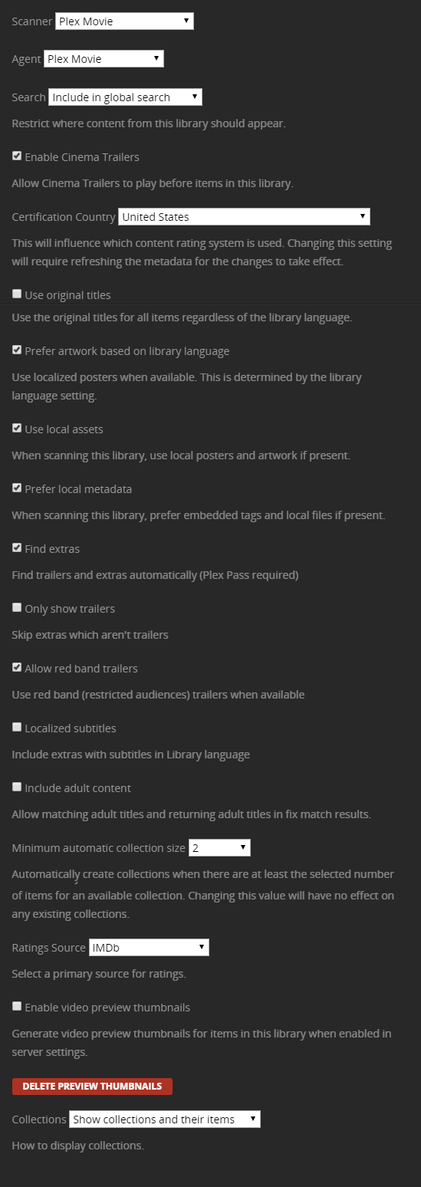
The Plex Movie agent (not the legacy one) supports your scenario better, you can set “Use local assets” and disable “Prefer local metadata”.
Your other option is to strip the metadata out of the files.
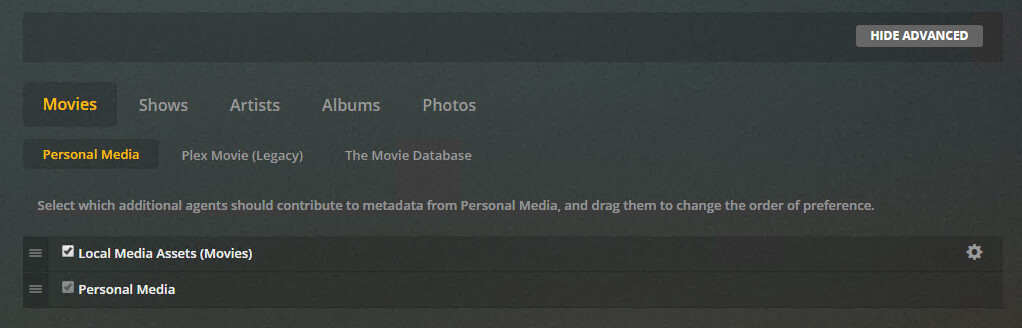
I don’t see Plex Movie agent anywhere. This is what I have:
This is the agent configuration for the legacy agents.
If you are already on the new “Plex Movie” agent, edit your movie library instead and go to the Advanced tab. All agent options are there.
Only the Python agents are accessible from that menu.
Just edit your library (Settings → [Manage] Libraries → (hover over the library and edit library) → Advanced:
This is that agent:
Once you get Plex to quit reading those Titles - your life will improve.
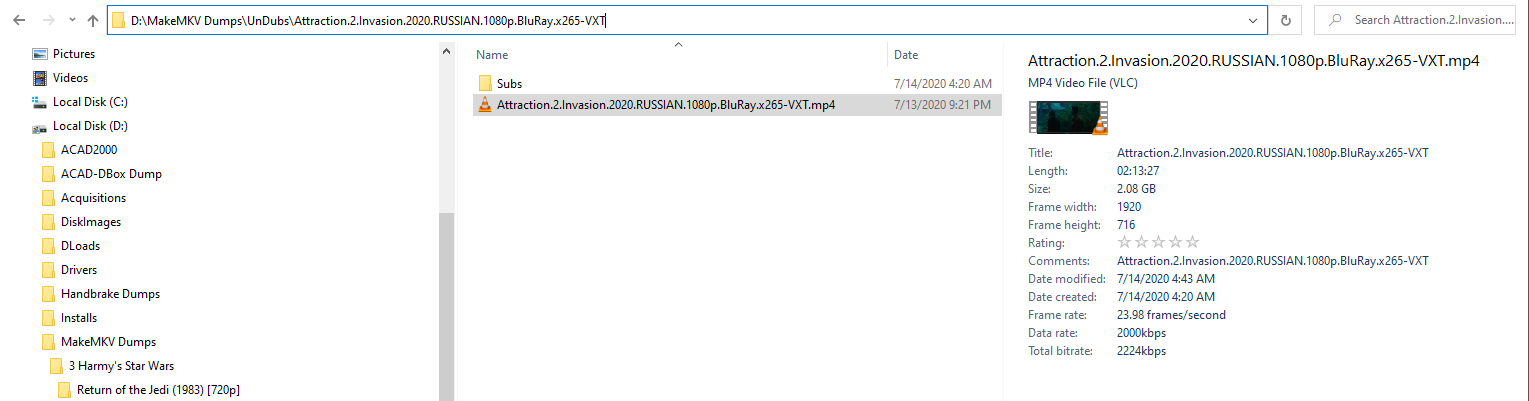
Here’s what I do on arrival - they’re already open in the File Explorer so with the Details Pane Visible:
Title Field already gone - highlight then hit Delete before hitting Save:
- only your hairdresser knows…
- no Title Field to anger you when Plex makes your life miserable by preferring it.
and/or
- DENY Plex’s ability to read the title field. <—until or unless you need that for some reason.
Note:
Once they go through the ‘Process’ when they arrive they’re MKVs - with that bogus Title Field if I haven’t removed it. The bogosity is easier to remove from an MP4/M4V early in the file manager. When they’re MKVs I have to use MKVToolNix (even though it doesn’t matter at that point 'cause Plex can’t read or react poorly to an MKV).
Thanks
Just changed it to Plex Movie. It does not seem like the title is changing instantly, do I have to do something?
These options should have some explanation or perhaps a link to the knowledge base. They are not exactly intuitive to understand.
If you use the “Upgrade Matching” option it does give you a popup with more information (see https://support.plex.tv/articles/upgrading-a-movie-library-to-the-use-the-new-plex-movie-agent/) - I just wanted to know which agent you were using.
You can just refresh metadata on the library (or individual items) - just make sure you have disabled “Prefer local metadata” in the advanced settings first.
I tried changing the agent to Plex Movie and then I did Refresh metadata on the specific video. But the title is still the same. Also tried to Unmatch and Match the video again. What am I missing?
Disable “Prefer local metadata”.
Yep, you missed this part ^
Thanks, sorry I completely skipped that part. It works as I want now. Thanks for the assistance 
You can use MetaX (Windows). I use MetaZ (Mac) to edit all the metadata before I put a movie in my library.
I noticed that was happening to random movies and these fixed it from happening ever again.
Works great.