Hi team
I have this problem, because when I enter with my credentials , the first time Don t see the screen managed users but I see immediately the my server ?? Or when I do log in using my plex token always to first access I see my server but I don’t see the screen managed users , can I do something ? Thanks for the support
Which Plex client?
Hello Otto example I used plex client on web browser or also on tv
Thanks !!
Davide
The idea behind managed users is this:
You only have one plex account: yours.
You log in once on each device and never log out. There is no reason to ever log out.
Managed users are sub-accounts within your own account. They don’t have an own password, therefore: after initial log in with your user credentials it is you (the main account) who is logged in.
Please explain your use case a bit more in detail. Why is it necessary for you to log in all the time?
Ok I understand all , but in detail when my managed users try to enter inserting the my credentials their enter directly in my super account or my principal server, only when enter the second time their see the screen managed user and then for enter in the their account must insert the pin code , hope that I have given more information
Thanks !!
That is more or less intended.
Only you should have the password for the main account. So if there is a new Plex client, you are supposed to log it in to your account.
Only after that, you should give it to your family members.
Maybe there is a different approach which serves you better?
Please describe your use case.
Hi Otto sorry if i answer only now , as mentioned previously, when I connect with my hostname example plex.betflix.com when i first log in, this screen appears,
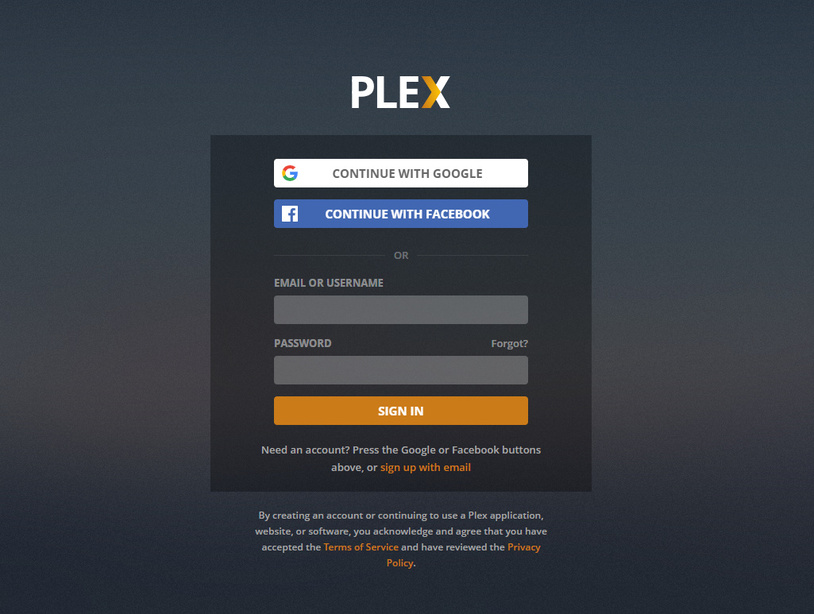
why i don’ t immediately see the screen of the managed users?
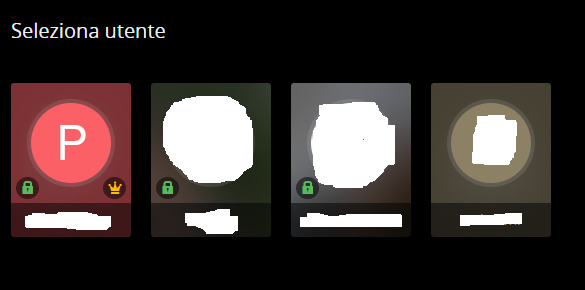
if every time the users managed see the first image, they must always enter the credentials of the super user, for me it is not very good
Thanks very much
Regards
Pacodcr
The reason is that your web browser is logging itself out of the plex.tv account.
Many web browsers nowadays are set to delete every ‘cookie’ and other data from websites, once they are closed.
But it is this cookie which stores the login.
No cookie - no login. So you must enter the credentials every time you close and re-open your web browser.
Sometimes it is external software like CCleaner which deletes these cookies.
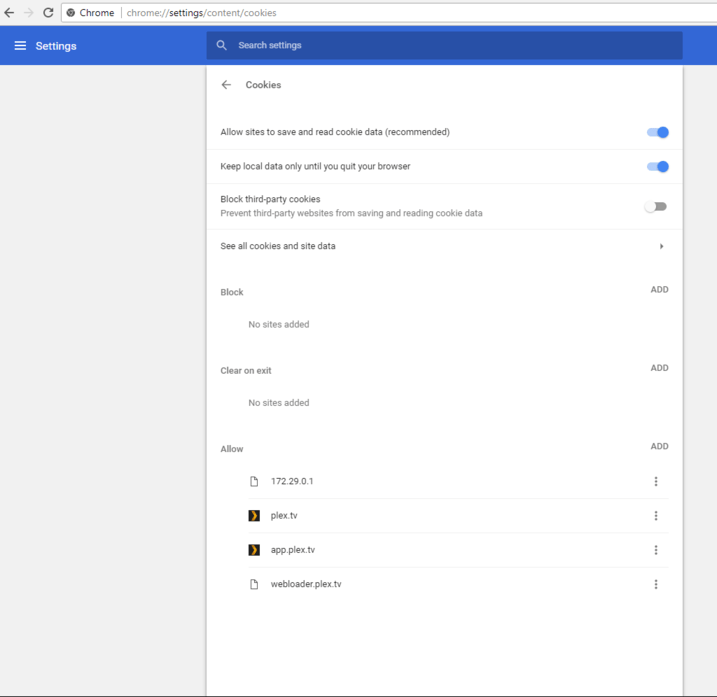
So, you must make sure that the web browser doesn’t forget any of the cookies related to the plex.tv website.
Define exceptions to the cookie deletion policies.
Here is an example how to do that in Chrome:
Ok,
but instead of configuring cookies if I also insert the plex token in addition to the url, I arrive directly to the second page of the managed users?
Thanks !!
No, using the token directly in a URL is a terrible idea (and it won’t work anyway.).
ok i understand , but why it’s bad idea?
Thanks !
The URL is not encrypted when it travels over the internet.
Every proxy, every router is able to “see” and store it. If you have the token, you can do anything with your account. It is as good as having your username and password.
Ok i understood thanks very much for the support !!
Regards
Pacodcr
Sorry but i have a other question,
happens a few times when I enter with my main account I do not see the screen of managed users but I immediately access my main account, without seeing the screen of managed users, however, this should not happen right?
This is normal behaviour.
