Server Version#: 1.23.6.4881
Player Version#: All
So, as a good mac citizen, I managed my media library in Itunes, and when they split, in Apple Music and Apple TV App. I always tagged my shows and movies and then import them into the TV App. The TV app then renames the files according an internal scheme you can not control if you click “Keep Media folder organised”
Now I wanted to move my complete media experience to plex. I bought a mac mini and a Raid enclosure. I split the Apple TV App folder into Movies, TV Shows and Home Videos as it is anyhow split by the TV App. I pointed to the Folders and created different libraries.
I expected the migration going smoothly because I thought this is a common problem, I do want to keep the Apple TV App Library as is and point Plex to it. But especially the TV Shows only get imported half way. I only have one episode per season, its really strange.
So Apple TV app names for instance:
TV Shows/show name/Season 1,2…/1-01 The Showname.m4v
I can not rename the Show according to plex standards because it breaks the Apple TV App library.
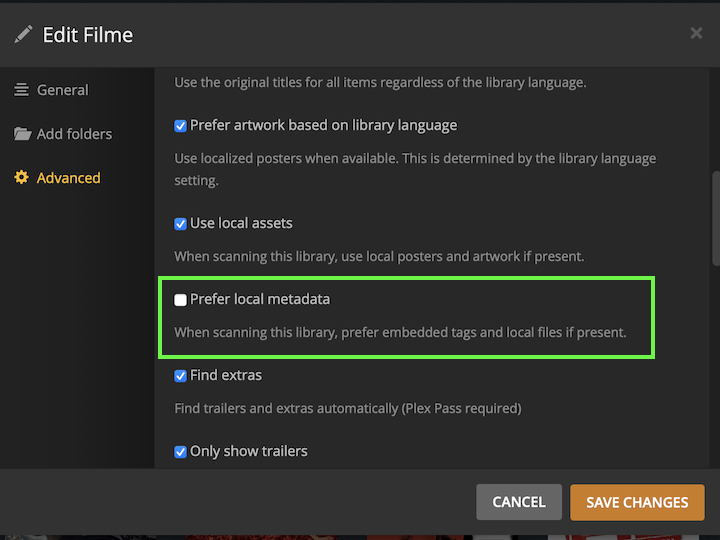
But all my Files contain proper ID3 tagging so why does plex not simply import ALL files in the subfolder and scan for ID3 tags?
Also with the Movies, its better there but I dont even want plex to look up metadata because all Movies are tagged with ID3, but still there are 15 Movies missing, just so. Is there any way to look up what went wrong on the scan and why they are not imported?
I think, one of the more common usecases would be the migration/integration from Apples TV App on macos without breaking the library. Why is this not supported out of the Box to just import ALL and scan ID3 tags? I would happily be a paying member, but this is not the UX I was looking for. Thanks all for helping out.
 ).
).