Example 1:
Album: The Thomas Crown Affair soundtrack
MBID: e26f9e10-18c5-4a54-ba55-38361f05f36e
MB type: Album + Soundtrack
Plex categorizes this as “Album”
Example 2:
Album: KINK Lights Out 10
MBID: 5cd3f2df-e0ff-49dc-b09a-464581c87bcd
MB type: Album + Compilation
Plex categorizes this as “Album.” This is an album in a series of 11. The other 10 albums, identically categorized at MB as “Album + Compilation,” are correctly categorized in Plex as “Compilations.”
There are others, but hopefully these are enough to identify the cause.
With these problem albums, could you take a look at track XML and see whether the album is a) matched, and b) matched with the correct agent, and isn’t somehow stuck with older metadata? In the XML, parentGuid should begin with plex://album/...
If the above looks correct, does refreshing metadata at the artist level correct the release type?
I had a look at both release groups in MB, and they look fine to me. If the type has been changed recently, it can take a little while to propagate to Plex, though neither of these examples seem to be the case.
This is expected behaviour then, afaik. If it’s unmatched, or the type is otherwise unknown, Plex will default to Album for the type. Matching to a release in MusicBrainz should resolve this.
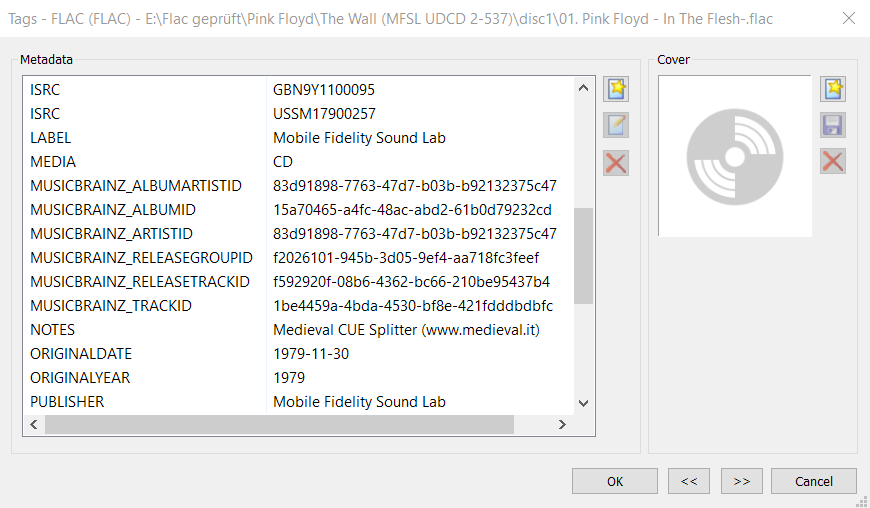
Pro tip: using something like Picard or Beets will embed the MBID in the file, which Plex uses as a strong hint for matching, too.
Lights Out seems to be an odd one though. Have you got another example, perhaps? Might help to try and find commonalities to pin down the cause.
Odd thing is, the album MBID was in the embedded tags, so I’m not sure why it didn’t match automatically. It might be because I don’t have every track from the album - in fact, I have only one track.
There was another soundtrack album, for a movie called “State Fair.” It, too, was unmatched, has the MBID embedded, and doesn’t have all the files (about half of them).
I manually matched both of these albums, pasting the MBID into the Album field in the Match dialog. It matched them, but it created a new “Various Artist” artist for each album - that’s a problem that’s old news, though. I just have to merge them. It did categorize them as soundtracks, though, so that answers that.
I’ll have to see if I can find some other examples like the Lights Out album.
Hmm, out of curiosity, I did a Fix Match on the Lights Out album using the MBID, and it fixed it. Another new “Various Artist” artist, but the album is now listed as a Compilation.
That’s really odd. I don’t think the missing tracks should affect the match, but I may very well be wrong on that.
As I said, the MBID tag is seen as a hint when matching, but Plex will still look at a bunch of other factors, including other tags (and potentially number of tracks, I don’t know).
What’s particularly strange is that it was matched, but didn’t have correct metadata (and refresh didn’t fix it).
If you can find another example, getting logs after a refresh on the item might point us in the right direction.
I’ve been through about a hundred other albums, and they all match MB’s type classification. Several have only 1 or 2 tracks, and they are correct, so I think you’re right, that’s not an issue.
So it looks like I just had the one unexplained outlier. If I do come across another one, I’ll be sure to grab logs. Thanks for your time.
Just found a single that is categorized as an album. MB has it right (type=single), and it is matched.
MBID is embedded in the files.
Single: Martin Page - In the House of Stone and Light
album MBID: 725f5f79-e454-442e-83a8-c321fe310575
XML: parentGuid="plex://album/5d07c592403c640290a9ca7e"
Logs: (sorry, sonic analysis is running, so the logs might be polluted) Plex Media Server Logs_2021-08-12_19-01-47.zip (3.7 MB)
Well, there’s a good hint in here at least. Looks like the MBID you provided doesn’t match the Plex GUID. This is what we get when we query for that MBID directly against the Plex metadata API:
As you can see, the Plex GUID doesn’t match. In the rest of the response, we can also see that the MBID matches, and we’ve now got correct metadata for the release group type (under Format):
Now the question is why is it matched incorrectly? Maybe someone with a little more insight can chime in on that. I can ask around and see what I can find. In the meantime, I suspect fixing match will resolve your issue here, as the album should then get the correct Plex GUID, and therefore correct metadata.
I suspect something must’ve gone wrong in the cloud side of things for this to have happened, and resulted in an orphaned album with bad/missing metadata.
I wondered about that, almost mentioned it. Didn’t compare the MBID, but I noticed the album and single have the same title.
Yeah, I’ve put a lot of work into my tags (ask Elan sometime ), and I’ve put a lot of work into my releases in MusicBrainz. I’ve been through my non-classical library, and I think the only outliers left are the ones that aren’t real albums, just some singles I’ve thrown into a folder.
Is there anyway to force Plex to look for MBIDs? I’ve added some to a few albums but Plex is not playing ball. They only way I’ve found is to ‘Match’ but I’d rather not do that, I want my tags to be correct - if I need to rebuild my library, I want the tags to be only source of truth and not have to ‘Match’ loads of albums.
This is a good example. It is a live album and is shown as that in MB. I’ve added all MB tags but it refuses to sort into the Live album section. The only way to fix it is to ‘Match’ it, which defeats the point!
Below is screenshot of Boris. I’ve removed all my Boris albums/singles etc and emptied the trash. I then added all tags and started to add one album at a time. Firstly, the band description was wrong, ‘Match’ didn’t even work here. Every track has the correct ‘MUSICBRAINZ_ARTIST_ID’ so not sure why it’s not working. I manually pasted the correct description in.
Plex doesn’t use the album type in the tags. It only uses data from musicbrainz for that, and it only pulls remote data if you match it.
At the moment, there is nothing you can do. Either match to Musicbrainz, or disable the categorization feature.
And join in with all the people currently asking the plex devs to make it possible to set the categories locally. Maybe they’ll change it if they realize enough people need/want it.


 ), and I’ve put a lot of work into my releases in MusicBrainz. I’ve been through my non-classical library, and I think the only outliers left are the ones that aren’t real albums, just some singles I’ve thrown into a folder.