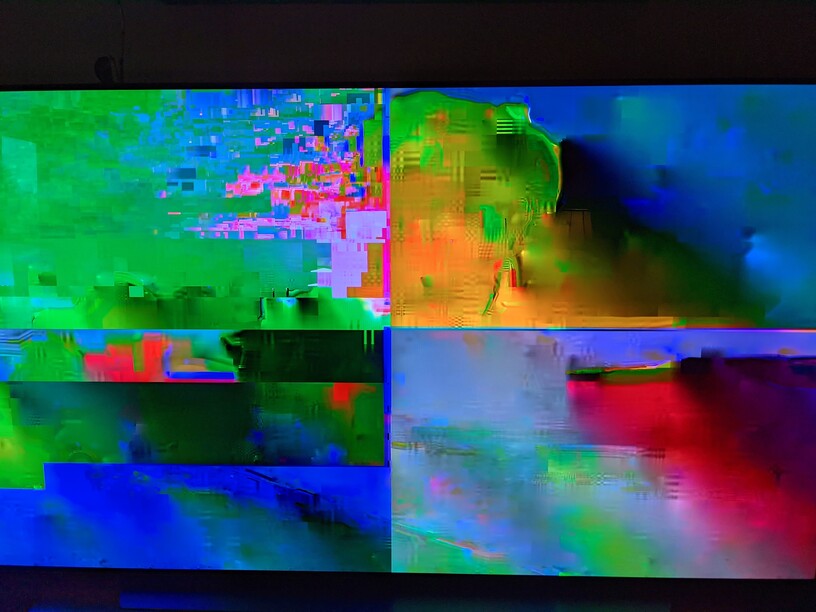
Server Version#: 1.23.2.4656
Player Version#: (Xbox client version) 5.17.0 (platform version) 10.0.19041.8126
I have just moved my Plex Server install from one Windows machine to another and now playback on some files no longer works properly. The video plays but the picture looks like large, artifacted, jumbled pixels (see attached pic). Audio comes through fine.
I’ve observed this issue with videos that worked fine in the same player (Xbox) when streaming from my previous server. It appears that all HDR content is affected but I’ve also seen instances of non-HDR content. I’ve tried disabling hardware acceleration in PMS settings, updating my graphic card drivers, removing the video file from the library, emptying trash, and re-adding, and some other attempts around different settings. Same issue when trying to play via Plex client on Playstation. Web players all seem ok.
No transcode errors are apparent in the logs seen in the console. I’m at a loss as to what to try next.
Ok so it seems the issue was on the Xbox side and had to do with my particular TV and Xbox VRR interfering with some streams. After posting this last night, I found I was experiencing the same streaming issues on other apps (HBO Max, Amazon Prime video) and came across some info relating this issue to having VRR on and 4K/120Hz displays: Common Xbox Series X/S issues and how to fix them (updated)
Super unfortunate timing for that to come up since the only thing that really changed was my Plex server move. Xbox settings have been the same for months without issue.
I’m still going to check for loose network cables and I’m not sure what is up with the Playstation 5. Plex on PS5 didn’t show the same garbled picture but it didn’t show any video at all. Audio and subtitles displayed but just a black screen behind.
Anyway, hopefully this post may help someone else out with this issue.