Server Version#: Version 1.29.0.6244
Player Version#: Version 4.87.2
So for a very long time I’ve been dealing with this issue. Just started happening one day, out of the blue as far as I know.
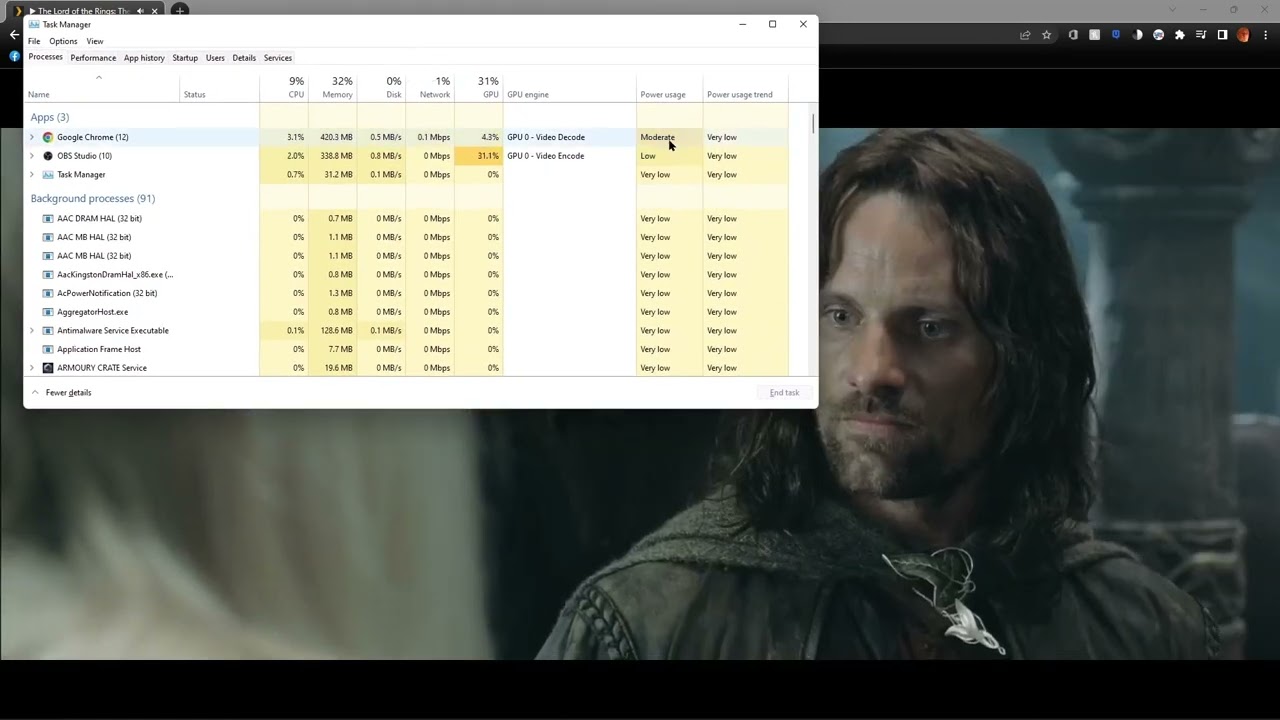
Some of the movies I play have this stuttering. It doesn’t happen when I play the movie through a network share in VLC. And doesnt happen on my AppleTV, it’s only when I play it from my gaming computer.. and that computer is the one I use the most. Here is a link to show you what the issue is, and I open Task Manager so you can see that it draws more power when its stuttering.
Gaming Computer Specs:
System Information
  Time of this report: 10/22/2022, 17:50:43
         Machine name: GAMINGPC
           Machine Id: {A2622443-A279-4918-9F64-28177F474D2D}
     Operating System: Windows 11 Home 64-bit (10.0, Build 22000) (22000.co_release.210604-1628)
             Language: English (Regional Setting: English)
  System Manufacturer: System manufacturer
         System Model: System Product Name
                 BIOS: 4007 (type: UEFI)
            Processor: AMD Ryzen 5 3600 6-Core Processor               (12 CPUs), ~3.6GHz
               Memory: 16384MB RAM
  Available OS Memory: 16308MB RAM
            Page File: 7595MB used, 11145MB available
          Windows Dir: C:\WINDOWS
      DirectX Version: DirectX 12
  DX Setup Parameters: Not found
     User DPI Setting: 96 DPI (100 percent)
   System DPI Setting: 96 DPI (100 percent)
      DWM DPI Scaling: Disabled
             Miracast: Available, no HDCP
Microsoft Graphics Hybrid: Not Supported
DirectX Database Version: 1.2.2
DxDiag Version: 10.00.22000.0653 64bit Unicode
Server Specs:
System Information
  Time of this report: 10/22/2022, 17:48:22
         Machine name: MEDIA-SERVER
           Machine Id: {984D9C17-7D65-4B14-9D59-D4A6B94BA17E}
     Operating System: Windows 10 Pro 64-bit (10.0, Build 19044) (19041.vb_release.191206-1406)
             Language: English (Regional Setting: English)
  System Manufacturer: MSI
         System Model: MS-7640
                 BIOS: BIOS Date: 09/23/13 15:56:05 Ver: 04.06.05 (type: BIOS)
            Processor: AMD FX-8320E Eight-Core Processor               (8 CPUs), ~3.4GHz
               Memory: 8192MB RAM
  Available OS Memory: 8142MB RAM
            Page File: 5575MB used, 3845MB available
          Windows Dir: C:\WINDOWS
      DirectX Version: DirectX 12
  DX Setup Parameters: Not found
     User DPI Setting: 96 DPI (100 percent)
   System DPI Setting: 96 DPI (100 percent)
      DWM DPI Scaling: Disabled
             Miracast: Available, with HDCP
Microsoft Graphics Hybrid: Not Supported
DirectX Database Version: 1.0.8
DxDiag Version: 10.00.19041.2075 64bit Unicode
If you need any more info, just ask. Having trouble with my eyes so pardon my mistakes ,
