Hello!
Does anyone know how to take all the songs in a playlist and rate those songs 2 stars at the same time? I have taken my highly rated songs and created separate playlists for them in Foobar. I imported those playlists into Plex via a 3rd party since this basic function isn’t included and I can’t figure out how to batch rate them. For god’s sake why can’t there at least on each song in the playlist be the five star ratings like there is in the album view? For movies and tv I find Plex masterful in so many ways but for music and audiobooks, very poor.
I’ve been a Plex plus customer since 2015, there is no direct tech support? Wow, very poor support for a company that is taking on increased marketing partnerships over the years and charges a lot to its users.
Thank you for any support on this community!
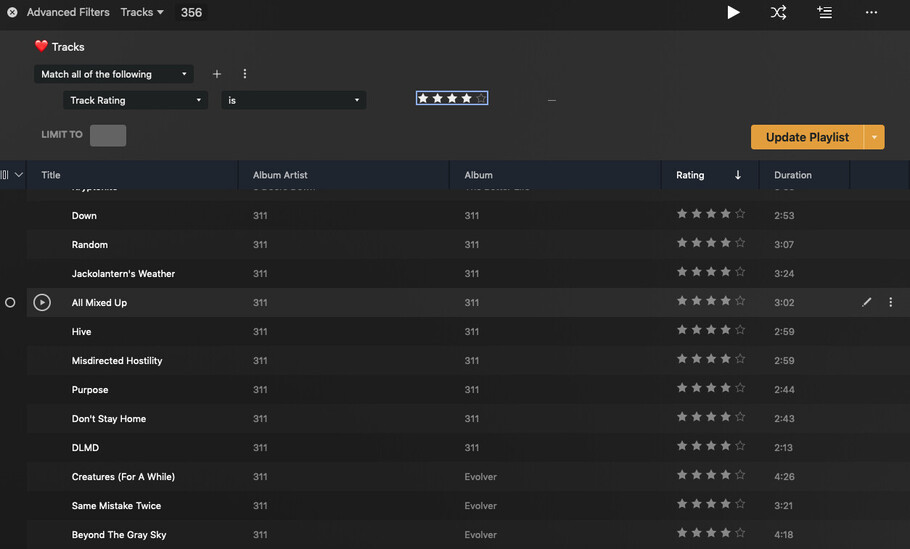
Playlist bulk rating is possible but you have to go into the editing of the playlist and select the tracks on the left and then hold shift and slide down then hit the pencil and move the rating.
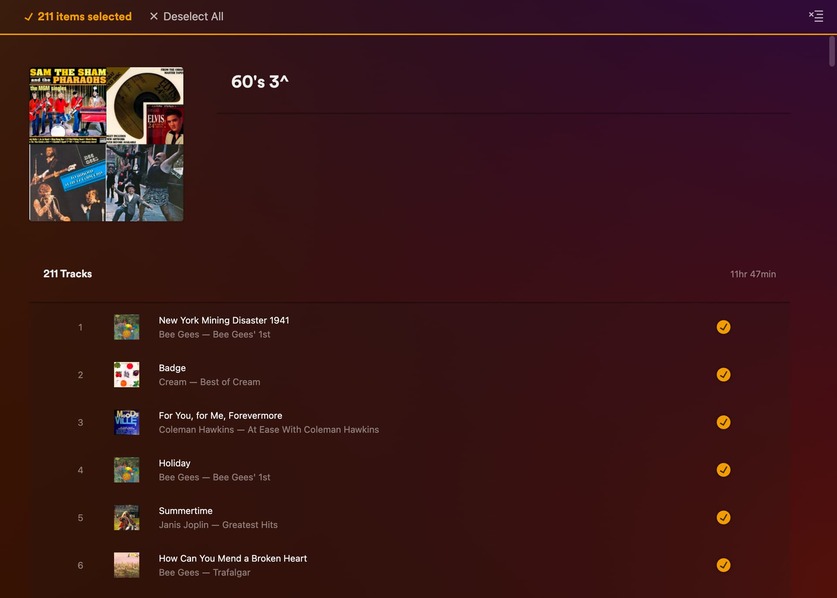
The songs in the playlist it does show the ratings right under the song name. Here is my playlist with star rating.
Are you just wanting to see the ratings or are you wanting to be able to change each star rating from the playlist view?
Thank you for your response Ryuzaki!
In the playlist view where I wish to add ratings of say 2 star to each track in the playlist, if I highlight all the tracks there is no editing options. If I hit the pencil in playlist view it only grants editing option for changing the poster and name of the overall playlist, the same function as what you’d get hitting the pencil from the view of all your playlists. I see your pics and I’m excited that there is a way to do this but I am stuck still on PC and Mac versions of media player.
Ryuzaki_2‘s example only works for smart playlists. When editing the filter, Plex will basically show you a regular library view that allows editing the visible items.
@Tom80H that makes sense. My playlists I have imported from a 3rd party app since Plex cannot do this function on its own. It is not a smart playlist.
I apologize for that. I misunderstood I thought you had recreated playlists in Plex. Might be worth a try to create a smart playlist and as you rate songs going forward they will show up in that playlist.
@ Ryuzaki all good! I have used Plex since 2015 and I realized that Plex is not a good editor but it is a fine player remotely. I use Foobar for editing metadata, rating and creating playlists. To duplicate these efforts in Plex is not an efficient use of my time. I have 250,000 songs in my library. Just my 2 star rated tracks come in at just over 15,000 tracks. To go through Plex and rate them individually…ugh, not gonna happen.
Because I can’t find a way to bulk rate tracks using a playlist I imported, listening to Plex on radio mode is useless.
If I understand your usecase correctly and you‘re happy with trying out a simple python script, you can transform your playlist into a collection and mass edit the tracks there. Process is explained here.
Edit: Inspired by your post I created a simple script which directly assigns the rating to the tracks without the need to create a collection. Quickly tested under windows and can be found if you follow the link.
@GeorgeBB, this is a great find for a script-based workaround for a few playlists. I have hundreds of imported playlists from Foobar2000 via the app MusConv. These playlists are broken down into rating/genre so I can listen to my “rated” tracks in Plex. I’m not great with python, does it take input for multiple playlists or just one at a time?
My 5 star ratings are embedded in the tracks themselves, perhaps someone in the community knows of script to get Plex to read/add those ratings?
It took Plex music a long time to add reading of genre tags properly. I have a lot of genres in my tracks and Plex reads them verbatim now, excellent improvment! Now it’s time to add reading of the rating metadata in the scan.
@GeorgeBB, I see that you’ve created a script to rate songs within a playlist. I’ll check it out, thank you. I can speak Japanese but reading code/script is something else entirely.
@KenMaeda,
of course you wouldn‘t enter hundreds of playlists you actually listen to. Instead create one playlist for each rating with all or at least some hundred songs having that, import this playlist into plex from an .m3u, apply the script and you can delete this playlist after that and proceed with the next one. For creating .m3u files according to your embedded ratings, you might want to use mediamonkey or mp3tag or some other program. I take you already have found a way to import .m3u playlists? If not, there are also scripts for that around. Installing python and importing the requirements is by far simpler as you would think and if you‘re stuck, just ask chatgpt for help.