You can edit for a selected group of songs different Tags, but not the rating. I would like to see that in a group edit dialog the rating could also be set/overwritten. Also a ‘select all’ is icon is missing when view has been limited by a custom filter
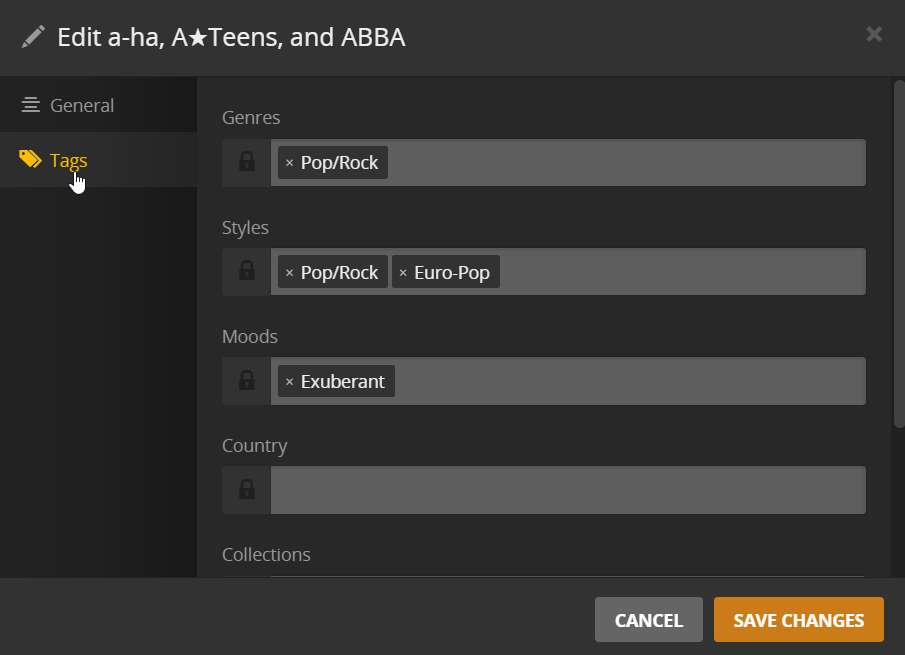
You actually can for songs (same for albums, movies, episodes…).
You currently cannot edit the rating of an artist or a set of artists using the edit-modal (apparently the artist rating is only visible/accessible in the artist page.
Editing is also available for multi-selections in a list filtered by a custom filter (however not from within a playlist).
TL;DR: considering this implemented/fixed/no-longer applicable
But this doesn’t help. When people like myself moving over their rated songs want to move into Plex, one way would be to create a playlist based on ratings in their old world (like iTunes) and then import the m3u with Rest API (not nice) or Soundiz to Plex. I could no imagine that this is a big life and would bring consistency into the edit function.
My apologies… you lost me. At what point did this turn towards importing metadata from iTunes via m3u or Rest API?
This sounds like a very different topic.
Have you looked into the option to import playlists/ratings from iTunes as described in the Creating Libraries support article?
Import from iTunes
Enabling this option will attempt to import your music playlists from iTunes. It will also import your ratings, the date you added the music, as well as play and skip counts for tracks in your library.
This option requires that iTunes be installed in the default location on the computer running Plex Media Server.
As for your original question… in the screenshot in your OP you’re editing a number of interprets – not songs/tracks! If you do the same thing for songs, the track ratings are right on the General tab of the editor. I’ve tested this in parallel to writing this post and it works like a charm.
