Server Version#:plexmediaserver_1.25.7.5604-980a13e02_amd64
Player Version#:
Naming help
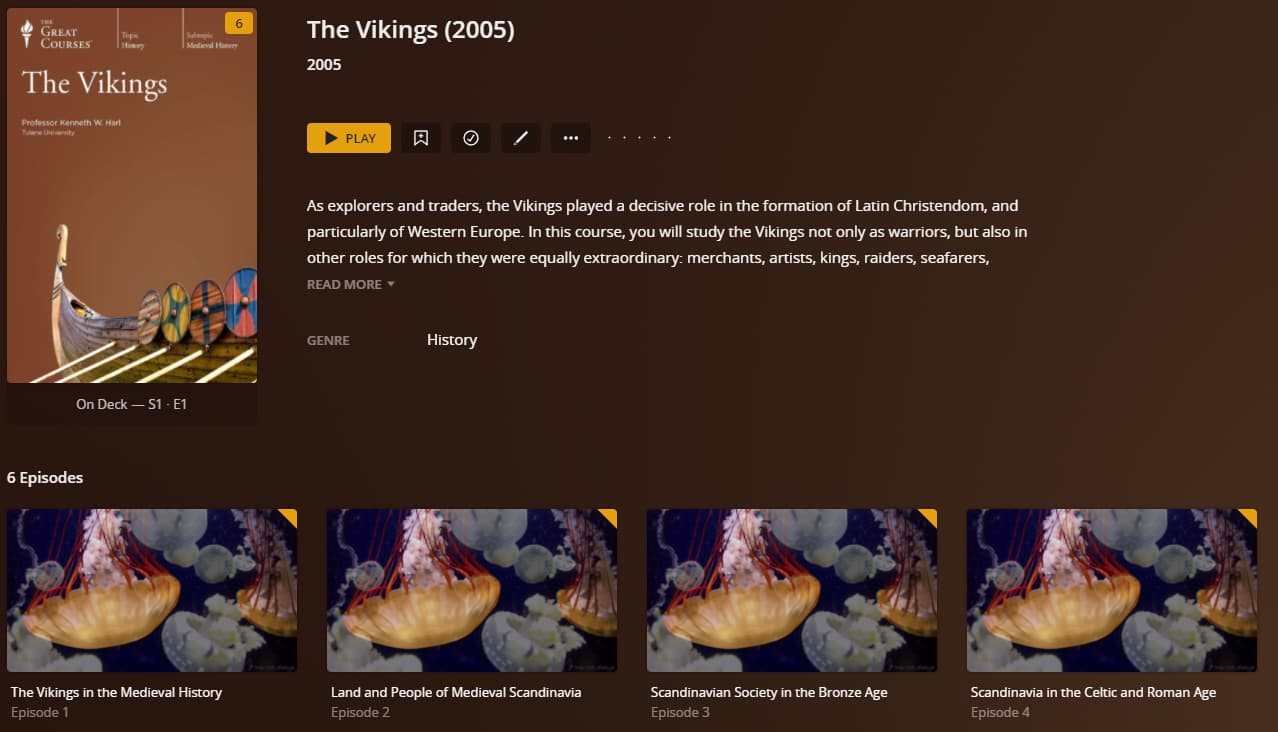
I am puzzled regarding how PLEX names TV Media shows.
I have read and think I have followed the guidelines/instructions regarding file naming.
I have several Great Course media – probably not in the media reference archives that PLEX looks into for naming but I do not know for sure.
Every episode has the name Episode X even though the file name has the actual name in the format that should work.
Other more recognized TV stuff seems to work and the file naming seems identical in format and the names of the shows match what the file name indicates.
Does PLEX ignore the file name in favor of its database lookup?
Over and above the naming, the plex TV agent/scanner can be configured to based on naming from the tmdb or tvdb. These can be configured per library or by each show if you wish.
Yes. Plex uses the show name and sXXeYY to determine show, season, and episode. It ignores everything after sXXeYY. For TV shows, Plex pulls information from TheMovieDatabase and TheTVDB.com. It uses that information to populate episode names, descriptions, etc.
/TV Shows <-- folder added to TV show library
../The Vikings (2005) {tvdb-411693} <-- ID optional, helps with matching.
..../Season 01 <-- "Season" in English, two digits for number
....../The Vikings (2005) s01e01.ext <-- ext = mp4/mkv/ext
It is clear that I am confused by either the instruction or my miss-understanding (aka ‘thick head’)
History of Blah, Blah - 1X1 - L1 Cities, Civilizations, and Sources.mp4
is the name of a .mp4 file that is one episode
PLEX recognizes it as Season 1 but does not name episodes. Most likely my file name format is incorrect.
All files are named so that humans and identify by the name what the file is related to.
The text L1 Cities, Civilizations, and Sources is what I would like in the Episode Name. Is there a way to do that? The instructions refer to this as optional info but I do not understand how to make PLEX use that optional info for the Episode name. Possibly there, is no way but I would like to know so I do not keep trying to do something that is not possible.
If the TVDB is going to be used then I think the file names should be
History of Blah, Blah - s01e01 [- L1 Cities, Civilizations, and Sources].mp4
Am I correct or is the format ?
Thanks for any help to cure the “thick head” syndrome.
You need to follow Plex’s naming requirements. See the support document linked above.
Plex ignores the episode name in the file name.
Plex uses episode names as listed on TheTVDB or The Movie Database.
If the show is not listed at TheTVDB or The Movie Database, you can treat it as personal media (like home movies, etc). Setup is more involved, since Plex does not try to match to online databases. See Personal Media Files → Naming Home Series Media.
History of the Ancient World - A Global Perspective - s01e01 - L1 Cities, Civilizations, and Sources.mp4
History of the Ancient World - A Global Perspective - s01e02 - L2 From Out of the Mesopotamian Mud.mp4
History of the Ancient World - A Global Perspective - s01e03 - L3 Cultures of the Acncent Near East.mp4
The TVDB finds the series name but PLEX does not substitute the episode names as shown on the TVDB. Instead it says Episode 1, Episode 2, etc.
Is this the expected result?
Do the “s” and “e” need to be caps?
You need to go to the shows page from your Plex server and then click on the edit icon (pen/pencil icon). In the edit modal, click on Advanced on the left menu then in the right panel change the value in the drop down for the episode ordering option to “The TVDB (Aired)” from “Library Default” and then click “Save changes”. Finally refresh the metadata for the show by clicking the 3 dots icon and then clicking on “Refresh Metadata” and then the episode names should appear.
I have determined that two of the items I wanted to establish are not in the TVDB. If they are not there setting them up as a Home Series Media is possible.
From what I read, Home Series Media will not allow the Episodes to be the names of the files but instead be labeled as Episode 1, Episode 2, etc.
Is my understand correct?
The ability to have an actual name associated with the Episode information would be a nice improvement for the future.