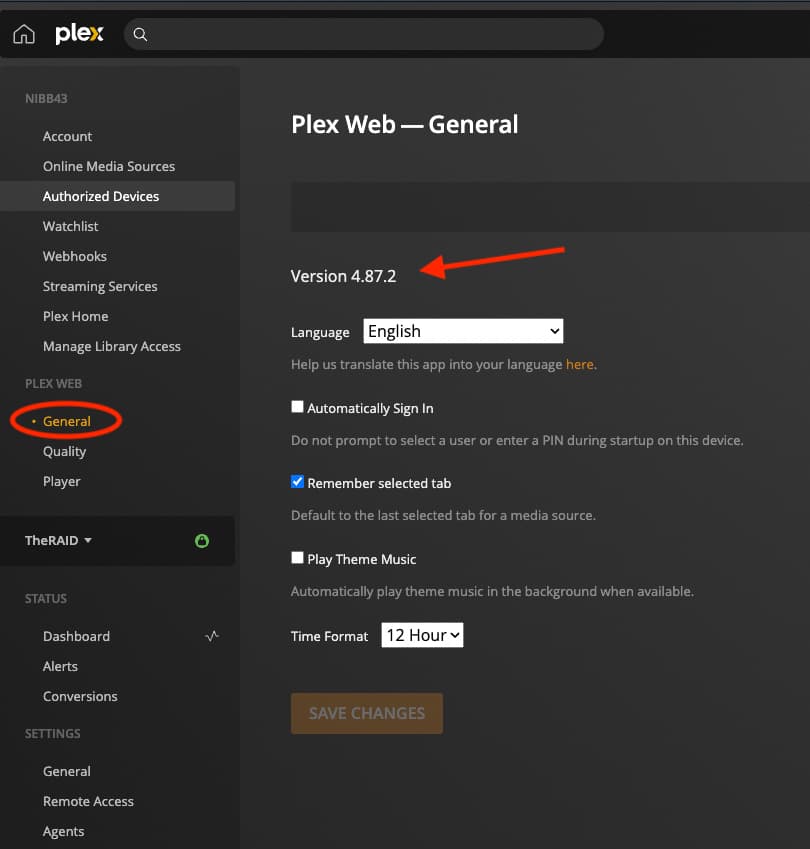
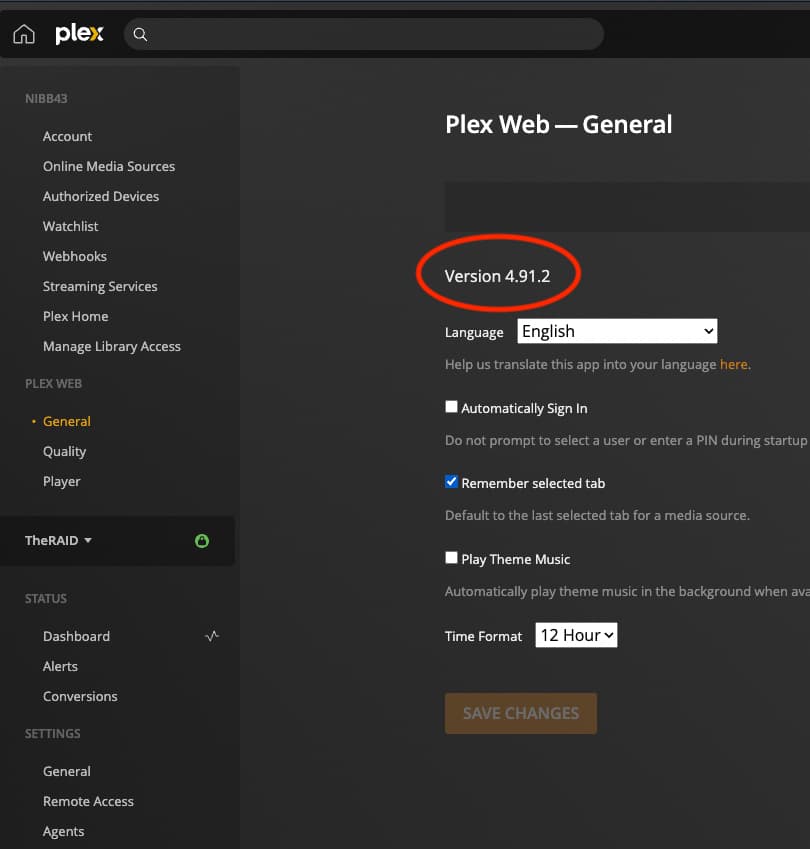
On the Settings → General tab
https://app.plex.tv/desktop/#!/settings/web/general
or https://localhost:32400/web/index.html#!/settings/web/general
maybe
On the Settings → General tab
https://app.plex.tv/desktop/#!/settings/web/general
or https://localhost:32400/web/index.html#!/settings/web/general
maybe
@nibbles If it’s there I’m not seeing it… can you screenshot an example of what I’m looking for?
Do you see anything like this for the local version?
And for the hosted web app I see versions 4.91.2
@nibbles For the hosted version I also show 4.91.2. Do you have a URL for the local version I can try? I don’t have a toolbar…
@nibbles My apologies, I missed the URL in the previous post. The version for localhost is 4.87.2 like yours.
Any further thoughts on what would help toward getting this fixed? Thanks for all help.
I think you showed it’s fixed in version 4.91.2,
but how do you get that upgrade is the question.
Folks who have a Plex Pass have access to beta server versions.
The current PMS beta is 1.29.0.6244 afaik.
Without a Plex Pass you would have to wait for the next stable.
There’s no ETA but it’s about every two weeks. The last one was a week ago.
Yes I have 4.91.2 for hosted version and that has a toolbar, but the search bar is broken (see screenshot). No bar of any kind on the local version.
I do have Plex Pass but not sure I want to be any beta tester  Hopefully both of these will be fixed soon. I’m using whatever the Firefox version is, that is kept up to date on Lubuntu 20.10.
Oh that’s weird your S icon doesn’t have a Plex pass symbol >
I’m glad you’ve got a workaround. I’m using HTPC myself.
I don’t have a workaround as I don’t normally leave my server exposed to the internet. (Maybe that’s why the Pass symbol isn’t showing?). Really need a fix…
My bad I read Firefox and thought you meant it was one that worked.
I guess there’s maybe 5 to 10 choices out there depending. Do any work from
one list I found
Another list of browsers
Some of the best Linux browsers
No worries. Just Firefox, not installing any others. So have to wait for a fix. Firefox hasn’t updated since before Plex updated so there has to be something up with the latest Plex update.
Just to document.
Installed latest plex server update (1.29.1.6260), local plex web is still 4.87.2, hosted is 4.92.0. No change, local still missing entire navigation bar in Firefox and hosted is still missing search bar in Firefox. Lubuntu 20.10.
Installed latest plex server update (1.29.1.6310), localhost version is still 4.87.2 and hosted is still 4.92.0. No change to missing toolbar and missing search bar.
Installed 10/30 update, no change.
Installed 12/8 update today. Plex hosted URL has a search bar in firefox again and all seems intact. Local URL still has no toolbar in firefox. Still holding out for a fix…
Final update. Since my Lubuntu 20.10 OS is EOL, I upgraded to latest 22.04 which includes latest Firefox version. I have my local toolbar back again.