Ok all I want is to watch movies and my house and my moms she doesn’t have a lot of streaming at her house.
Several issues I need help with.
Remote access used to work and was always Green as Fully Accessible outside your network. That doesn’t work anymore.
A few month ago I changed one hard drive that has all my movies to a bigger HD for all my movies, so not sure if that’s what crashed the remote access and was told this in the forum chat earlier
****However, I’ve seen that within the last 2 months you have requested a new certificate almost every 2–3 days. This is not normal. You should verify your methodology of using Plex server and prevent it from trashing its configuration that often.
I have no idea what any of that means very basic user and only use mine and a friends plex. I don’t even know where you request certificates from.
Not sure if my problem is i named the new hard drive the same as the old hard dive so I didn’t have to remap everything. Old hard drive is no longer connected.
I’ve tried going into my Arris SBG router/modem and adding a port but that isn’t working it’s full accessible for like a minute and then disconnects.
I want/need help getting remote access and fixing the requesting of certificates.
I’m on a very old MAC from 2015 so not sure if that’s part of the problem. My computer is always on so the media server can run.
Any very basic set up help is greatly requested and thank you.
a media hard drive and remote access should not have anything to do with each other. I am assuming you did not move the PMS data folder to it. (If you don’t know what i mean by that you didn’t)
You don’t request them from anywhere. your server does automatically when it doesn’t have one or the one that is has becomes expired.
It does look like your server has been requesting too many certificates for some reason. I removed all those bad requests but you likely need to restart the server app and/or your computer.
I would also disable IPv6 and only use IPv4 in the server network settings,
If it continues after a restart we would likely need to see the server logs to see what is going on.
Thanks for your reply, I copied everything in the one HD folder to the new one, there are 2 plex folders one says Plex versions and the other is plex2csv. Is that what you mean for the PMS data folder?
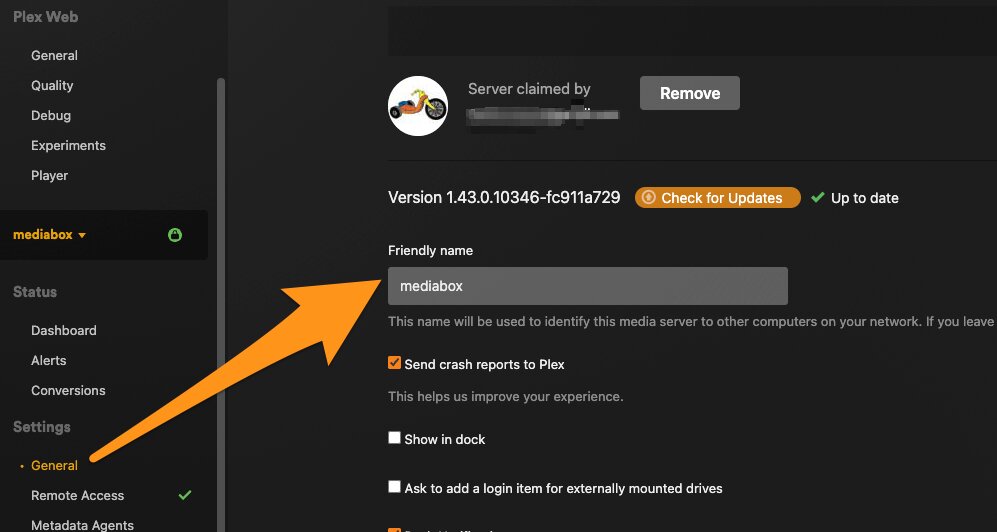
Can you change the name of your server. I see a repeated error about it being an invalid value and I am guessing that might be the apostrophe in it. You can do that in the General Settings of server. ( I personally would change it to a single word)
also quit the server so it is not running then delete this cert-v2.p12 file and restart server. It looks like it might be trying to use an old cached version of certificate instead of getting a new one. ~/Library/Caches/PlexMediaServer/cert-v2.p12
Ok, changed my name to one word. Closed sever, deleted cert, started server and the remote access still red error unavialable. and when i went back to the file path that certificate is back in the folder.
the cert file should return when it gets a new one.
Is UPnP disabled on your router? It looks like you router is not assigning a port via UPNP by itself. Sometimes manually port forwarding will not work if is is enabled.
If you do manually forward then make sure to remember to put that external port used in the “manually specified port” field in the servers remote access settings?
BTW which ISP do you have? Some have been known to be problematic.
I recommend not using the red/green indicator in the Plex GUI. In some contexts its display can be misleading. A web tool that can check the exact Plex port you are using (32400 by default) eliminates any possible issues with Plex’s tool.
ISP is Cox. UPNP is enabled and i’ve toggeled back and forth that on and off, added and deleted port forwarding because I don’t reeally understand those directions.