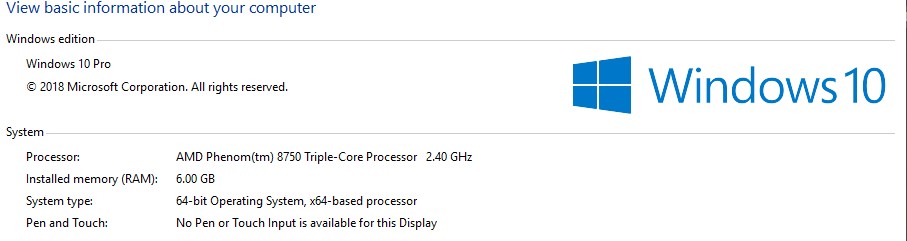
I am so stuck and dont know what to do if someone can help assist. My movie files are normal .mkv 1080p movie files. currently get 150 mbps download and 12 mbps upload speeds with my internet provider. My files are also Codec H264. I attached my PC specs, screenshots of my plex server settings as well. let me know, thanks!

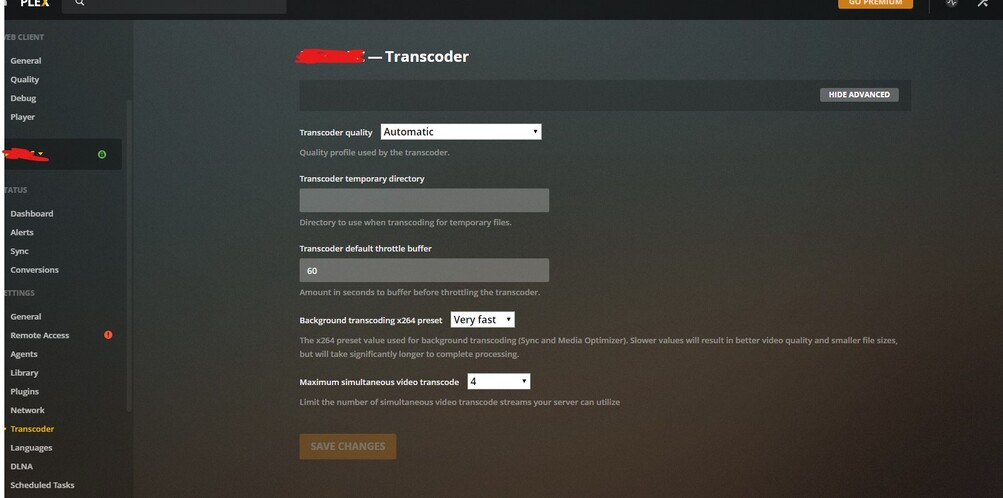
Notice that red exclamation point next to the remote access, that indicates that remote access isn’t working properly. Without it they are using a 1Mbps relay connection.
Please have a look at : https://support.plex.tv/articles/200289506-remote-access/
Ah yes, good catch. I fixed it  but when I play any movies using my Plex App on iOS iPhone it displays in 720p 1.9mbps…
every plex client has its own quality settings, which default to ~4m 720
so unless you/your users go and change the default quality, they will always get 720 or less.
EDIT- Your first image is of YOUR web client. it has nothing to do with the server settings or your client/users settings.
I would also suggest the following server settings
Plex Web > settings
- remote access > configure internet upload speed correctly
- remote access > limit remote stream = original/no limit
each plex client settings
- enable automatically adjust
- remote streaming = maximum
- home streaming = recommended
This topic was automatically closed 90 days after the last reply. New replies are no longer allowed.
