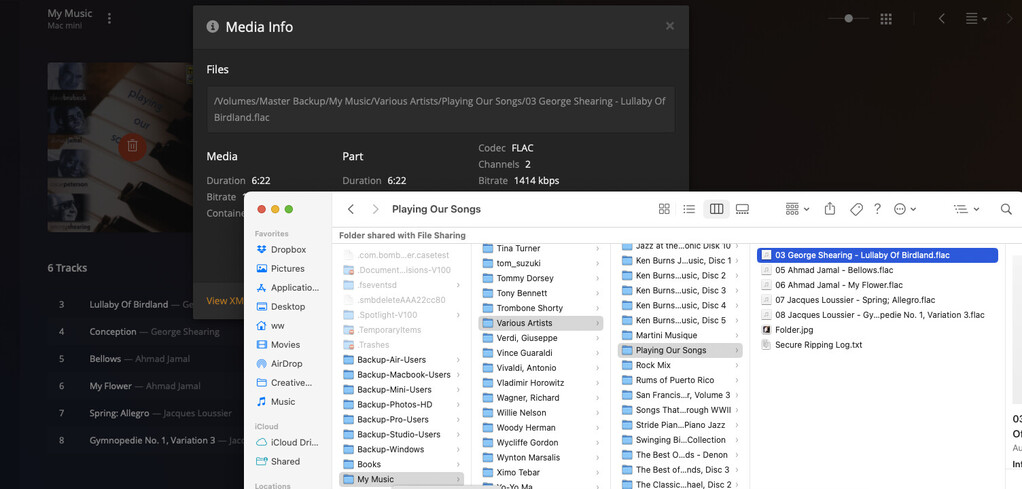
On the My Music screen, multiple music albums have the Trashcan Icon superimposed on the cover image, which indicates the album is not available – but the album and all its tracks are on the HDD and showing in the Mac Finder in my music library.
This is usually caused by the HDD spinning down to save power. When Plex then tries to access a file, it can take too long to spin up the platters. So the data arrive too late and Plex marks the file as “unavailable”.
A complete run of “Scan library files” should rectify this.
But only if the drive is already spun up when you start the scan.
Thank you very much for your prompt reply. If I am doing the scan correctly, this does not solve the problem
I made sure the HDDs were spinning by accessing a library file down to the track level in Finder. Then using the Plex Media Server app on the host computer, I clicked Scan Library Files under the 3 vertical dots beside My Music in the side panel of the Library screen.
The scan appeared to run, but only for less than a minute. I have just over 1500 albums in the library, so I don’t think a complete scan was performed.
I’m feeling very dumb here. There is only one path listed and it meets your criteria.
After checking the above, I started a scan as before, and it ran about the same less-than-a-minute. Is there a specific option to run a ‘complete scan’ as opposed to say scan new material?
All my music is stored in folders organized by artist, all folders in one directory, on one external HDD connected directly to the server.
Find one album affected by the “trash can syndrome.”
Open its Plex media info and look at the files list. Are there some files marked as unavailable, but others are perfectly fine?
What is the path of the unavailable files? Does it exist?
I picked an album. The album shows in the Finder, all the tracks. The Media Info does not say the tracks are unavailable, but attempting to play a track gives an error.
which folder level has been added to the Plex library? I assume it’s My Music, right?
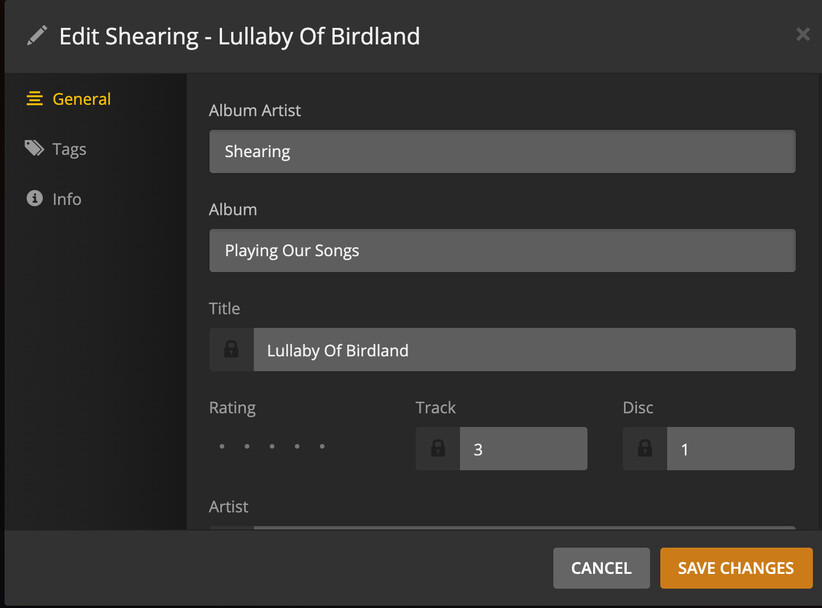
I see this is a Various Artists album. May I see the embedded meta tags of all tracks within this album? The Album Artist tag in particular.
Are you 100% positive that the file name extension .flac is representing the true file format? Is it possible that those files are actually renamed .alac (or other) files? Is it possible that these files were originally encumbered by DRM which has been removed?
Is there a .plexignore file in one of the folder levels above this album?
First, many thanks for your interest and patience. I simply don’t have enough experience with Plex, and it still seems very opaque and complex to me; I apologize for how long it takes me to gather the information you ask for. I appreciate your indulgence.
1 - Yes, ‘My Music’ is the Plex Library,
2 - There was no reason I picked a Various Artist’s album; it was just the first one I encountered when replying to your initial info request. I can change to a single-artist album if it would make this easier. I am not confident I know how to show you embedded track meta data. I will attach screen shots of the first track’s info below; if what I send is what you need, I’ll do the rest of the tracks. If it’s not what you need, please send a little guidance.
3 - The tracks were all ripped from my CDs and the ripper was set to rip to Flac files. I have the app, VLC Media Player, on my machine, which will play the files from the HDD. I don’t know of a way to verify that Flac is actually what the files are…
4 - I visually looked thru the file structure for .plexignore files and did not see any. I also searched ‘My Music’ with Finder with no resulting hits. Is this sufficient?
I’m starting to believe there is something else at play here. Where is your Plex server running? On your Mac? Or somewhere else?
Could you enable server debug logging, restart the server, then scan library files, wait for completion, then fetch server logs, and attach the zip file here?
The Plex Server is running on a headless Mac Mini to which is attached the external harddrive that holds the music. I access the Mini with screen sharing from my everyday Mac.
Here is the zipped folder of the files generated by fetching the logs.