Hello all,
I recently purchased a NAS and I have set it up but until I did I was streaming content from my desktop
Now I would like to stream content exclusively from my NAS, not my desktop.
Now I have two servers and the NAS is the only one I can control and customize but the stuff I have on my desktop can be viewed on my TV but I cannot find it in the Plex interface on my computer where I control the NAS one and used to control my desktop one.
Can anyone tell me how I can find the desktop server and how to disable it?
There should be no need to disable the Windows server. You just need to select a new default server in your web app.
Settings - Web Client - General - ‘Show Advanced’ - ‘Reset Customization’
Thank you Otto,
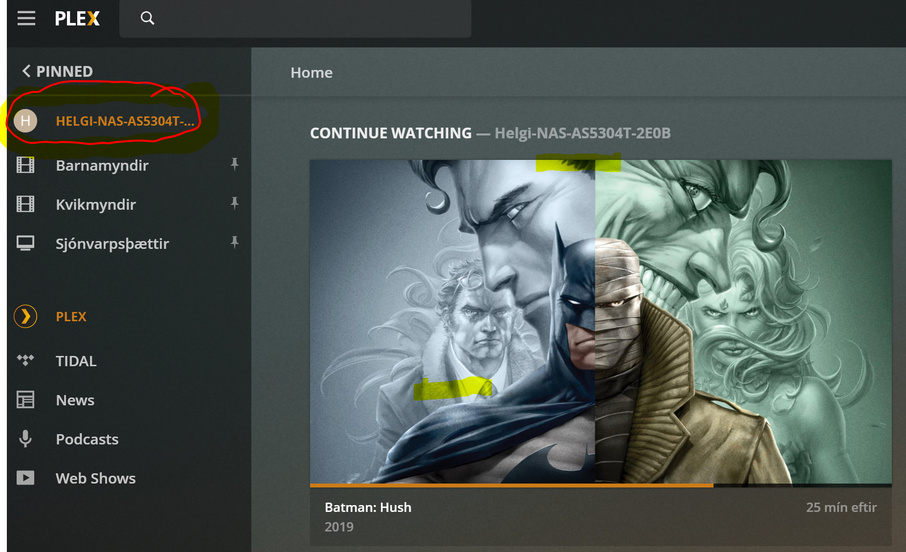
this however did not fix the problem, when I use the television my old server is still there along with the new one, but it is only visible ob the tv set not in the Plex web control center.
I sent you a picture of how it looks on the dashboard and there is the right server at play and the old one nowhere to be found unless you look for it in the TV.
I thank you for trying to help and I’d be very grateful if you could help me out
Warn Regards,
Helgi Thor Helgason
My procedure only fixes the web app. You must perform the same on the TV as well.
This topic was automatically closed 90 days after the last reply. New replies are no longer allowed.
