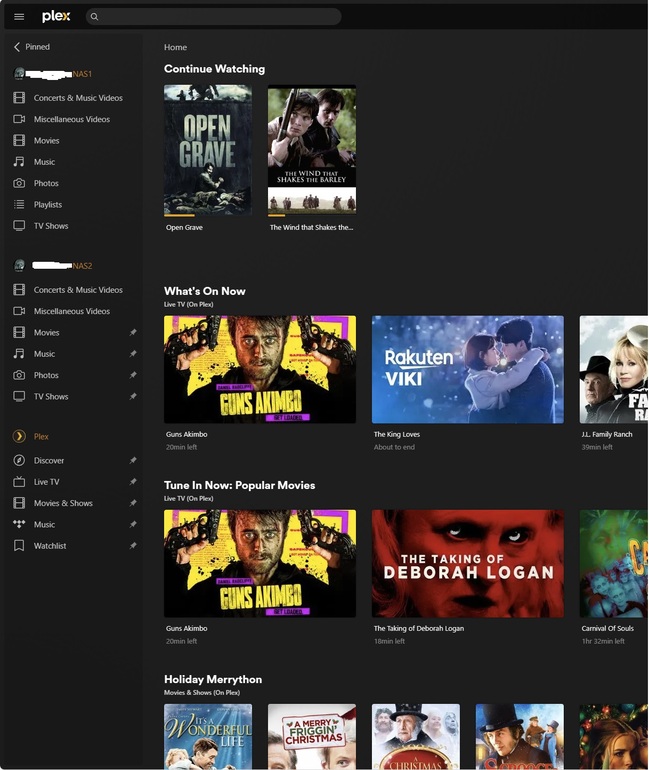
Server Version#: 1.32.8.7639 (Netgear ReadyNAS)
Player Version#: 1.83.1.4061-d3f45728 (Windows 11 PC)
I have two identical ReadyNAS devices, both running PLEX media server, with identical libraries. All of my libraries display fine on my Windows 11 PC and I can play the media without issue. I have no exclamation marks on any library. But something has happened to just the music libraries. I can no longer add any new albums to either ReadyNAS music library. Scanning the libraries and updating metadata doesn’t find them. I have very large libraries, so I tried increasing the database size to 80 MB from 40 MB. No change.
When I use the web interface for the ReadyNAS devices, there is an option to “launch” PLEX media server, even though the toggle switch says it’s “on”. Here are screen shots for both NAS devices. Notice the music library exclamation marks.
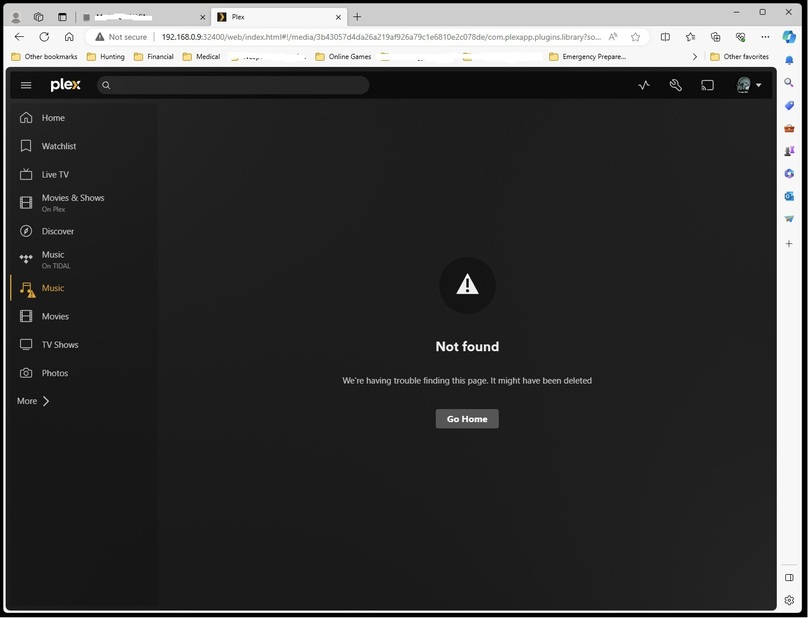
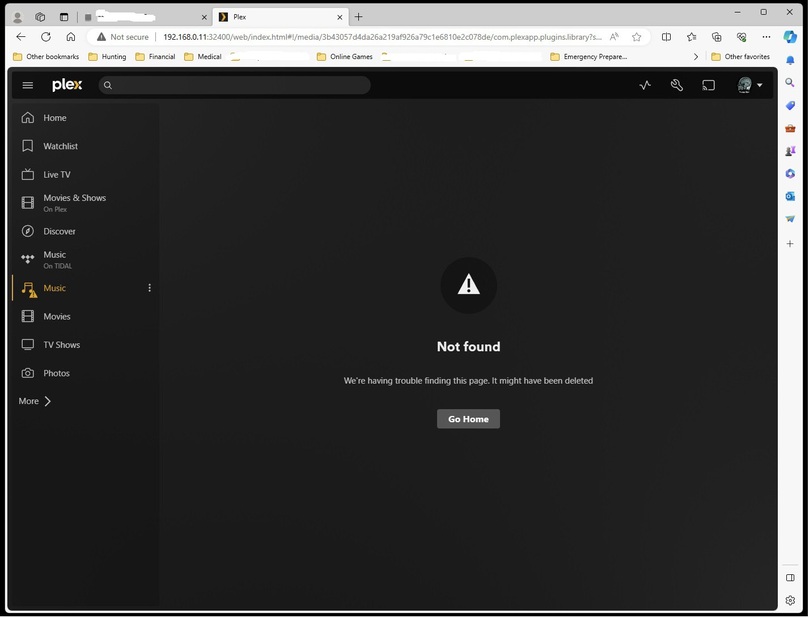
I addition, when I launch the first ReadyNAS, I get this dialog box before the one posted above.
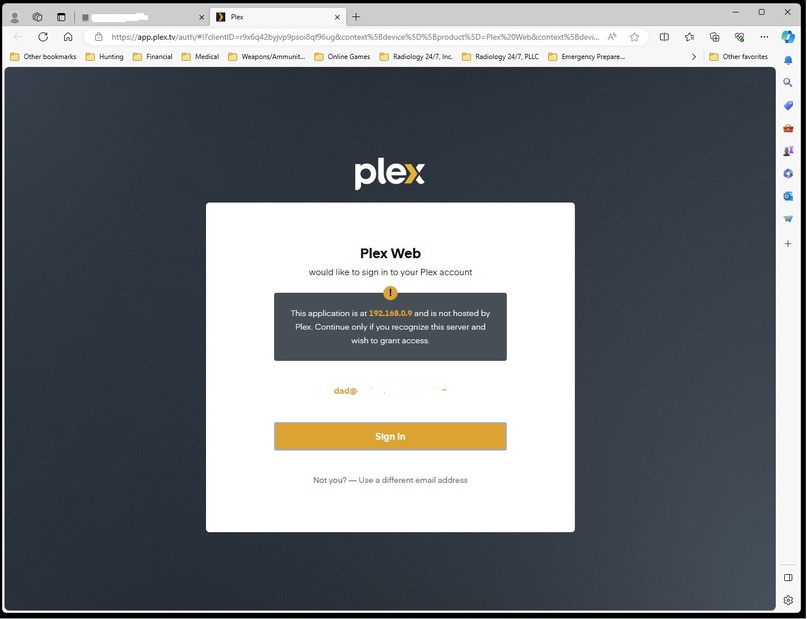
Are my libraries corrupted? Should I delete both libraries and then rechoose the same folders? Will that remove the corrupion? Should I reinstall PLEX media server on both NAS devices? I also don’t understand the dialog box I get on the first NAS, but not the second. Please help!