Server Version#: 1.23.2.4656
Player Version#: doesn’t matter
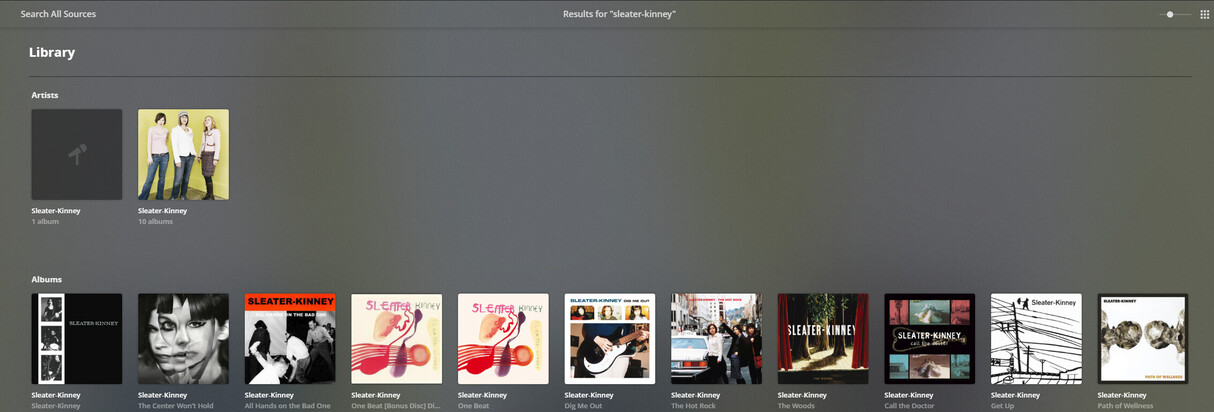
So I haven’t had any issues with adding new music in a long time, but the other day I added a new album and for whatever reason, it is deciding that the artist/album artist, which already exists in my collection, is a different artist/album artist…so basically, now I have two…one existing artist with all the other albums, and this new identical artist with this one new album.
My first assumption was somehow, some character in the artist name was wrong (maybe the hyphen was somehow different, etc) so I used Mp3Tag to just copy the same string from the existing/working artist and save that into the artist/album artist fields in the problem album after deleting it from the server, and then copying the new copy with the updated artist/album artist strings…nope, same issue.
I tried matching the artist manually, but again, this only results in still being a separate artist.
I remember there used to be a “Merge” option to fix issues like this? But it is gone now?
Anyway…stumped. Ideas? Haven’t changed anything with agents, ordering, etc…just been upgrading my server when updates come out (beta, etc). I added albums as recently as a month back and didn’t have this issue. Thanks!
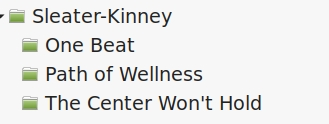
I assume the new album is in the same folder structure as the rest, so:
You might try moving the new album out of the library’s folder structure, scanning the library so Plex removes it, then putting it back and scanning again (a simplified version of the “Plex Dance”). If push comes to shove, you could do that with the entire Sleater-Kinney folder.
If none of that works, I’d still suspect something to do with tags, but I’d need to see screenshots of the tags in MP3Tag.
So I was able to merge once I realized that it doesn’t appear in the Search context for artists but ONLY if you actually go to the artists view/pivot under music.
So yeah…this workaround works but it’s still weird that it wanted to show up as another artist.
As far as the tags…they aren’t any different than any other album for that artist. Yeah they are all in folders under the artist…I previously deleted the problem album folder and tried to copy in a new one (Plex dance) with metadata strings pre-overwritten into this problem album from a working one. So basically the tags were all the same, same strings/characters, no extra/missing tags…but still saw it as a distinct artist somehow.
Will see if it happens with the next new album I add (would point to some regression possibly).