Server Version#:1.32.3.7162-b0a36929b
Player Version#:
<If providing server logs please do NOT turn on verbose logging, only debug logging should be enabled>
Recently The media (TV) is the wrong library, Seasons cannot be split to correct the problem.
This results in incomlete seasons
Any help will be appreciated.
The idea is to separate your media files by type into different folders.
Then add each folder only to one Plex library.
Then it is impossible that media appear in the wrong library.
I have libraries that have been created using the recommended system.
Let me elaborate:
eg. A folder is created on my hard drive with the name of the TV show. Every new episode is added to this folder.
The folder is added to the library. As new episodes are added Plex will scan, gather the meta data and display the season with all the correct episodes.
I have Thosands of these (using plex for a while.)
The problem that I am describing has started recently and only for a few episodes landing in an incorrect libray.
I have tried these:
Remove the episode from the correct folder from my HD and then Refresh the library. Add the episode back but some how it still shows up in the wrong library.
I have cleaned bundles etc.
Since the files are from different libaries, I need a way to DELETE on the client this Library.
Let me know if you need more details Thanks
Please share a screen capture, showing the layout from the root of your TV Show all the way down to a missing episode
You don’t add shows individually to your library. This’ll never work in Plex.
https://support.plex.tv/articles/categories/your-media/
This is the Library which shows files that belong to the other library:

This the Tree for the Library:

I am having this exact same problem.
After years of running Plex server on a Windows 8 Intel NUC using shares from a QNAP NAS, organised in a similar manner to the OP, I decided to make a new server using docker.
Everything seemed to be going to plan when I soon realised that a TV show that was only supposed to have 1 season, in fact apparently had 22 seasons!
After inspecting the info on an episode it showed not just the wrong show and episode, but multiple files from multiple different shows.
I am at a loss as to how to fix this.
An example of my folder structure is:
TV/A-G/Fargo/S1/
Any thoughts welcome.
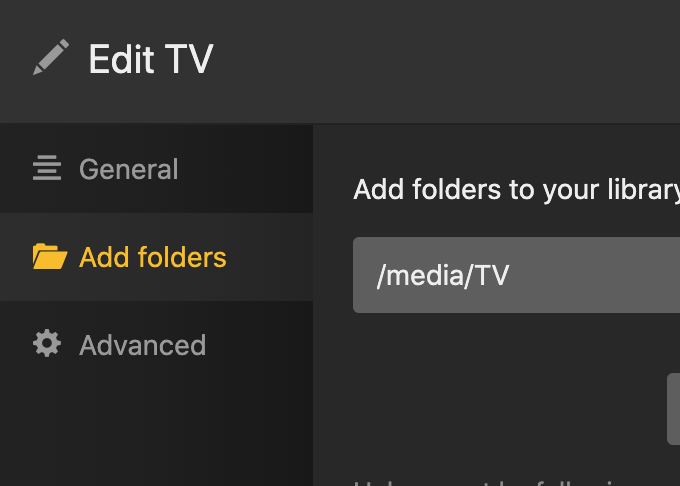
As per Otto’s earlier feedback… you should only link your library to a library folder — not individual show folders.
In your case you should only add
K:\K3\TVSHOWS(E-M)\
to your library
Same as above… make sure to point your library at
TV/A-G/
Also… you might want to consider renaming the season folder from S1 to Season 01 to avoid future incompatibilities.

That’s wrong in your case, because the additional subfolders for your index letters (e.g. A-E) will interfere and mess it all up.
If so, why has that exact structure been working fine for years?
I have deleted quite a few shows so I will move them up one level and see what happens.
EDIT: Looking much better, thank you.
I can only assume this functionality has changed at some stage.
I assume a lot of that was matched with the old scanner
The new scanner is more picky about following the naming format a structure but it’s also faster and more accurate in general
That being said…
When you use unsupported naming and file structure formats, it may work for a lot of things and even for a long time.
As you add more and more media there is now more things in your library to cause conflicts or be mistaken for duplicates
This is exponential and eventually you reach a point where more things fail than work
As suggested above you should probably make S01, Season 01 and shows named 4x03 should be s04e03 before you start running into the same sort of problems for a different reason
A renaming program like this can help you do that very quickly
https://www.tweaking4all.com/home-theatre/rename-my-tv-series-v2/
ahh… the “new scanner”. thanks.
Thats how it is.
I have multiple servers and after the scan has completed, I am stuck with other servers Home page ! How can you tell which Home page you are seeing? I tried to Use the MORE>> option at the bottom on the menu to select the right server and refresh the browser. The details on Get Info selection for an episode still points to the wrong server. Any Ideas ?
There is only one Home page. Yours. What appears on there, depends on which libraries have been “pinned” to the side bar.
You can pin libraries from several servers at once to the side bar.
That is how it is

Nomenclature is as recommended.
Other suggestion was that the Home page and the drill down to Get Info are from a different server Changing the server using the More>> on the menu doesn’t do a thing, The home page shows the same info (on the correct Server).
I need assistance to fix this recurring problem. Some functionality has changed it appears
Did you copy the plex data folder and/or the Registry data from one server machine to another?
At least the K:\K3 reference seems off (and it’s in line with the file example you shared earlier)
