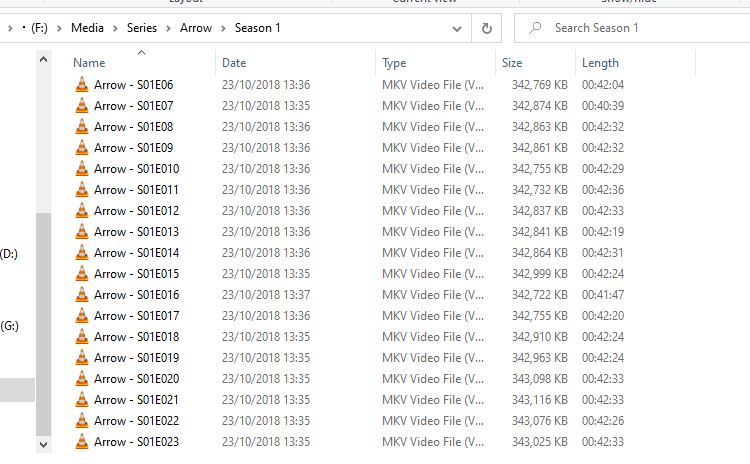
Sounds like you might have some additional grouping of shows in your folder structure. Try sticking to the exact structure as specified in the naming schema.
Schema
TV Shows   <- the folder linked to your tv-show library
  Show Name
    Season XX
      Show Name - sXXeYY.ext
Where XX is the season number, YY is the episode number and .ext is a placeholder for your file extension. No additional levels of folders.
Example
TV Shows
  9-1-1 (2018)
    Season 01
      9-1-1 (2018) - s01e01 - Pilot.ext
      9-1-1 (2018) - s01e02 - Let Go.ext
      9-1-1 (2018) - s01e03.ext   <- no need to include the episode title
      ...

  Archer (2009)
    Season 01
      Archer (2009) - s01e01 - Mole Hunt.ext
      Archer (2009) - s01e02 - Training Day.ext
      Archer (2009) - s01e03.ext
      ...
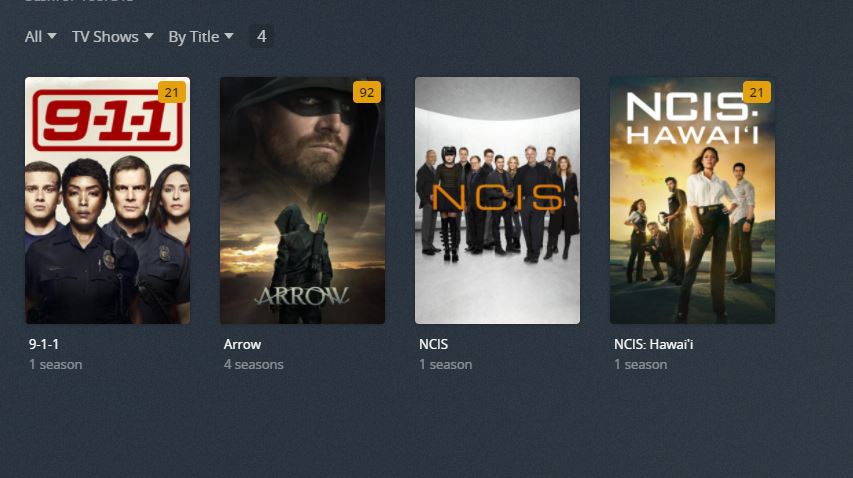
9-1-1 is season 5 and has 3 released episodes but the others are another arrow season
It only every happens when I add arrow to the library, even though there have all been meta checked previously and sit right if arrow is the only one there but as soon as I add another show they mess up
It could be all the tinkering and manual fixing/deleting before got this messed up.
If you don’t yet have much of a watch history you could simply create a new library, point that to F:\Media\Series\ and go ahead from there.
If you don’t want to nuke things like this you could alternatively remove the Arrow folder, re-scan the library, empty the library trash inside Plex, return the folder in place and re-scan the library a final time… this should bring the show back (Plex Dance).