Server Version#: Current
Player Version#: Current
<If providing server logs please do NOT turn on verbose logging, only debug logging should be enabled>
This is a rant and a request.
I cannot tell you how irritating the message: “Not Autorized - you do not have access to this server”… when I own the physical server, that resides on my property and with a lifetime Plex pass. I am having trouble coming up with a scenario more aggregious then this situation… and transpiring all because your security systems suck. An Object lesson on how to chase customers down the street with flame-throwers.
It gets worse - we have to hack the Windows regsitry to correct the problem? I’ve spent the last 30 minutes reveiwing posts on resolutions with no clear approach. Confusing things further is methodologies for one OS getting hi-jacked by users people posting on completely different OS’s. Wow. Its turning into a cluster…
Can someone post something for a current Windows 10 OS that 100% WORKS.
On the desktop of the PMS server, find the Plex icon in the notification area (Systray, you might have to click the ^ icon). Right-click it and select “Open Plex.” You should be asked to sign-in to your Plex account using your new credentials. This should claim your server and allow you to access it.
Accessing via 127.0.0.1:32400/web (which is what “Open Plex” does) automatically claims an unclaimed server.
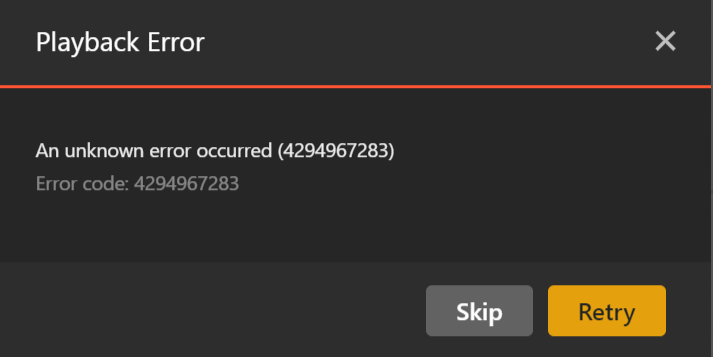
I’m not sure about the music playback error, that may be a topic for another thread. You may need to try from another device (you’ll have to sign back in there, obviously).
Depending on the client (web, Desktop app, etc…) you may need to restore defaults and re-select your libraries. The client apps can sometimes get a bit confused when libraries get snatched out from under them.
If using the web app, you’ll find the option under Settings → (Plex Web) → Debug → Restore Defaults. Just be aware that if you do this, you’ll need to re-pin all your libraries and reorder them to your preferences. The really resets all player preferences (but nothing specific to your account).
I don’t personally have a Shield, but I do have another Android TV box (onn 4K). Upon starting the Plex app on it, it immediately asked to relink my account (with a code). You should see the same and be able to visit https://plex.tv/link to enter the code.
You’ll have to pick your primary server and re-pin your libraries if my experience it typical.
I had the same intermediate step and two errors the same even on server for MacOS. Seemed it just needed a bit of time to come good, as everything is working now.
Most folks here do have some good computer and software knowledge; I’m concerned about the many who don’t that right now have no clue what is going on.
My server was at the right version, I changed my password, then nothing worked. For me the main step was to close Plex server on my mac, then “Open Plex” from the menu bar icon, get the “Initializing Plex Media Server”, followed by “Something went wrong. Make sure the server is available and try again” to then close the Plex Server app again and start. It didn’t work for a few minutes, then it just came good.
Hoping somehow this auto resolves, else Plex need some better communications with highly detailed scenarios and steps to resolve. What is currently posted doesn’t do the job.
First Shield went fine… have not done the second one yet.
However, my windows 11 laptop is another story. I singed it but it keeps tellng me that Plex is doing matinance. But when I click on the plex.status link - its all green lights.
Tried it twice… and lucky me: right before going on the road for a few weeks.
@ ozsmac: You might consider that I complained at the very start, about hi-jacking posts with completely different OS’s - which you have done since you are a Apple/Mac guy.
@pshanew : That’s what I use. (desktop App). The problem was that I needed to first sign in with my laptop local Plex Server. Mea culpa. My laptop connects to both my main home server and a locally installed server. This was needed because Plex does not do a good job when there is no internet. (It doesn’t work actually.) Because outside of the US, there is no such thing as “internet everywhere” - and I needed to have stuff work remotely - I have a small subset of media locally and the rest via remote connection.
Once I got the local server working - and did a restart - the remote connection sign on worked. I downloaded some stuff from my home server… all good.