Server Version#: 1.24.4.5081
OS: Windows 10 x64
A little history. I have been a Plex subscriber since about 2012. My payment plan was through Google though and I decided to move to the lifetime subscription which was only available through Plex directly. With that said, I decided to cancel my subscription there and sign up here directly to get the lifetime option. When doing so, my account credentials changed.
I uninstalled the software from my machine, cleaned the registry (CCleaner) and removed the legacy “…/appdata/local/Plex Media Server” folder by renaming the folder. I then reinstalled the software (Plex Media Server) from scratch by downloading the software (latest version) from the Plex website and logged in with my new credentials.
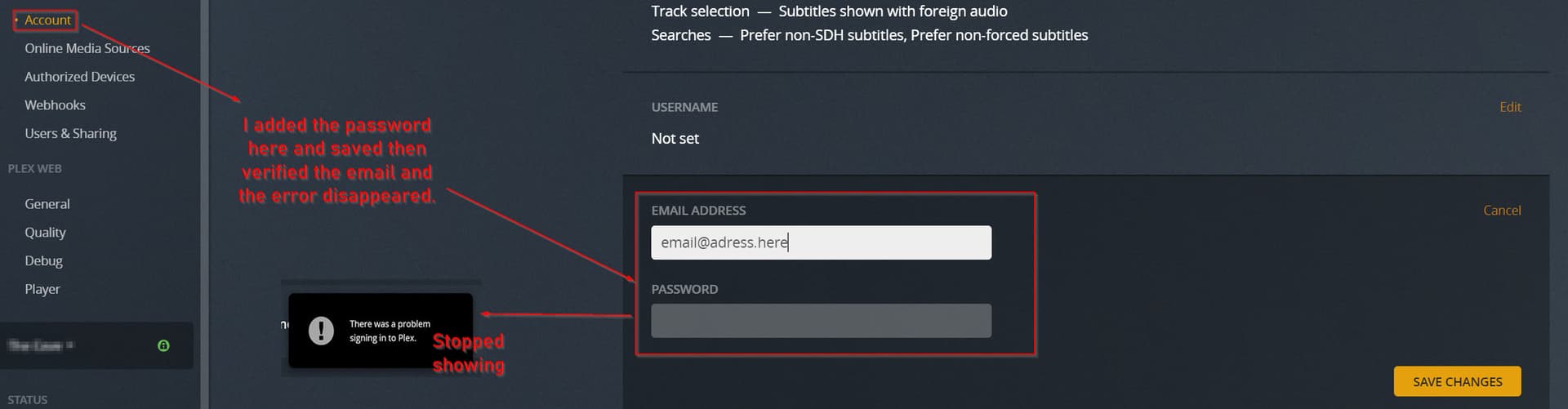
Since doing this I cannot claim my server and I get an error that says I have a problem signing in.
I have looked through several articles in the forums related to similar issues and tried a few of these solutions without success. Any help would be appreciated.
Note: The Plex Server software is being run on a Desktop computer directly with USB drives attached. I haven’t even gotten to the point of adding any USB folder connections as yet.
Logs and images attached below for reference.
Plex Media Server Logs_2021-10-02_14-57-17.zip (585.3 KB)


Articles Reviewed: (Did not help)
1 - https://support.plex.tv/articles/203841316-plex-media-server-can-t-sign-in-to-plex-account-or-be-claimed/
- (Time and Date is set correctly)
- (Followed the instructions without success. Not all entries listed here existed on my end. (olny ‘PlexOnlineToken’ and it was blank.)
- (Followed instructions without success. Disabled VPN and Anti-Virus/Firewall completely to test without luck.)
I have also tried a ‘Repair’ and a ‘Reinstall’ without success.