Newbie can't figure out how to play my server files on Plex Web player

Hello

I am new to Plex. I have my Plex Server installed. I have created a directory structure with half a dozen folders and .mkv files. I have created Libraries and linked my folders. I can open my Libraries and see the graphic and notes about my ripped content.

I have even played a number of my movies with the Plex Web player (windows 11). And the movies play, sometimes, more like once…

So what gives? I go to my system tray, right click on the Plex icon, and select Open Plex. Yep. There’s the Plex Web app…

I select my Movies library. Yep. There’s my 3 movies.

I click the play button on Hot August Day. Nothing happens. I click the hyperlink below the movie icon. Now I get the screen that shows the database info about my movie. There is a Play button. I click it. Nothing happens.

Near the bottom of the screen is another play button (as well as a start over, loop, pause, etc.) I click the play arrow. I hear the soundtrack. But there is no video.

I search around, but there is no “show video” button that I can find.

I watched part of the movie on the Plex Web player. I know it worked. I can play the video in VLC. This is a crufty old 480i video with very basic audio.

Ditto for Labor Day and Sheryl Crow and Pride and Prejudice.

This is brain dead. I am obviously missing something. All these videos have played in Plex Web. Now none of them will play the video, only the audio.

I have Googled and YouTubed. Believe me, I have tried to figure this out…

What am I doing wrong?

Please be specific w.r.t the Plex UI. Which control, where on the screen, do what with it?
Thanks.
My server is local.
Here is my server logfile zip
Plex Media Server Logs_2023-07-03_06-28-24.zip (704.3 KB)

Ideas?

Are you using some special web browser which is built to interfere with web apps? (all in the name of increasing security and personal data protection)
If so, try some regular web browser like Firefox, Chrome or Edge.

If you use a regular web browser, disable web browser add-ons.

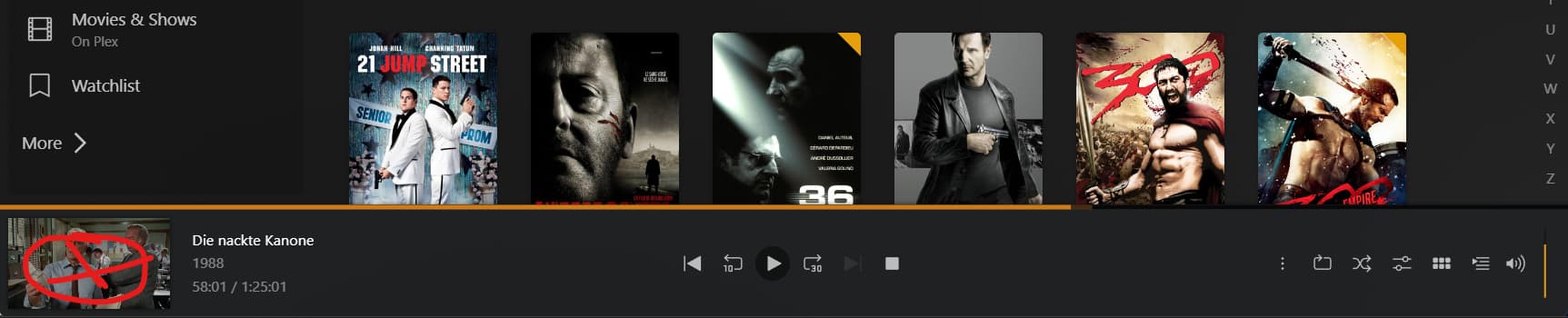
If the lower part of your screen looks like this, try clicking on the small video on the left side:

I am using Edge on Windows 11.
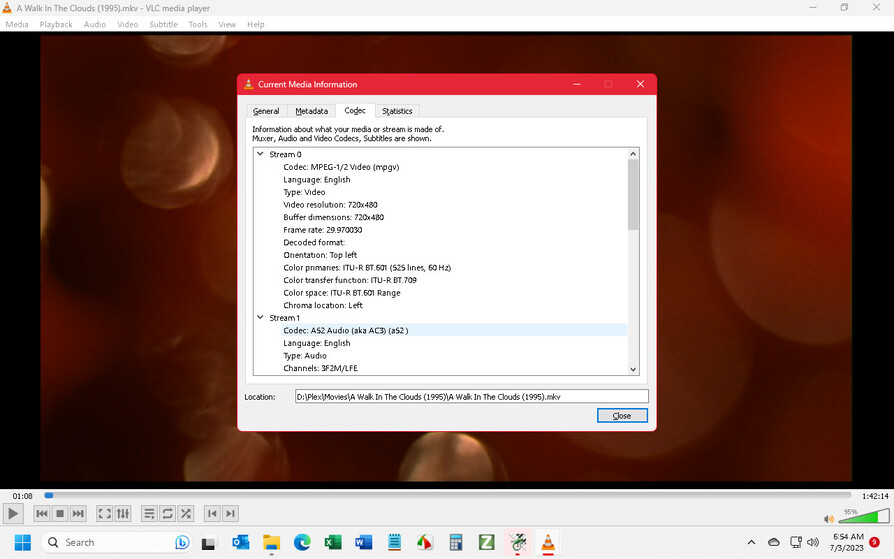
All the mkv files play fine under VLC.
Here is a png of the VLC “Current Media Information” (Ctrl+J, Alt+d)

Please show a screenshot of Plex instead.

The little image at the bottom left appears to be what I was missing…

Click it, and I have full screen video. (Actually, click it then F11 to make Edge full screen…)

Awesome.

So How can I get the specs on the mkv stream I am asking Plex Web to play, using Plex Web? Is there a shortcut key?

(Actually, I am legally blind. I am setting up a Plex server so I can use Alexa and Fire TV to play my collection of DVD and BD disks now that I can no longer read the jackets or the tiny print on my remote controls. Kind of funny - a blind guy wanting to stream videos. But I still love a good concert. And my wife loves her romance classics. Thank god for technology!)

Thanks for your help!

Normally, you shouldn’t need them for regular use. The Plex server is supposed to adapt (transode) the format of the media file to a format which is supported by your playback device (which is this case is the web browser).

If you need to know the techical details of the file format, you can find very detailed information in the Plex media info:
https://support.plex.tv/hc/en-us/articles/201998867-Investigate-Media-Information-and-Formats

This topic was automatically closed 90 days after the last reply. New replies are no longer allowed.
