I fixed my database size with the delete query successfully some time ago. It has stayed a normal size ever since.
I have a new problem that started immediately after I applied the fix.
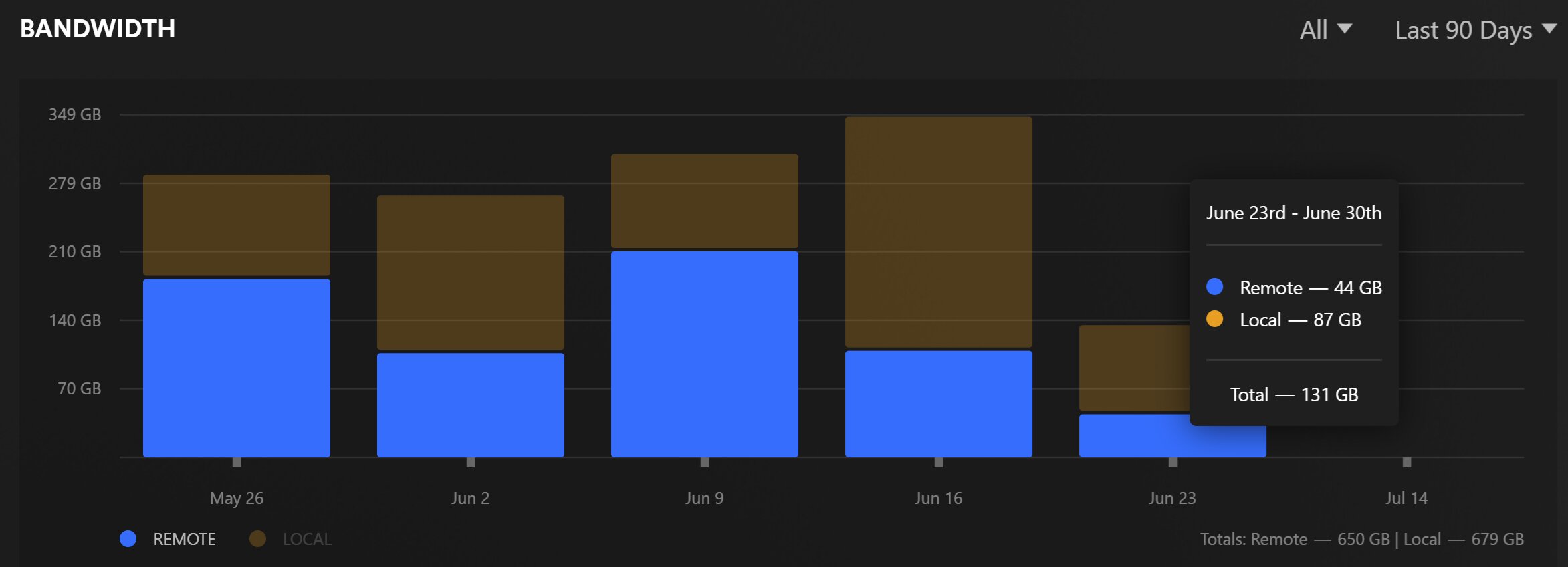
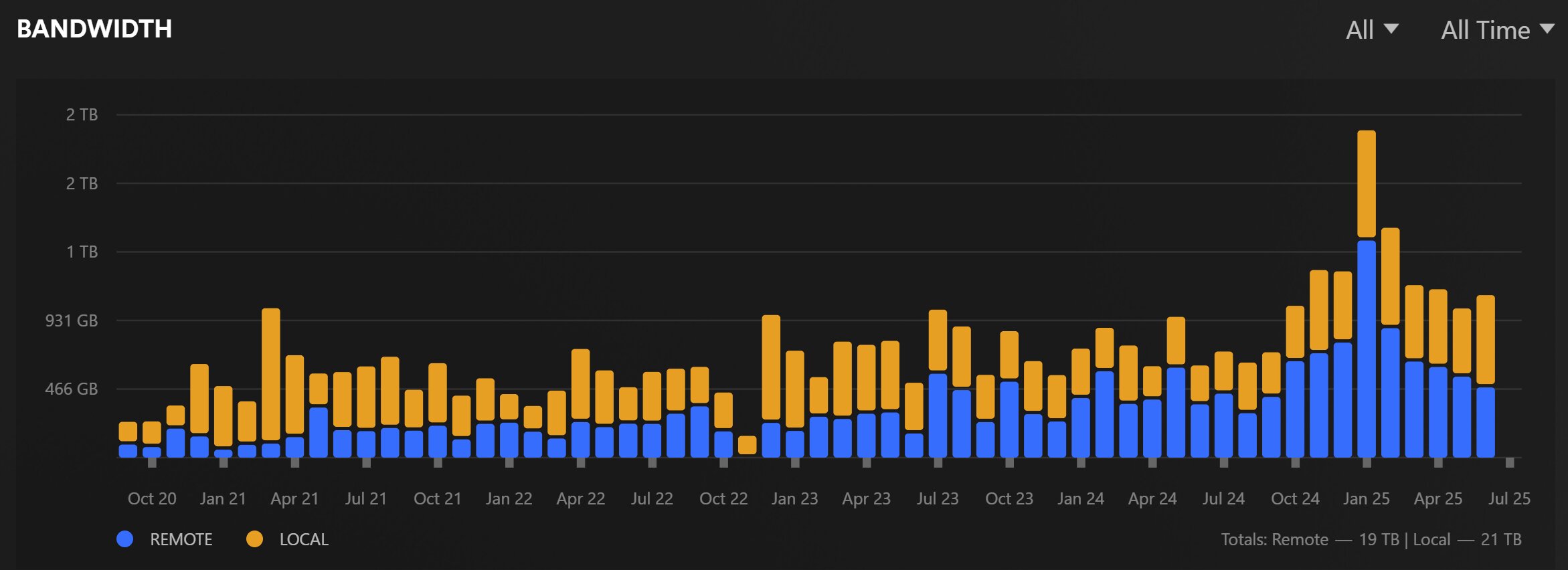
In my dashboard there is a graph “Bandwidth”. The realtime-graph works normally. But if I select “Last ….” it only shows data up to the moment I fixed the database.
It seems the bandwidth history isn’t added anymore.
I’ve run it now with “automatic” and “vacuum”.
It did report “PMS main database is damaged.” before the run, and “PMS main database is OK.” afterwards.
I’ve played some short content afterwards (until end of file). Now waiting to see if the bandwidth history is populated. It is not yet visible after a few minutes, I’m not sure how long this normally takes.
Looking at your Plex.tv account, it looks like you’re using Docker ?
If that’s true then you would delete the docker container and where the metadata is stored on the hard drive (everything under where /config is mapped)
Once you delete everything, you’ll create a new server instance.
I work for Plex and can see basics of the server. That’s how I can tell the server is in a Docker container. I’m sorry for missing that info above.
My initial reply was based on the presumption you have a damaged DB (missing tables in the DB associated with bandwidth statistics.
DBRepair cannot detect such errors
The only programmatic way to restore that is to recreate a fresh server instance (which was my reply)
If indeed the are missing tables, they can be created by hand if you’re comfortable enough with such a manual task.
The specific table you’re referring to is statistics_bandwidth.
The fuss about the statistics_bandwidth table was because it would bloat wildely and increase an otherwise 280 MB database to something crazy like 40+ GB.
Before proceeding any further, I need to see your server’s DEBUG logs to confirm it is not complaining about anything involving that statistics_bandwidth table.
@ChuckPa - Don’t have any DB backups prior to 29th June… What other options are available here?
What about the viewstate for all the other users, and will this method mean a complete rebuild of the libraries from scratch as well?
EDIT:
@ChuckPa - Just read your last post… If I had a missing table, wouldn’t that imply that I would absolutely no historic statistics data at all?
In theory, on the basis that I still have all historic statistics data prior to the 29th June, that must imply that the table is still there but the app is no longer updating it.
In a previous post you can see what query I ran to reduce the size of my database. In my case it was over 80gb. In the same folder were several backups of similar size. I guess I had over 400gb of database storage.
I only ran that query and a vacuum.
The history before it ran that query is still there.
There is a possibility that it was not caused by the query, because in the same day I checked it if was running the latest version. It is a bit strange to me that axemanuk666 perform started on virtually the same day, and he didn’t run the query. So it might be in a single released version.
I’m confident the table exists in my database. So please post what fix you have in mind. I will do some checks before executing those queries. I’m no stranger to SQL and databases.