No files will play

Server Version#: 1.21.1.3830
Player Version#: Version 4.47.3 (On any device, chrome, fire TV, etc)

Not sure what happened but I have been trying to figure this out all day. last night everything was fine. When I woke up this morning I couldn’t get files to play on any devices.

I see this frequently in the log:

Dec 27, 2020 20:26:51.577 [0x7f7ea3fff640] DEBUG - [Transcode/0cgkrdmoe2imauciw4po8sl2] Asked for segment 0 from session.
Dec 27, 2020 20:26:52.572 [0x7f7ea2ffd640] DEBUG - Request: [192.168.1.150:60528 (Subnet)] GET /video/:/transcode/universal/dash/0cgkrdmoe2imauciw4po8sl2/0/initial.mp4 (22 live) TLS GZIP Signed-in
Dec 27, 2020 20:26:53.574 [0x7f7ea0ff9640] DEBUG - Request: [192.168.1.150:60532 (Subnet)] GET /video/:/transcode/universal/dash/0cgkrdmoe2imauciw4po8sl2/1/initial.mp4 (23 live) TLS GZIP Signed-in
Dec 27, 2020 20:26:56.275 [0x7f7e867fc640] ERROR - [Transcoder] [matroska,webm @ 0x8a9580] Read error at pos. 1 (0x1)
Dec 27, 2020 20:26:56.275 [0x7f7e867fc640] ERROR - [Transcoder] [matroska,webm @ 0x8a9580] EBML header parsing failed
Dec 27, 2020 20:26:56.276 [0x7f7e867fc640] ERROR - [Transcoder] /plexmediaaccess/TV Shows/Secrets.of.the.Lost/Season 3/Secrets of the Lost - S03E02 - Caligula - Sex, Lies, and Empire WEBRip-720p.mkv: Invalid data found when processing input
Dec 27, 2020 20:26:56.277 [0x7f7ef7c62640] DEBUG - Jobs: '/usr/lib/plexmediaserver/Plex Transcoder' exit code for process 203947 is 1 (failure)
Dec 27, 2020 20:26:56.277 [0x7f7ed6ffd640] DEBUG - Streaming Resource: Terminated session 0x7f7ebc4ef5b0:sbzo06w4fphkmvn058jtlc6k with reason Conversion failed. The transcoder exited due to an error.
Dec 27, 2020 20:26:56.277 [0x7f7edeffd640] DEBUG - Killing job.
Dec 27, 2020 20:26:56.277 [0x7f7edeffd640] DEBUG - Signalling job ID 203947 with 9
Dec 27, 2020 20:26:56.277 [0x7f7edeffd640] DEBUG - Job was already killed, not killing again.

Any help would be really appreciated.

(File removed)

Might be having a hard drive issue. Can you play the files directly in vlc?

There are two reasons I can see for the error.

  1. The MKV codec (in /var/lib/plexmediaserver/Library/Application Support/Plex Media Server/Codecs) is either damaged or not present and it can’t get the updated one for this version.

  2. The inotify table is full. (Transcoder needs two slots for transcoding)

  3. (possible if one but not all) – media file damage.

My hunch points to the MKV decoder codec.

(Stop Plex, Delete file(s), Start Plex, play and allow to download on demand the first time)

Yes files play directly.

There isnt a folder /var/lib/plexmediaserver/Library/ I did remove the folder /var/lib/plex/Plex\ Media\ Server/Codecs though. This does not seem to have fixed the issue.

What can I do about the inotify table?

I can play media files in VLC so I dont think that the files are corrupt.

Thanks!

I just found this, Increase the number of directories Linux can monitor (Notify)
I will try that.

I tried both the increasing the number of directories and getting new codecs, neither worked. I can verify that this issue occurs with mkv and mp4 files so I dont think it is codec specific.

When I go to play files it just sits and spins like it is buffering, forever.

Changing the file quality doesnt make a difference either.

Any other suggestions?

Please do the following:

  1. restart Plex
  2. Let it sit idle for 2-3 minutes so all the processes come up and stabilize.
  3. It also lets the inotify table process as a single block.
  4. Now start to play a file.

Let’s see what happens.

(File removed)

See attached

In case it helps. This is the codec folder after wiping it out and letting it rebuild:

ls /var/lib/plex/Plex\ Media\ Server/Codecs/367b3d4-3654-linux-x86_64/ -l
total 6080
-rw-r--r-- 1 plex plex  308744 Dec 27 22:04 libaac_decoder.so
-rw-r--r-- 1 plex plex  269528 Dec 27 21:23 libaac_encoder.so
-rw-r--r-- 1 plex plex  175016 Dec 27 21:23 libac3_decoder.so
-rw-r--r-- 1 plex plex 1981496 Dec 27 21:12 libh264_decoder.so
-rw-r--r-- 1 plex plex 1588288 Dec 27 23:38 libhevc_decoder.so
-rw-r--r-- 1 plex plex 1892640 Dec 27 21:38 liblibx264_encoder.so

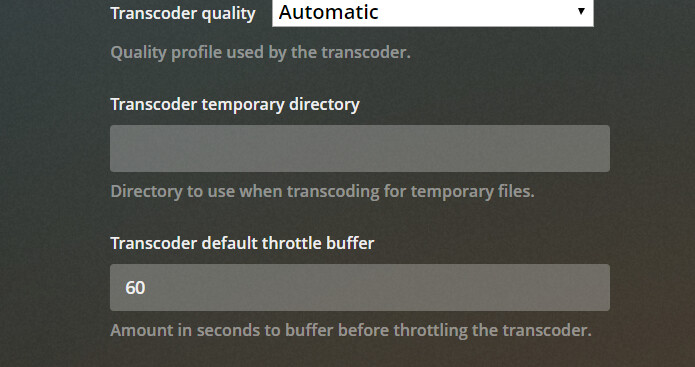
Where is your transcoder temp directory set to?

Do you have it on a network share ?

Dec 27, 2020 23:39:23.845 [0x7f45ac953640] DEBUG - Request: [192.168.1.150:55116 (Subnet)] GET /video/:/transcode/universal/dash/1h313bg1hhjruxx65xkukkal/1/initial.mp4 (12 live) TLS GZIP Signed-in
Dec 27, 2020 23:39:23.845 [0x7f45ae156640] DEBUG - Completed: [192.168.1.150:55116] 404 GET /video/:/transcode/universal/dash/1h313bg1hhjruxx65xkukkal/1/initial.mp4 (12 live) TLS GZIP 0ms 458 bytes (pipelined: 2)
Dec 27, 2020 23:39:27.195 [0x7f453ffff640] DEBUG - NetworkServiceBrowser: Parsing SSDP schema for http://192.168.1.235:9080

This tells me it went to get the initial block for the file and there was nothing there to get. (HTTP 404 error)

Again here too

Dec 27, 2020 23:39:44.975 [0x7f45af7fe640] DEBUG - Request: [192.168.1.150:55135 (Subnet)] GET /video/:/transcode/universal/dash/1h313bg1hhjruxx65xkukkal/1/0.m4s (13 live) TLS GZIP Signed-in
Dec 27, 2020 23:39:44.975 [0x7f45ad955640] DEBUG - Completed: [192.168.1.150:55135] 404 GET /video/:/transcode/universal/dash/1h313bg1hhjruxx65xkukkal/1/0.m4s (13 live) TLS GZIP 0ms 458 bytes (pipelined: 4)
Dec 27, 2020 23:39:51.078 [0x7f455f7fe640] DEBUG - Request: [192.168.1.150:55135 (Subnet)] GET /video/:/transcode/universal/dash/1h313bg1hhjruxx65xkukkal/0/initial.mp4 (13 live) TLS GZIP Signed-in
Dec 27, 2020 23:39:51.078 [0x7f45ae156640] DEBUG - Completed: [192.168.1.150:55135] 404 GET /video/:/transcode/universal/dash/1h313bg1hhjruxx65xkukkal/0/initial.mp4 (13 live) TLS GZIP 0ms 458 bytes (pipelined: 5)
Dec 27, 2020 23:39:54.099 [0x7f455f7fe640] DEBUG - Request: [192.168.1.150:55135 (Subnet)] GET /video/:/transcode/universal/dash/1h313bg1hhjruxx65xkukkal/0/0.m4s (13 live) TLS GZIP Signed-in
Dec 27, 2020 23:39:54.100 [0x7f45ad955640] DEBUG - Completed: [192.168.1.150:55135] 404 GET /video/:/transcode/universal/dash/1h313bg1hhjruxx65xkukkal/0/0.m4s (13 live) TLS GZIP 0ms 458 bytes (pipelined: 6)
Dec 27, 2020 23:40:00.561 [0x7f455f7fe640] DEBUG - Request: [192.168.1.150:55135 (Subnet)] GET /video/:/transcode/universal/dash/t4ko4nirr4j90gf5dibwr1az/1/0.m4s (12 live) TLS GZIP Signed-in
Dec 27, 2020 23:40:00.561 [0x7f45af7fe640] DEBUG - Request: [192.168.1.150:55123 (Subnet)] GET /video/:/transcode/universal/dash/t4ko4nirr4j90gf5dibwr1az/0/initial.mp4 (12 live) TLS GZIP Signed-in
Dec 27, 2020 23:40:00.561 [0x7f45ae156640] DEBUG - Completed: [192.168.1.150:55135] 404 GET /video/:/transcode/universal/dash/t4ko4nirr4j90gf5dibwr1az/1/0.m4s (12 live) TLS GZIP 0ms 458 bytes (pipelined: 7)
Dec 27, 2020 23:40:00.561 [0x7f45ad955640] DEBUG - Completed: [192.168.1.150:55123] 404 GET /video/:/transcode/universal/dash/t4ko4nirr4j90gf5dibwr1az/0/initial.mp4 (12 live) TLS GZIP 0ms 458 bytes (pipelined: 3)
Dec 27, 2020 23:40:04.719 [0x7f45affff640] DEBUG - Shutting down with signal 15 (Terminated)

As far as I know this hasn’t ever been set.

When you say there was nothing there to get, do you mean that the mkv file it was trying to play was inaccessible?

What it’s telling me is that the transcoder went and read the file. It then wrote the transcoded segments. When the player asked for the first block – there was nothing there.

The only time I see this is when on a network share without file locking

If you notice, the pipelined: count is increasing.

This is telling me the backlock is building. It’s as if the transcoder hasn’t finished the file.

Now let’s look at that side and test it.

Go to the Plex/web app.

Go into the library section,
Hover over the item you just tried to play
See the vertical ellipsis (lower right of the poster)
Click it.
Click “Download”

If it downloads, PMS can see the file.
If not then we’ve found the problem which is on the input side.

It is downloading. but it is very very slow. 19KB/s

whoa. there’s a problem.

That will make it hang for certain.

Where is that file?

On an internal HDD, on the same machine.

I just tried to copy the file directly from the plex server using a file share (to remove plex from the equation) it downloaded at 60+MB/s to the same PC that it was slow when using Plex.

That should mean that it is:

  • Not Network hardware.
  • Not the PC I am trying to play the file on
  • Not the server Hardware

is the server in a VM?

No It is not a VM

Correct me if I’m wrong?

This is Arch Linux?

Dec 27, 2020 23:33:06.186 [0x7f45b4c47640] INFO - Plex Media Server v1.21.1.3830-6c22540d5 - unknown PC unknown - build: linux-x86_64 redhat - GMT -05:00
Dec 27, 2020 23:33:06.186 [0x7f45b4c47640] INFO - Linux version: 5.9.11-arch2-1 (#1 SMP PREEMPT Sat, 28 Nov 2020 02:07:22 +0000), language: C
Dec 27, 2020 23:33:06.186 [0x7f45b4c47640] INFO - Processor Intel(R) Xeon(R) CPU           W3570  @ 3.20GHz
Dec 27, 2020 23:33:06.186 [0x7f45b4c47640] INFO - /usr/lib/plexmediaserver/Plex Media Server

You are correct, I have been using Arch for Plex for about 5 years now.

I don’t have any way to test / reproduce.

I don’t know how to proceed further.

What’s worse, I don’t know how your packaging is setup because we have no arch packages (I would be the one doing them).

Who produced this package for you?