Just updated my plex server yesterday to version 1.19.3.2852, and now im not able to play any TV series that uses the skip intro feature. They will fail to start playing.
Can still play movies and other files that hasnt been detected as having skipable intros. It just pops up an error telling me to try and reboot the plex server and the app. Ha e tried both with no change.
It was working fine before the update to latest version.
I suppose that’s the Plex client on an Android phone, isn’t it?
Could you share what version of the Plex app you currently have installed and on what version of Android it is running?
Sorry for not replying to this sooner. Haven’t been around my PC much lately due to work.
I tried with both Plex on Android phone and Plex on Android TV through my Sony TV and Nvidia Shield. Neither of them are able to play certain episodes of certain series.
But if I use the Plex windows desktop app they play just fine.
I tried disabling intro detection and the issue persists, so I dont think thats the cause anymore.
How do I make a log from Android phone and Android TV?
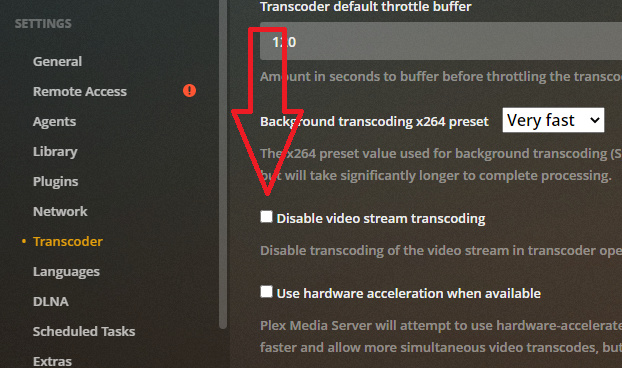
Your log shows that your device claims to support that video file, but it failed trying to play it. It then requested a transcode from PMS, but PMs failed to do so. Do you have the option in PMS checked to disable the transcoder?
The Plex for Windows app doesn’t need transcoding.
AVI is just a container. It is basic but it’s old. New doesn’t always play well with old. The issue could also have been the video codec used which was xvid.
You should probably be made aware of the fact that AVI files have been deprecated to the point they transcode on almost everything. Shield might play 'em… for now.
The moral of this story is - start replacing them now - stop downloading them - stop encoding them - just stop.
Use anything else.
I started replacing AVI files 10 years ago - finally finished last week.
Well… at least that’s over… next project…
Guess I have to re-encode them or what you call it, into a newer and more player friendly format. Thankfull I dont have many old videos anymore so shouldnt take me 10 years.
Get MKVToolNix - I hope you have something it will run on - it covers a lot of bases.
Remux those AVI files to MKVs - just copy the video and audio stream into an MKV container.
Note:
This won’t work - all the time - it probably won’t work very often - but when it does work you can put that one in the Replace Bin - not in the ReCode Bin.
Here are some tips for Handbrake Encodes - HD Above (probably don’t have many of those) - SD (480p) below:
My advice would be to get the newest Handbrake, use my settings - EXACTLY - except you want to match the bit rate of the source to maintain as much quality as you can. If the bit rage is HUGE - you can probably tone it down a bit to save time and space 'cause it probably won’t matter on the quality.
Do a few and see what you come up with - keep us posted.
and - to inspect bit rates, source files, fixed files, etc…:
^^ that’s the basic ‘Encoders Tool Kit’ - so get a tool bag and stick all that in it…lol