I know lots of people have been getting this message since the password reset, but I’ve been getting the “not authorized: you do not have access to this server” message for the last 6 months or so. It seemingly came out of nowhere. I’ve been using Plex for 10 years and have never experienced this issue. Now, it happens nearly every day.
I’ve followed these steps to “reclaim” my server, and it works for a few days, but the problem always comes back. Restarting the server (quitting the Plex app on my Mac) also fixes this problem for a day or so.
But, I cannot find a permanent solution. Has this happened to anyone else? I’m literally out of ideas on how to fix this. I’ve attached my logs if it provides any additional insight as to what is causing this.
Your logs contain a lot of repeated ERROR messages related to your browser and/or networking. Would you describe in detail your network configuration, ISP, DNS, VPNs, Remote Access, and whatnot, while some other people have a look at your logs?
Your OS is still okay for Plex at 10.14 Mojave. So it’s not that,
and malware would probably work better
This error occurs when I try and access my server through app.plex.tv and when I use the http://localhost:32400 link. 99% of the time I’m using Firefox to access my server or using Prism or Plexamp on my iPhone.
My ISP is AT&T, and for what’s it worth, I’ve never had these problems until they became my provider. I haven’t really messed around with anything in terms of reconfiguring my router. Whatever the default settings are is most likely what’s applied. I also don’t use VPNs.
I’ve never logged in and checked out my router configurations, but I just went to my router settings and “enabled remote access,” so let’s see if that helps anything.
I think it’s better to leave your Router settings the way they were and turn whatever Remote Access it has back to off.
May I ask which hardware provides DHCP to your LAN? I’m guessing the ATT router does.
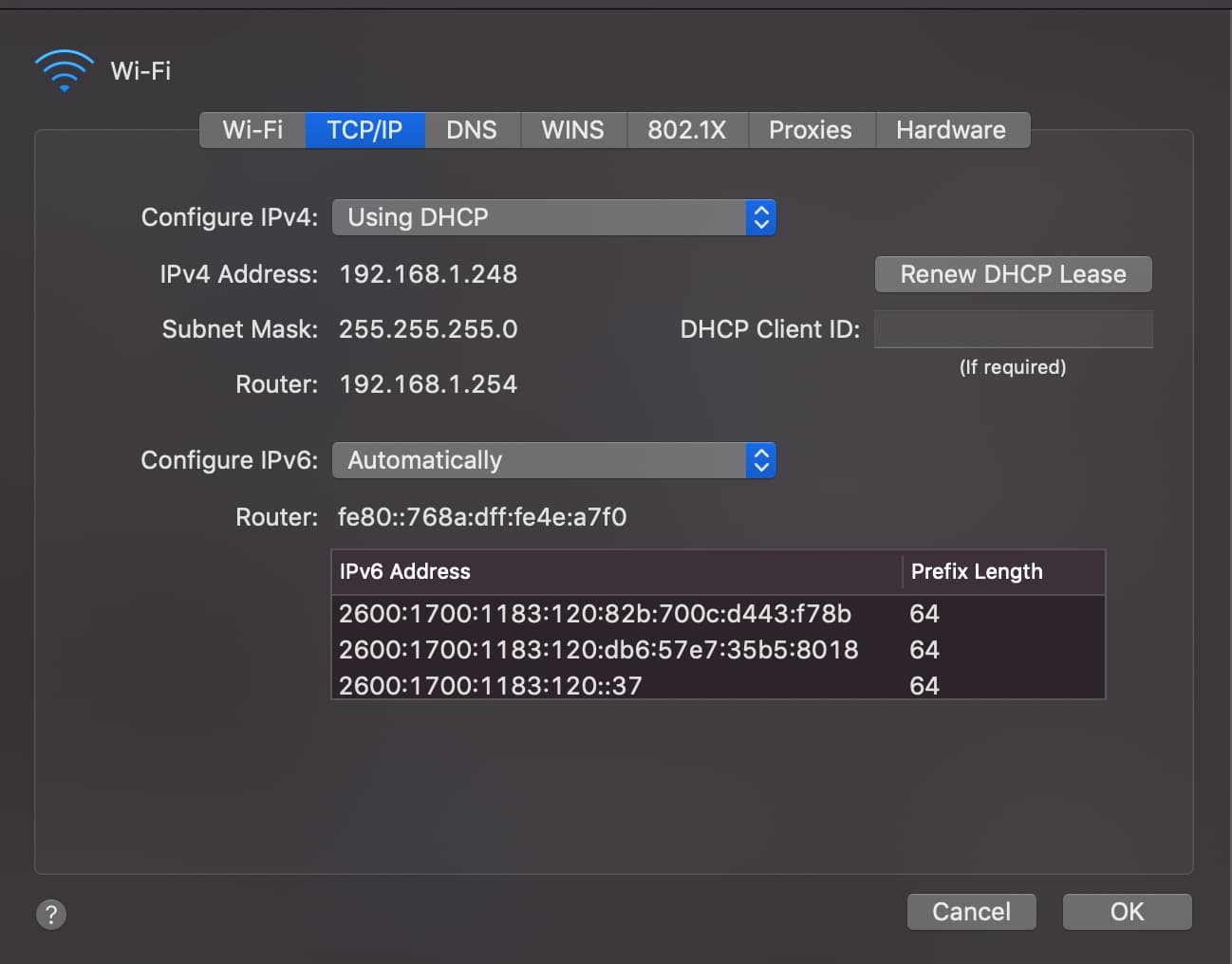
Would you have a look at your Mac and see what DNS servers are being assigned by DHCP?
In general it’s a great idea to assign to a server a static IP and two public DNS.
We try to avoid DHCP and ISP assigned DNS because they are flakey.
Regardless of whether you choose to use static or dynamic addressing, you should use Cloudflare, Google, and/or Quad 9 for DNS services imo.
I use for example
Primary: 1.1.1.1
Secondary: 9.9.9.9
The reason I think you should change your DNS is that it’s safe, easy, and you have this error a dozen times in two days:
Sep 13, 2022 09:20:28.331 [0x7000025b0000] WARN - [HttpClient/HCl#566] HTTP error requesting GET http://plex.tv/pms/:/ip (6, Couldn't resolve host name) (Could not resolve host: plex.tv)
Sep 13, 2022 09:20:28.331 [0x7000024aa000] ERROR - PublicAddressManager: Unable to get public IP adddress from myPlex (httpCode=-6):
You might also call ATT and ask them if the router is indicating any problems in the logs they keep. Something on your LAN keeps telling Plex that the network settings have changed. I think static addressing would be a logical choice to reduce variables in this case.
I believe this would be the ATT router. Here’s what I see when I look at my network info on my Mac. I have no clue what any of this means lol. Do these settings look like something that would cause my “not authoirzed” problems?
You first need to launch the local version of Plex Web App rather than the hosted version. For instance, if you’re on the computer running the Plex Media Server, you can go to: http://localhost:32400/web or http://127.0.0.1:32400/web
Personally I would try using a different browser than Firefox when you reclaim the server. I don’t know if that has anything to do with your exact issue but it eliminates 1 variable
I’ve done this before, but maybe I’m doing it wrong. I’ll, try this again. And just to be clear, do I need to do anything to my .plist file before I run these commands in terminal?
Also, should I be getting a “Domain (com.plexapp.plexmediaserver) not found.” message when I run these commands?
This is what my terminal look like after I individually ran the commands above:



 i thought i had finally gotten past this. still have no clue how to permanently fix this.