Up until last couple of updates everything OK. I have 1TB through Nvidea shield tv. Plex finds existing Tv Shows , Music etc but fails to record. Re installed server etc, but no joy. Any help would be appreciated.
I’ll need to see your PMS logs.
I’ll need to see your PMS logs.

Visit Topic or reply to this email to respond.
To unsubscribe from these emails, click here.
May 28, 2019 21:18:09.657 [32678] WARN - HTTP error requesting GET https://plex.tv/users/6369b884067592c1/avatar?c=1557769714 (0, No error) (SSL certificate problem: certificate has expired)
That indicates your SSL certificate expired. Try signing out and back in to the server.
Edit - I don’t see that error in your title in your logs. If the above doesn’t work I’ll need a new log and the time when something failed to record.
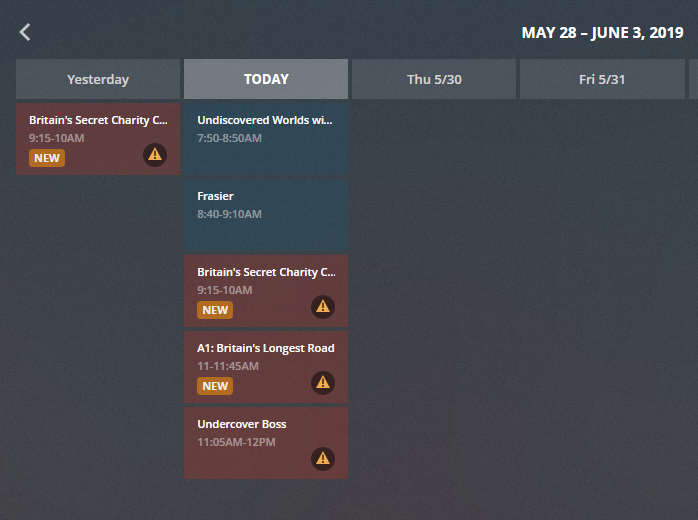
Signed out and in. 2 short programs recorded but next 2 at 11.00 and 11.05 failed.
May 29, 2019 11:00:00.234 [29725] DEBUG - DVR:Grabber: checking for 6144 MB of available disk space in grab path and transcode cache path
May 29, 2019 11:00:00.237 [29725] WARN - Low disk space: 6GB source file, 11.05GB capacity, 3.35GB available on
You are actually low on space. The space needed is the transcoder folder. I thought you had the Pro unit which has the internal SSD. This looks like you have the non-pro version with the 16GB internal space. You’ll need to move your data folder to another location with more space.
https://support.plex.tv/articles/moving-server-data-storage-location-on-nvidia-shield/
Tnanks for your help but problem still the same on recording. I have re installed server on Nvidea Shield and chose the WD Frrive that is attached to Nvidea. Plex recognises The Drive for libraries etc but not recording because of Disk space. I’ve attached last log. Cheers Rob. Can the log file be edited?

I’m sorry, but what did you do? That doesn’t sound like moving the data folder.
May 30, 2019 15:45:00.653 [16932] WARN - Low disk space: 6GB source file, 11.05GB capacity, 3.12GB available on “/storage/emulated/0/Android/data/com.plexapp.mediaserver.smb/cache/Transcode/Sessions”
It’s still using the internal storage.
When installing a new Plex server from Google to Nvidea Shield in the Plex settings asks where I want my data to be stored, there are three choices
Internal storage
Internal Usb
Wd Drive which is my 1 Tb Hard drive attached to my Nvidea. Which I have always used
I set up my libraries through my PC which finds my server and I choose the folders on my WD drive. (no problem)
I set up my live TV channels (No problem)
On my Nvidea Plex shows my Tv Shows, Movies etc from my WD drive etc No Problem)
I choose a Tv programme to record. (PROBLEM) Not enough space etc.
I never had this problem before latest updates.
Thanks. The new update is built using a different system. I’m wondering if that initial setup phase is bugged and not moving the data properly.
I would suggest, going into the Plex client and finding the option in settings to move the server data and try going through that.
Thanks but no luck, Is there a older Plex server version I could use?
Do you mean it won’t move the data or it did move but still having this error?
Yes found libraries data on Wd usb drive movies, music etc as normal but will not record. Not enough space.
I don’t know about moving data, data is already on WD drive
It has nothing to do with your media location. I was asking about the appdata folder.
Did you follow the link I posted above on moving the appdata folder?
Yes chose Wd USB drive and plex said well done we have moved your data.
Cleared all Plex references files etc from Nvidea Shield. Completely reinstalled Server etc. Chose WDusb drive still the same.Plex Media Server Logs_2019-06-07_09-06-38.zip (1.9 MB) Latest log.
Just wanted to say that I’m experiencing this same issue, stumbled upon this thread while checking to see if it’s just me. Now I’m wondering if maybe Plex is “saying” that the data has been moved to the external source but really isn’t? I will moving the data back to internal, reformatting the USB drive, and moving it back and will report back.
Hi Paul, If I record say a 15 min show it works and copies the program to my External HD. I have moved, deleted, reinstalled but no luck as yet. I’m now in the process of cleaning off any plex files off External Hd . Any luck and I’ll get back to you.
