Server Version#: QNAP 1.22.0.4163
Player Version#: 8.14.0.23432
Hi,
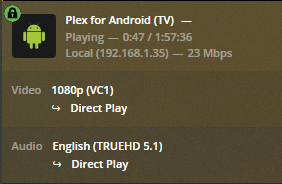
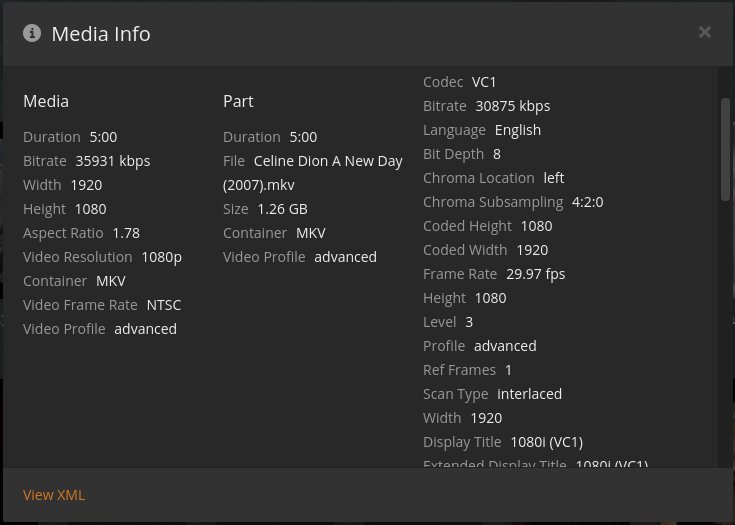
I have noticed that when I am playing a vc1 video with truehd audio from my QNAP PMS on my Nvidia Shield (local network) it is not playing using direct play but transcoding.
Log: Mar 14, 2021 17:04:20.386 [0x7f0bff735700] DEBUG - [Transcode] MDE: 300 (2007): no remuxable profile found, so video stream will be transcoded Mar 14, 2021 17:04:20.387 [0x7f0bff735700] DEBUG - [Transcode] MDE: Cannot direct stream video stream due to profile or setting limitations Mar 14, 2021 17:04:20.388 [0x7f0bff735700] DEBUG - [Transcode] MDE: Cannot direct stream audio stream due to codec truehd when profile only allows aac Mar 14, 2021 17:04:22.287 [0x7f0bff735700] DEBUG - [Transcode] TranscodeUniversalRequest: using augmented profile SHIELD Android TV
I have tried to create a custom profile for the Shield however this doesn’t seem to work and as you can see above it is using an augmented profile.
If I name it ‘android.xml’ it uses ‘augmented profile SHIELD Android TV’. If I name is ‘SHIELD Android TV.xml’ it uses ‘augmented profile Android’.
All seems a bit all over the place a. Only really found it on one video so far however it could be on a number that I just haven’t been able to go through and work out which ones.
If someone could give me some advice on getting a custom profile on my QNAP to allow the Nvidia Shield to use direct play all the time that would be great.
So far I have the profile here: /share/CACHEDEV1_DATA/.qpkg/PlexMediaServer/Library/Plex Media Server/Profiles
VC1 is quite problematic codec for Nvidia Shield so Plex tries to start convert the video. So it is all about the used codec itself. If you try to watch the same video with Windows Plex application, it propably plays directly without issues since Windows supports that codec. If you like to watch VC1 titles with Plex in Shield and with portable devices, I recommend you to convert VC1 to h264 with HandBrake for instance. I have done that with my old HD DVD movies which all seems to be VC1 and with some of the older VC1 Blu-ray movies.
It’s also possible to try VC1 title with Kodi in Nvidia Shield (direct play always). I have tried and it plays better, but I experienced some hiccups with that kombo as well.
Thanks for the reply. I had thought about converting the files and have used Handbrake many times in the past however it kind of moves away from my automatic system if I have to manually start converting, but will consider this an option for individual movies if need be.
Thanks for the reply. Im wondering if its because I have recently stopped using my Denon receiver.
Essentially we are looking to move house soon and I want to put all the speakers etc into storage whilst we are having viewings, this meant that for a limited time I am using my shield directly into my Sony TV.
I did also manage to find another movie last night which was vc1 and the video was using direct play…however the audio was being transcoded.
The more I think about it, the more I think it could be the fact the TV cant transcode it but the Denon could and to be honest feeling a little stupid for not thinking of that earlier.
Im still a little surprised that the Shield cant direct play all of this, even just going direct to the TV but does anyone know if that is the case. Still trying to get my head around the transcoding with Plex.
Intresting. Maybe my old HD DVD titles with VC1 and EAC-3 audio tracks were special combination or maybe Shield as Plex server has some special limitations regarding VC1. However, if VC1 is not converted into h264, you propably will have issues with VC1 titles when using Plex with other devices like Apple and Android.
Unfortunately I have no samples to give you at this moment. I need to rerip my physical media first. I have already done VC1 ==> h264 conversions for the old rips. I guess that it is something to aim for when you need best compliance with mobile devices anyway (maybe). This might be completely VC1 transcoding limitation when PMS is running in NVidia Shield.
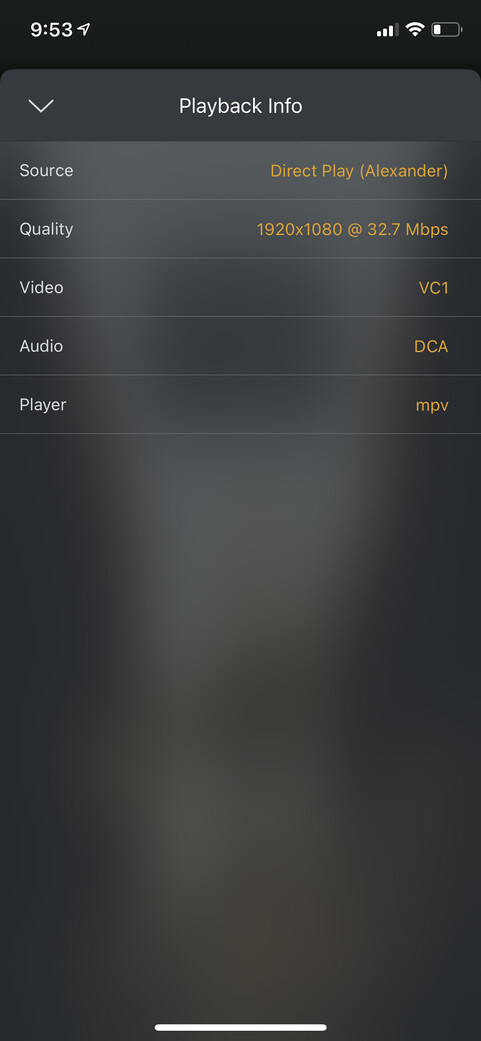
Yes, your provided sample plays direct play without issues when PMS is running on Shield and client is running on Shield as well. However, due to PMS VC-1 limitations on Shield, transcoding for mobile does not work without hickups when lowering quality and therefore it just does not work with iOS for instance without transcoding VC-1 to h264 first.
I will provide you a sample from my HD DVD collection title after next weekend (after 1 week or so). I remember that I had issues even with direct play with them… maybe E-AC3 tracks and possible VOB subtitles caused extra challenges.
iOS does not play VC-1.
That’s why it’s being transcoded.
If you look further, I’m pretty sure you’ll find Apple is moving / has moved to AV-1
(I’ve found, as recent as 2019, where Apple has disabled in software even though the hardware is capable of it. This might be changing now with Apple’s move away from Intel)
Yeah, I was able to play the provided sample with iOS when no transcoding was used. It was little bit suprising. VC1 issues started after trying to use transcoding when PMS is running on Nvidia Shield.
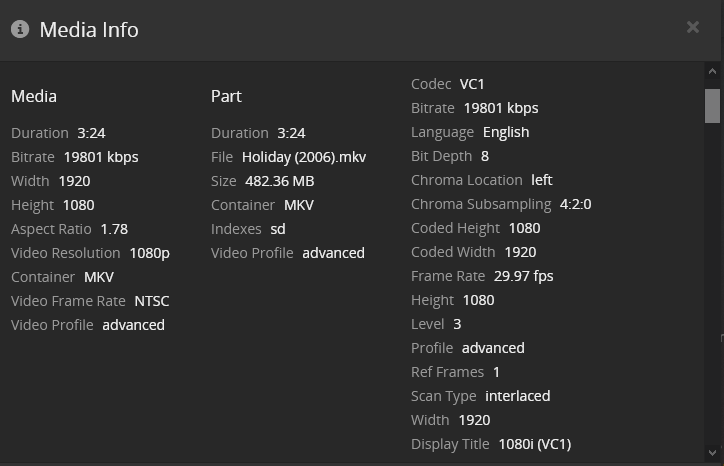
Okay, here’s the sample of the HD DVD movie from the past. Majority of my HD DVD collection includes VC1 video codec, E-AC3 audio codecs and VOBSUB subtitle tracks. When PMS is running on Shield, the sample plays in Windows client smoothly and VOBSUB subtitles work without issues. When using Shield client there are some visible clitches in the video and VOBSUB subtitles does not work. On iPadOS device direct play does not work compared to Celine Dion sample which worked without issues.
I think VOBSUB + E-AC3 are giving the extra challenge here.