Server Version#: 1.23.6.4881
Player Version#: Roku Express - 6.8.6.7183-3667b5590-PlexPreview
I have an odd behaviour where the program I’m watching (happens across many different titles with differing containers, bit rates, etc) will suddenly “Stop” and the next episode will queue with the auto-play countdown. IT’s almost as if someone has pressed “stop” on the remote and Plex thinks the episode is completed and queues up the next one in line. It still shows XX:XX remaining on the episode which was “stopped” though… so strange.
I’ve attached the logs from the most recent time it’s occurred. Any thoughts? Thanks in advance, folks!
Plex Media Server Logs_2021-08-03_16-06-10.zip (4.0 MB)
Possible to get the Roku logs next time it happens?
Wasn’t exactly the same error, but it did dump to 33%… here are the Roku logs after it happened:
Roku Logs at Pastebin
I hope I grabbed them correctly this time…
ROKU Logs
8/9/2021 19:24:09.910 [1156376:Tophicles:406932ae-41dd-5515-9fac-6fb73462d82c] INFO (PlaybackMgr) Buffering percent=33 isUnderrun=true
8/9/2021 19:24:09.914 [1156376:Tophicles:406932ae-41dd-5515-9fac-6fb73462d82c] WARN (PlaybackMgr) Buffering underrun occured! Roku Model: 4630X, ConnectionType: WiredConnection, Stream bps: 128000, Measured bps: 4912128
8/9/2021 19:24:09.916 [1156376:Tophicles:406932ae-41dd-5515-9fac-6fb73462d82c] WARN (PlaybackMgr) Underrun error: {roAssociativeArray}
 isTranscoded: true
 lastPosition: 2563.4
 occurred: true
 speed: 0.8
 throttled: false
 total: 3
 updateFromTimeline: true
Looks like the server is having trouble supplying the transcode segments to player fast enough. That is why there is the speed: 0.6 where 1.0 would be real time. it could also be an issue with the connection between Roku and server but seems less likely on a local network.
After three fails in 10 minutes playback stopped and because playback stopped when it was more than 90% it considered it done and went on to the next episode ( the isPlayed=true:0.945903 is 94% complete)
8/9/2021 19:24:09.922 [1156376:Tophicles:406932ae-41dd-5515-9fac-6fb73462d82c] INFO (PlaybackMgr) VideoPlaybackController::OnPlaybackFinished: Handling finished playback event. forceClose=false, userClose=false, isPlayed=true:0.945903,\
 playbackError=true
8/9/2021 19:24:09.923 [1156376:Tophicles:406932ae-41dd-5515-9fac-6fb73462d82c] INFO (PlaybackMgr) VideoPlaybackController::OnPlaybackFinished: nextType=postPlay
I have a similar situation with some files when I go to play them it will start to play and then automagically skip to the next one. Plex Preview + latest PMS. Sometimes I can try to re-play the effected file and it will work. No transcoding - all direct play. Not sure if I should enable remote logging or not as it doesn’t happen very often. Actually it used to happen a lot but not so much anymore.
remote logging only stays on for 20 minutes. If it happens turn on local logging which will show a URL to the Roku which you can use in browser to access the logs directly and copy to a text file or pastebin etc.
Just did it again, but this time the current episode is not quite 50% done.
Roku Logs
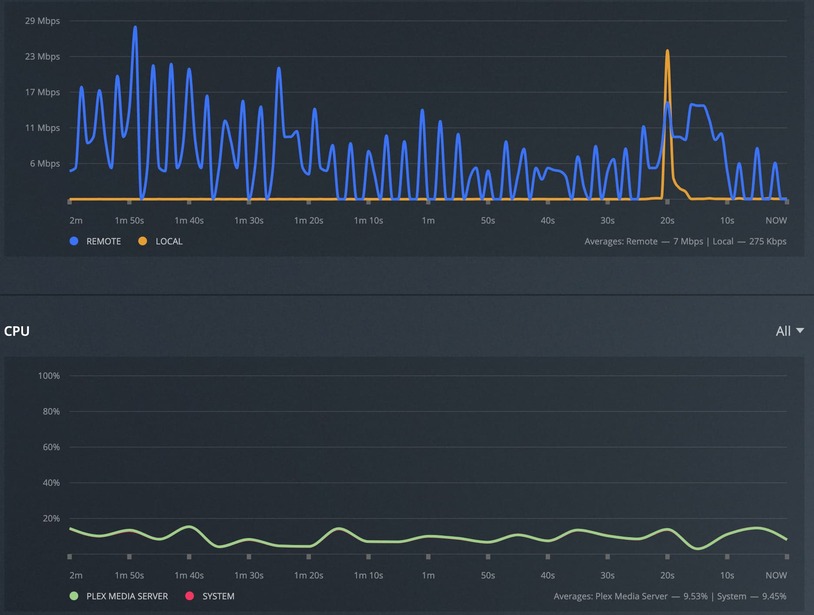
… and what’s odd is that there is very little server activity, so I’m not thinking it’s under strain to transcode. Everything lives on an SSD as well… peculiar.
I also switched to Wifi (in case my switch was being overloaded, perhaps) but no issues there either…
possible to get the sever logs that cover that same playback as in your last Roku log. The speed just drops to zero
unfortunately those seem to be a couple of hours after the roku logs. if it happens again please grab them both
Apologies, I will do that…
This wasn’t on an episode, but it dumped in the middle of a movie…
I hope I grabbed them both quickly enough!
Roku Logs
Plex Media Server Logs_2021-08-10_22-38-35.zip (4.6 MB)