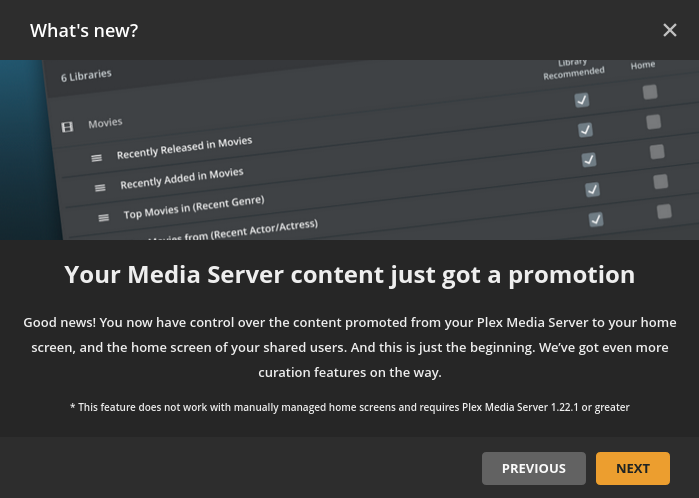
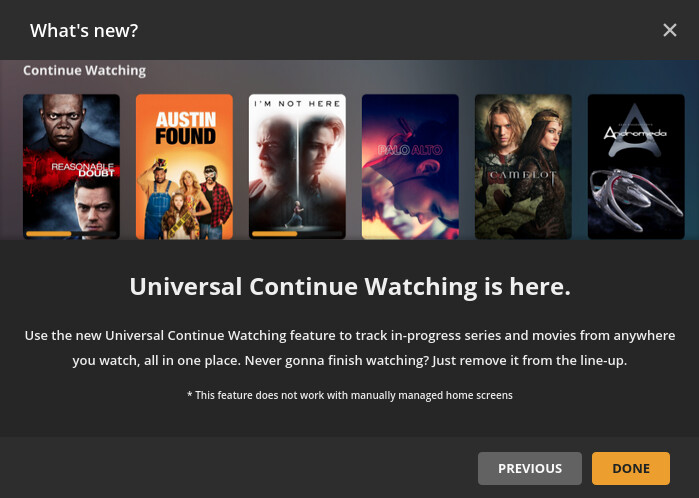
The gist of the notification was that we’re gaining more control over what appears on the home screen and that Universal Continue Watching exists. Here are screenshots of the notification which appeared in the web client:
This document describes how to manage which hubs appear on your home screen using the new server settings (instead of manual home screen configuration). This information only applies to automatically-managed home screens (which will the only option on/after 4/22). @DaveBinM has also mentioned a couple of times that there’s an option to re-combine same-type recently added hubs being added (no ETA).
This change was forced on us and obviously rolled out before it was ready. Introducing things like the Universal Continue watching is a great addition for some but I don’t watch content off other servers so it does nothing for me and I have no desire to “promote” recommended content to anyone who sees my server
In order to accomplish that goal you introduced all sorts of bugs and grossly miscalculated features that many other people enjoyed that are now not available.
All I want is
- Continue watching
- On Deck ( now called Continue watching even though that makes no sense)
- Recently added TV (all libraries combined)
- Recently added Movies (all libraries combined)
I think if you ask around this is a reasonably popular set-up for a lot of people
Maybe instead of the current beta program you have which doesn’t appear to account for this, think about e-mailing people a survey
- What do you like most about your current home screen set up
- What do you like the least
- Recommendations for changes or improvements
The changes they are making now are updates in order to revert things back to the way we had things set up months ago like re-adding more shows to the continue watching and re-combining the recently added rows
Now I have all other sorts of issues I never had before
Fire Tv doesn’t recognize shows as watched (or partially watched) and replays episodes I’ve already seen
Pictures don’t show up at all
Automatic continue to next episode triggers the 10 second countdown but doesn’t play anything or doesn’t even trigger the 10 second countdown at all
Content freezing…“Your network is not fast enough to play this media”.
500 mbps up and down with nothing being transcoded isn’t fast enough?
All of this worked fine for several years
I’ll be happy when everything is back to the way it was (no ETA)
What you want will be possible with the next release of PMS, though On Deck and Continue Watching will still be merged. We also do conduct user testing, both with existing users, and new users, and take their feedback into consideration. Some action on that feedback takes place prior to release, and some is in subsequent releases (such as the number of items in the Continue Watching hub). As for the other issues you’ve mentioned, they seem to be unrelated to this thread, so please open a new thread with some logs to assist in investigation, and please, reduce the snark a little. I am doing everything I can to be open and transparent, and get things pushed out as soon as possible 
Not sure where to ask but in those new homepage personalization settings there aren’t any for live tv & dvr, live tv (on plex), movies & shows (on plex), podcast and web shows. Any news on if these will be forthcoming?
Live TV & DVR will be coming in future, it’s just a little different and more complex than libraries. As for Live TV (On Plex), Movies & Shows (On Plex), Podcasts, and Web Shows, their content is curated by Plex, and will not be customisable (though you can still pin/unpin them as you like)
Just for complete clarity those libraries curated by plex will not have the ability to retain the library but remove the hub(s) from the homepage? Thank you so much for your immediate response.
The ones curated by Plex have the hubs curated by Plex too, so the only option with those is to pin or unpin them from the sidebar
Thanks for the info. Appreciate that you’re out here helping/clarifying issues.
I don’t like it, and my Android client seem all screwed up.
I finally figured out after many resets and shuffling of stuff manually and you name it how to go to the server and rearrange and put check marks on what you want to see on your homepage and it works great at the server.
But in my Android clients I have no control over the order things are listed in the libraries or on the homepage. I now find I can get continue watching to show up but it’s the last freaking thing in the list , the thing you use the most is the last thing in the list and I can’t move it to the top I don’t know who dreamed this up but they obviously didn’t think it through.
That sounds as if you’re using manually managed home on your Android devices, rather than auto home
No
I just reset it to automatically managed again. If I go to manually manage you won’t see continue watching and then you can adjust the order, but supposedly that’s going to all stop working come April 22nd.
The main problem is with an automatically managed home screen and libraries you cannot reorder the selected items you want displayed in those libraries.
On the server you’re supposed to rearrange the list in the order you want but on an Android device it don’t show up in that order and there’s no way to adjust it on the Android device.
maybe it’s coming in the next update my server ain’t up to date maybe I need to update the server to get it to work right I don’t know all I know is things keeps changing and I can’t get it the way I like it anymore it used to work great now it’s all effed up.
You rearrange the order for each hub from the library on the server-side, but then on the client, you can rearrange the order of items in the sidebar which will affect the order of the hubs
Thanks Dave, i just figured that out. If you change the order of the library’s in the pined sidebar it changes the order of the items on the home page.
How do i reorder the TV Shows library page, CW is at the bottom.
I can drag and drop the order of the first three at the server, manage Library screen, but Continue Watching is not listed there.
EDIT:
I got it working. I just had to put the three selected items in the bottom of the list on the server manage library recommend setup with all the uncheck item above them , then CW shows up at the top.
this is an interim step as we work towards increasing the level of customisation and control that server owners have
Did your goal change or was this just a complete falsehood from the start? Because right now, what I am seeing is that I am going to be FORCED into automatic management at the end of the month, with NO customization (outside of choosing what to pin and the order they appear in the sidebar) and NO control.
And the hubs that appear from those pinned libraries.
@DaveBinM do you have an eta on when a 1.22.3.x beta release will arrive? Its been almost 2 weeks now since the limited cw/od was forced upon us?
The goal has not changed, and we have indeed started to deliver on increased control for server owners, as detailed in Manage Recommendations | Plex Support
I do not have an ETA, I’m afraid, beyond saying that release is currently in internal testing
Lmaoooooooooo, okay, so you have ONE feature with additional tweakability upcoming Soon™ (“manage recommendations,” which frankly for me is a nothing feature beyond occasionally going, “huh, who knew” about things that have some crossover cast)… and meanwhile are FORCING EVERYONE into an AUTOMATICALLY MANAGED Home Screen in a matter of mere weeks. Bringing about the problems that people are complaining about in this thread.
It’s the latter that concerns me.
If you think manage recommendations is about crossover cast, I suggest you go read the article. It’s about customising what is on your home screen, the recommended page of your libraries, and the home screen of users you share with. As I have mentioned previously in this thread, the ability to recombine recently added hubs will be returning in 1.22.3, as well as some new curation tools for server owners