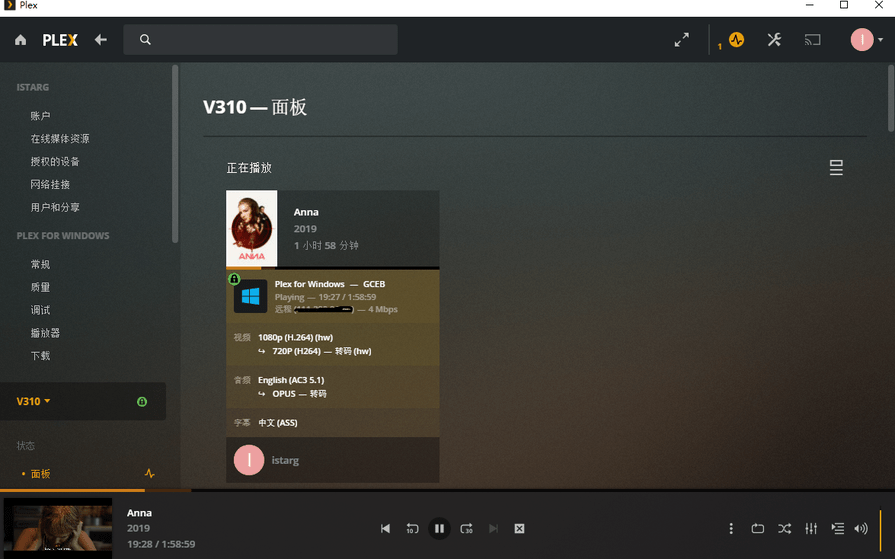
Server Version#: 1.20.1.3252
Player Version#: Plex for Windows 1.18.0.1392-cf94f6a1
Hi there,
Just found a weird thing.
The same file, when playback with Plex for windows, server can only transcode it by CPU, but when I changed android app or web app to play it, server HW transcoding works well.
Normally, this player doesn’t require any transcoding at all.
So please take a closer look at what was actually transcoded. Video, or only Audio, or both? Hardware trancoding is only available for video transcoding.
In the web app, under the Activity icon - Dashboard, then enable the detail view
Thanks for your reply, let me state more detail about this.
I am now using plex for windows to play this video remotely, and manually set quality to 720P 4MP to force transcoding working. And it works like following:
However, for the same file, if I use android app to play it at 720P 4M, HW transcoding work fine and will not involve CPU. (GPU works at 50% and CPU works at a very low level.)
Video info:
Codec H264
bitrate 11197 kbps
Bit Depth 8
Chroma Location left
Chroma Subsampling 4:2:0
Coded Height 816
Coded Width 1920
Frame Rate 23.976 fps
Height 804
profile high
Ref Frames 5
Scan Type progressive
Width 1920
Display Title 1080p (H.264)
Extended Display Title 1080p (H.264)
Codec AC3
bitrate 640 kbps
English
Audio Channel Layout 5.1(side)
Sampling Rate 48000 Hz
Display Title English (AC3 5.1)
CPU: i5-8250u GPU: UHD620
drive:26.20.100.7000 (didn’t use recent drive to avoid random crash when using HW transcoding)
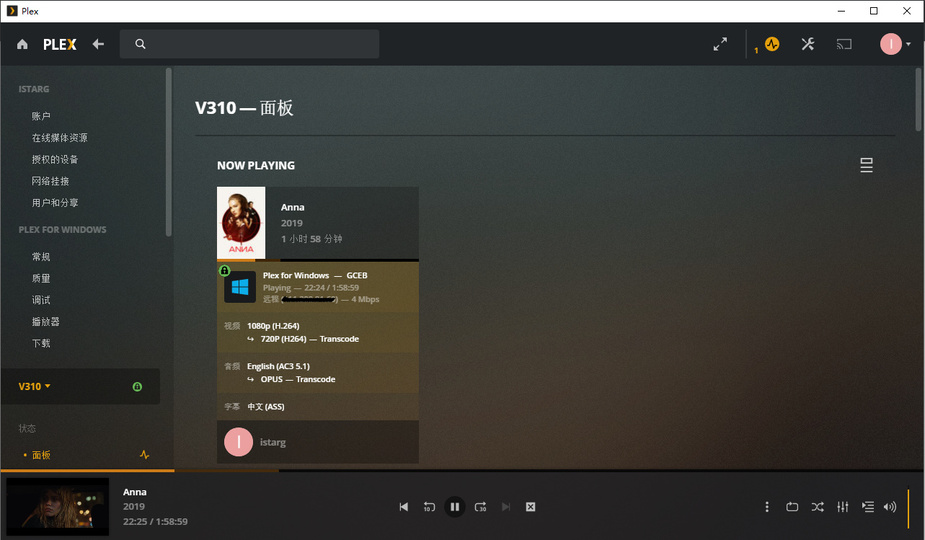
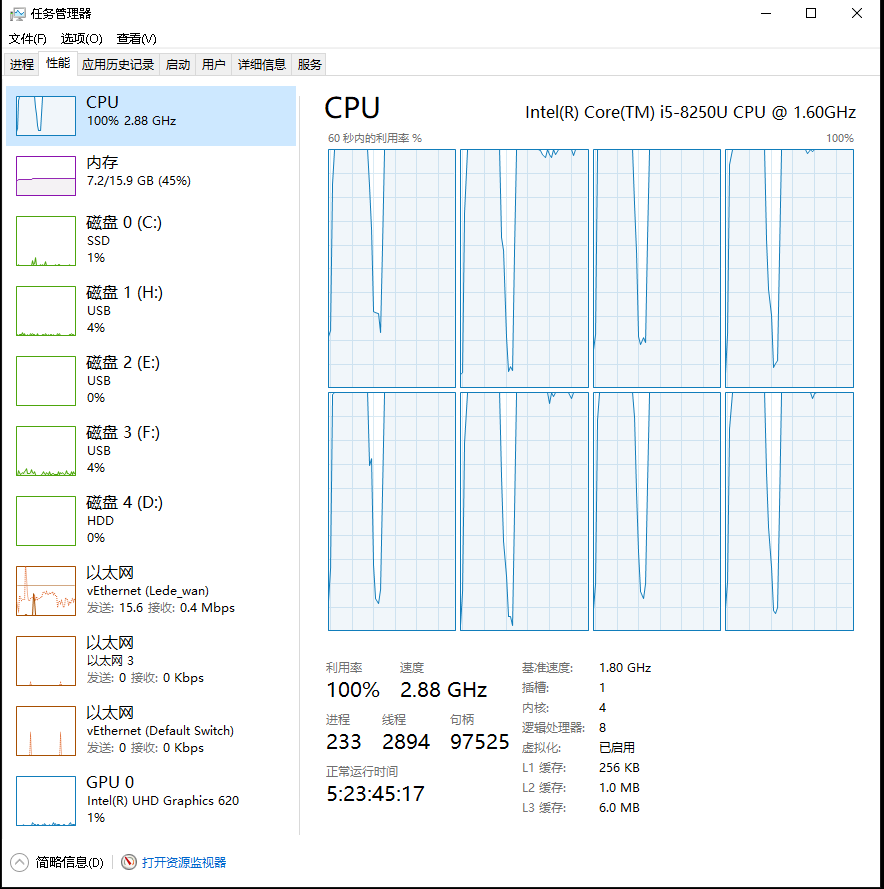


 , now it begins to HW transcode: