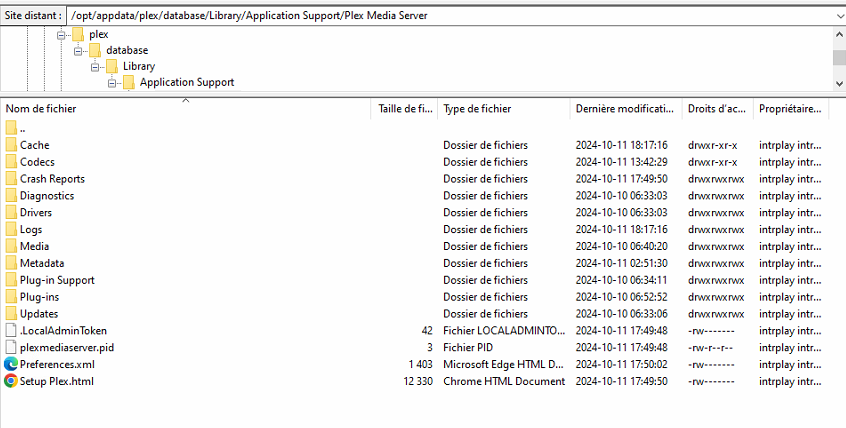
Until I understand, i’m not installing anything.
I have a proxmox box here somewhere. I will find it and spin it up
From there, I’ll spin up a docker container in that VM.
If that works as expected then we know where to start looking.
Thx for your help. I don’t have choice anyway. If you need help for anything. Ping me.
I found the box

Now to find some  and get to work
I found my machine, and  , and am working just fine
Please observe:
- Proxmox 8.2.2
- Linux Container (LXC) with PMS in it
- No VM
- No 3rd Party Docker shenanigans
Am I correct, you started with PMS on Proxmox before all this existed ?
If so, would you consider:
- Step up to a proper LXC
- like a VM
- but with the speed of a Docker container
- minus the docker and other sotftware (docker image server / cloudflare parts?

PS: This is my little N100 Beelink test box.
my setup is on VM. Not Contsiner.
ubuntu 20.04
if you dont install Dockserver. Not same.
Did you share the wrong logfile? 
Oct 11, 2024 17:49:48.331 [140538038479672] INFO - Plex Media Server v1.41.1.9057-af5eaea7a - Docker Docker Container (LinuxServer.io) x86_64 - build: linux-x86_64 debian - GMT -04:00
Oct 11, 2024 17:49:48.331 [140538038479672] INFO - Linux version: 5.4.0-196-generic, language: en-US
Oct 11, 2024 17:49:48.331 [140538038479672] INFO - Processor: 30-core Common KVM processor
Oct 11, 2024 17:49:48.331 [140538038479672] INFO - Compiler is - Clang 11.0.1 (https://plex.tv 9b997da8e5b47bdb4a9425b3a3b290be393b4b1f)
Oct 11, 2024 17:49:48.331 [140538038479672] INFO - /usr/lib/plexmediaserver/Plex Media Server
Oct 11, 2024 17:49:48.331 [140538041014928] DEBUG - BPQ: [Idle] -> [Starting]
Virtual Machine 100 (Dockserver) on node
I use Create VM. not Create CT
Look at the first line of your logfile
Plex Media Server v1.41.1.9057-af5eaea7a - Docker Docker Container (LinuxServer.io)
It appears, inside your VM, you’re running PMS in a Docker container.
I’m just trying to understand so we can fix this.
I use VM beacau Dockserver not work good on CT.
I try a free install with Ubuntu 22.04
EAC3 work on ubuntu 22.04 on simple install. I will try with the full install.
I finish my fresh install with 22.04. Work Great for now.
Here logs
Start Plex
Wait 2-3min
Start 2 movie with EAC3
If you have any question.
Hey im back. Thx for your help but badly is back. Only on browser.
I try on Chrome, Edge, Iphone Chrome. Not work
I try on Pc app Plex, Iphone app. Work.
I’m sure is a Plex.tv probleme. Do you want look on that?
Thx
Here is an official Dolby test file which plays perfectly for me in Chrome
Please test it on your machine.
You can take a look at this link, I suspect you are facing the same issue.
But unfortunately, there is no official solution for this at the moment.
Same problem on Win and MacOs. Is not a player problem in think.
How did my testfile play?
If it didn’t play then there’s a problem with your installation.
We need to get DEBUG logs of just that and start figuring it out.
Start Plex 02:47
Start Play with Chrome Player on Windows 11, Trancoding: 02:51 Not Working
Start Play with Plex App on Windows 11: 02:55, Trancoding: Not Working
Start Play with Plex App on Iphone: 02:56, Trancoding: Not Working
Befor EAC3 work on iphone but i think only in Direct Play.
Start Play with Chrome Player on Windows 11, Direct Play: 02:58 Not Working, Can’t Play audio Direct Play
Start Play with Plex App on Windows 11: 02:55, Direct Play: Working
Start Play with Plex App on Iphone: 03:01:, Direct Play: Working
I do a mistake on my last post. EAC3 not work on Trancode but work on Direct Play.
The only thing I can think of which impacts this is running out of Notify slots or the container’s /config directory path is not on a local HDD/SSD.
Confirm please ?
-
/config/Library/Application Support/Plex Media Server/is local to the host and not on a network shared folder / mount / unionfs mount ? The transcoder temp must be on a real HDD/SSD -
You don’t have such a high number of folders being monitored that you’re filling the default notify table? (8192 on older kernels, 65536 on newer kernels)

