I understand that using the Plex Pass Beta beta software can have a few bugs, but I’m stuck with a personal dilemma. Do I downgrade to the last server version that always read the multiple genre tags properly, or do I re-tag all of my MP3’s in a format that might be a “hacky workaround”?
I just posted another thread about this, but it got closed a few minutes after.
So I’m chiming in on the topic here! ^^
The last comment on my thread said that I should change all files to use semicolons in my genre tags. This thread isn’t closed yet, but I get the sense that this won’t be fixed. Or am I mistaken…?
I turned off the scheduled task for rescans to limit the damage as well for now. But my genres, collections and playlists are a mess right now…
I don’t even know how to start on “fixing” the genre tags of 12k albums…
Not sure this actually works for a music library - at this moment the server is busy updating the metadata for my music library., as can be seen in the image below. (“The Book of Secrets” is an album by Loreena McKennitt) All of my albums now have only one genre -.a very disappointing result even though I thought I was minimizing the damage until Plex fixed the issue.
The update local metadata option has been turned off for almost two weeks, so Plex is basically confirming that all of my tracks have only one genre right now.
EDIT: this also affects the genres available for the artist and album. Since only one tag is read from the embedded metadata in the individual tracks, the genres are reflected at the artist level. Plex used to amalgamate the genres from the tracks at the artist and album level.
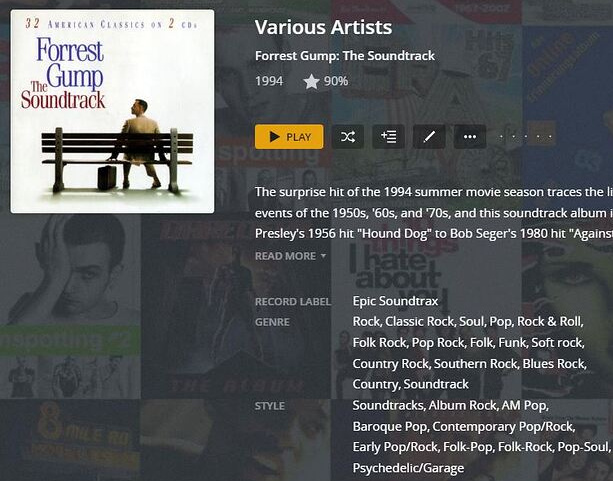
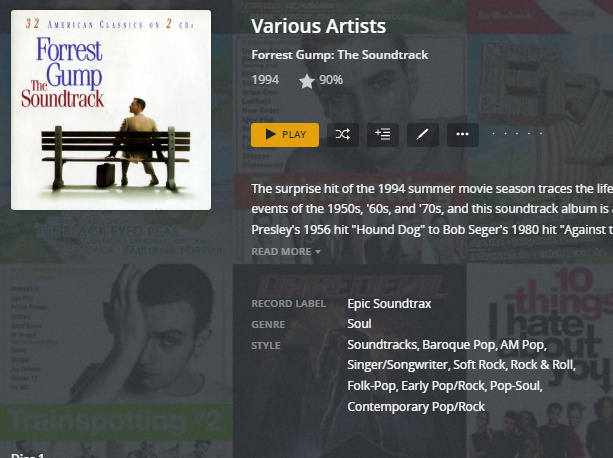
Difference is obvious on this album. First image is from Dec 21, 2021, with 15 genres. Second is from today with one genre. I can’t imagine smart lists, genre radio, etc working with any sort of decent results.
Are you suggesting that 1250 artists (3000 albums and 16000 tracks in total) need to have the embedded tags re-written in order for the music scanner to see the multiple genres in my music library?
When Plex upgraded the music scanner two or three years ago, I meticulously went through every artist and album ensuring all tracks had the album artist, track artist, genres, etc properly set. At the same time, I removed all embedded images, ID3V1 and Ape tags and other un-needed metadata.
Probably half of my files are ID3v2.3 tags written by MP3Tag, with null separated genres, the other half are ID3v2…4 written by MusicBrainz Picard, again using null separated values.
The idea that I’ll have to do it all over again, manually replacing all of the “null separaros” with a “semi-colon” is more than frustrating. Particularly for the files using the ID3v2.4 tag because I believe they are written properly according to the standard.
I haven’t spent any time searching for a way to automate the process, and I’m not sure I actually want to do that just so that Plex can recognize the embedded metadata that worked perfectly until this so-called “upgrade.”
More than that, it’s not going to happen. This is a 4-year-old bug in ffmpeg, so Plex should have been aware of it before switching to ffmpeg, when the previous solution was working correctly.
Having a slightly different experience here - Plex is still reading all genres separated by semicolon (flac & MP3 all edited in musicbrainz Picard), but if there is a space it creates a new genre for example " Rock" & “Rock” are now listed in genres.
Going through my entire library manually removing spaces in genre tags was fun
This probably affects the new ability for Plex to read the embedded metadata tags for “Album Type” that Plex Media Server 1.27.2.5929 now supports. I’m assuming it only reads the first tag (usually album, and not the second one, compilation) It appears to be the behaviour for me, in any event.
Glad to see this is being worked on, I just noticed this occuring this morning when a whole host of new artists added were only appearing as a single genre. I’m not going to bother asking for an ETA when it’s going to be fixed, as I can see you guys are already working on it in the background, but do we have a workaround at the moment (that hopefully doesn’t involve manually adding the tags into the front end manually…)?
@drzoidberg33 - Here’s some samples for you to work with. The tags are written with Picard configured to collect info from the MusicBrainz database, and are ID3v2.4. Multiple values are separated with a null value. The samples are only 45 seconds long, but they loaded properly (or improperly, depending on your point of view) into a test library. It’s only the first 10 tracks from each disk of the Forest Gump Soundtrack ID3v2.4.zip (21.2 MB)
Same album, but using ID3v2.3 tags. Written with MP3Tag, and again, multiple values are separated with a null value. I realize that doesn’t necessarily follow the specs, but it did work in the previous version of the scanner.
I can send more samples if you like, hoping this will give you a start. Thanks again for looking into this problem, and a possible fix.
I can send some samples where there are multiple values for composer, lyricist, contributing artist, etc., just in case you’re planning on expanding the metadata gathered from MusicBrainz and/or local metadata. That would be a bonus to a few of us!
In my spare time, I’ve been converting the albums I have tagged with ID3v2.3 with multiple values for various tags to ID3v2.4. I’m doing this just so all of the music is tagged in the same format.
I’m hoping that progress has been made in a fix for this bug in ffmpeg and/or the Plex music scanner. I would imagine it’s not an easy job to implement an improved, working method, but can we expect to see our multiple genres showing up in a server release any time soon?
Bizarrely, the bug in ffmpeg has not even been reviewed (!) by the ffmpeg developers in 5 years. So I guess it’s up to some annoyed Plex/Navidrome/etc user with C skills to fix it.
232 * Decode characters to UTF-8 according to encoding type. The decoded buffer is
233 * always null terminated. Stop reading when either *maxread bytes are read from
234 * pb or U+0000 character is found.
So when parsing the frame, this function stops reading when it encounters a null character. The desired behaviour is to read the whole string, split it on null characters, and return it in whatever way the rest of ffmpeg expects (array? a single semicolon-separated string?)
Someone would have to check to see how the code in oggparsevorbis.c returns multiple values, because ffmpeg works correctly with multi-valued tags for FLAC (Vorbis Comments) files. So the code in id3v2.c should changed to return multiple values in id3v2.4 tags the same way.
Next step is then to fix mp4 tag reading, since that also reads only the first value when there are multiple values. I believe the code is in mov.c
There’s likely a bunch of code that has to be modified before we see the fix.
As pointed out by @certuna , It appears ffmpeg stops reading tags when it encounters a null character… As well as genre, this affects other tags - the release type, for example. It would also affect composer, lyricist, writer, and a number of other tags that could contain multiple values, even if Plex doesn’t actually use any of those at present.
By the looks of it, the only fixes need to be in the ffmpeg code, none in the Plex codebase, since it all works fine with FLAC/Vorbis multi-valued tags for GENRE and RELEASETYPE (ffmpeg returns a semicolon-separated string there).
It’s fairly trivial to test, use any tag editor (Picard, Yate, mp3tag etc) to make three songs with multi-valued tags (mp3+id3v2.4, aac/mp4, FLAC/Vorbis), set genres “Pop” and “Rock”, and then run them through ffmpeg -i file.ext, it’s clear where the issues are:
@certuna, I think I disagree. Plex previously supported splitting (genre) tags on forward slashes as well, right up until this change. So,for me, fixing null-char splitting support in ffmpeg would solve nothing…


 That would be a bonus to a few of us!

