How can i install it?
I have no idea, I thought it came as part of the image, but I went from rasplex 1.7.x to 1.8 and it was some time ago.
What musst be in the “bin” folder?
/storage/.plexht/addons/service.lcdd/bin/
Thank you toxlcated101 very much for you help.
Nevertheless, this LCDProc does not want to boot and i do not know, how i can install it!
I have a LCDd and lcdd,start in my bin folder
If you have LCDd can you start it manually? does that work?
I do not have this folders there
Look, this ist very good tutorial but!
https://www.rototron.info/lcdproc-tutorial-for-raspberry-pi/
When i type “make” ill became this:
-sh: make: not found
Can you send me pls both files and i will create the folder “bin”, give to the folder permission 755 and add your files in there.
Hi
https://drive.google.com/file/d/0B4PkulYe-yOUN0lpd3VOQkZ5RWc/view?usp=sharing
This is the service.lcdd folder from the /storage/.plexht/addons folder
Hi toxlcated101,
thank you for the files. This looks like this:
RasPlex1:~/.plexht/addons/service.lcdd/bin # lcdd.start (.start ist ok but LDCd not)
RasPlex1:~/.plexht/addons/service.lcdd/bin # LCDd
Could not read config file: /etc/LCDd.conf
Critical error while processing settings, abort.
RasPlex1:~/.plexht/addons/service.lcdd/bin #
I cant add the LCD.conf to /etc (no permission?)
As far as I can tell from the lcdd.start file the LCD.conf should be in the $ADDON_HOME dir.
I only have LCDd.conf file in the following places
/storage/.config/LCDd.conf
/storage/.plexht/addons/service.lcdd/config/LCDd.conf
/storage/.plexht/userdata/addon_data/service.lcdd/LCDd.conf
/storage/.kodi/addons/service.lcdd/config/LCDd.conf
/storage/.kodi/userdata/addon_data/service.lcdd/LCDd.conf
I’m not at home at the moment , but rasplex is based on openelec, I found this but I can’t check the options exists in rasplex at the moment
In /etc/profile.d there is a 00-addons script , looking through that and following it through it appears to open the service.lcdd.service file in /storage/.plexht/addons/service.lcdd/system.d
This appears to point to ExecStart=/bin/sh /storage/.kodi/addons/service.lcdd/bin/lcdd.start
So you could make sure you have a exact copy of the service.lcdd in .kidi folder or maybe change the directory the ExecStart points to in /storage/.plexht/addons/service.lcdd/system.d/service.lcdd.service
I appear to have the file in both places which is probably why it works
Hi,
Thanks but no. Its the same Error. Funny is, ive testet th lcd display with raspian = no problemo. I tastet it with OPENELEC XBMC the same horror.
If I get chance this weekend I will stick a new SD card in my pi and try reinstalling rasplex, see if I can work out what I did originally.
Cool thanks. Please let me know the result.
If you want try this. Because you can use it to regulate the brightness.
You must change in you LCDd.conf this:
[hd44780]
ConnectionType=i2c
Port where the LPT is. Usual value are: 0x278, 0x378 and 0x3BC
Port=0x27
Device of the serial interface [default: /dev/lcd]
Device=/dev/i2c-1
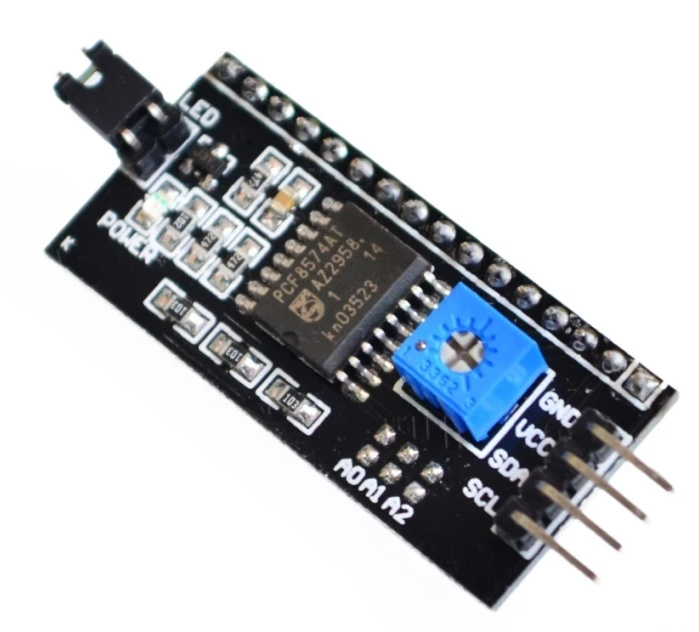
Hi toxicated101,
how does it work with the installation and setup?
English
I’m already on. So the LCDProc run. It starts the /etc/LCDd.conf. In this conf wrong drivers are registered. That’s why it does not work! / etc is unfortunately schrebigeschütz. That’s why I can not edit any files there. Can somehow edit the / etc?
Is there at least in the forum a Linux professional, who can help me with this problem?
===================================================================================
Deutsch
Ich bin schon weiter. Also der LCDProc läuf. Es startet die /etc/LCDd.conf. In dieser conf sind falsche treiber eingetragen. Deshalb funktioniert das ganze nicht! /etc ist leider schrebigeschütz. Deshalb kann ich da keine Dateien bearbeiten. Kann man irgendwie die /etc bearbeiten?
Gibt es hier einen Linux Profi, der mir bei diesem Problem helfen kann?
Hi toxicated101,
i got it. It works! But only whith the Version 1.7.1.137. Obove will not work!
If someone need Help. Ask me.
