Hi,
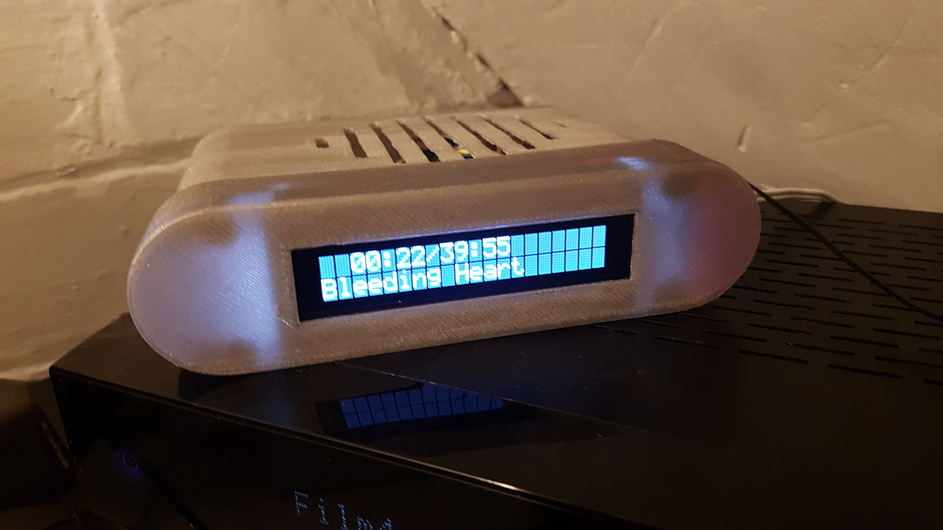
I was running OpenPHT 1.7 with a HD44780.so driver for an LCD. I have just upgraded to OpenPHT 1.8 and the LCD is no longer running. Any suggestions on what I should do ?
Thanks
Hi,
I was running OpenPHT 1.7 with a HD44780.so driver for an LCD. I have just upgraded to OpenPHT 1.8 and the LCD is no longer running. Any suggestions on what I should do ?
Thanks
Hi, here are some UNTESTED instructions from the dev on a process that may work or point you in the right direction atleast
it hasent been tested but all scripts etc for starting LE service addons is there, just looking in /storage/.plexht instead of .kodi
in general for addons, it may be possible to manually install the addon in /storage/.plexht/addons/ but since some addons requires settings the settings-file would have to been made manually
Thanks for the suggestions,
I now get the following from lcdproc.
check_board_rev: This board is not recognized as a Raspberry Pi!
Driver [hd44780] init failed, return code -1
Could not load driver hd44780
There is no output driver
Critical error while initializing, abort.
can you explain which of the 2 methods above you used etc
I did steps 1 - 4, which gave me the settings along with LCDd. I should state that I’m using a raspberry pi 3 with a HD44780 screen connected to the gpio’s. I didn’t config the lcd while in xbmc (kodi), just updated to LE8 (8.0.1) , copied the files and then updated back to rasplex 1.8. I then coped the pin assignments to the new LCDd.conf in the addon_data/service.lcdd folder along with changing g the driver path from .kodi to .plexht then ran the LCDd specifying the config file for testing. I got the output displayed above.
Thanks
I found this thread,
So it looks like a bug in driver, I believe the fix has been submitted and I will have wait for a new build of the driver.
Thanks Guys, All sorted now. I binary patched the HD44780.so so it now thinks everything is a raspberryPi, works perfectly  If anybody needs the patched file or the instructions to patch it, let me know.
Hallo toxicated101,
I need your help. Can you send me the patched file an instruction please.
thx
This was some time ago but I replaced the hd44780.so file which is here:-
https://drive.google.com/file/d/0B4PkulYe-yOUN0dpakpPb1hmclU/view?usp=sharing
Just extract it and replace the original.
I have the following set in LCDd.conf
Driver=hd44780
[hd44780]
ConnectionType=raspberrypi
D7=18
D6=23
D5=24
D4=25
RS=7
EN=8
Hope this helps
Hi,
thx. Where did you place your driver and you LCDd.conf?
Oh my Error.log:
13:12:32 T:1792013280 NOTICE: ## LibreELEC Addon ## 0.8.9
13:12:32 T:1963198352 ERROR: XLCDproc::Connect - Unable to connect to host, LCDd not running?
13:12:32 T:1963198352 ERROR: XLCDproc::Initialize - Connect failed. Retry in 8 seconds.
13:12:33 T:1800401888 WARNING: Read - waited for data but got none
13:12:41 T:1963198352 ERROR: XLCDproc::Connect - Unable to connect to host, LCDd not running?
13:12:41 T:1963198352 ERROR: XLCDproc::Initialize - Connect failed. Retry in 16 seconds.
13:12:57 T:1963198352 ERROR: XLCDproc::Connect - Unable to connect to host, LCDd not running?
13:12:57 T:1963198352 ERROR: XLCDproc::Initialize - Connect failed. Retry in 32 seconds.
13:13:29 T:1963198352 ERROR: XLCDproc::Connect - Unable to connect to host, LCDd not running?
13:13:29 T:1963198352 ERROR: XLCDproc::Initialize - Connect failed. Retry in 64 seconds.
13:14:33 T:1963198352 ERROR: XLCDproc::Connect - Unable to connect to host, LCDd not running?
13:14:33 T:1963198352 ERROR: XLCDproc::Initialize - Connect failed. Giving up.
Can you do something with that?
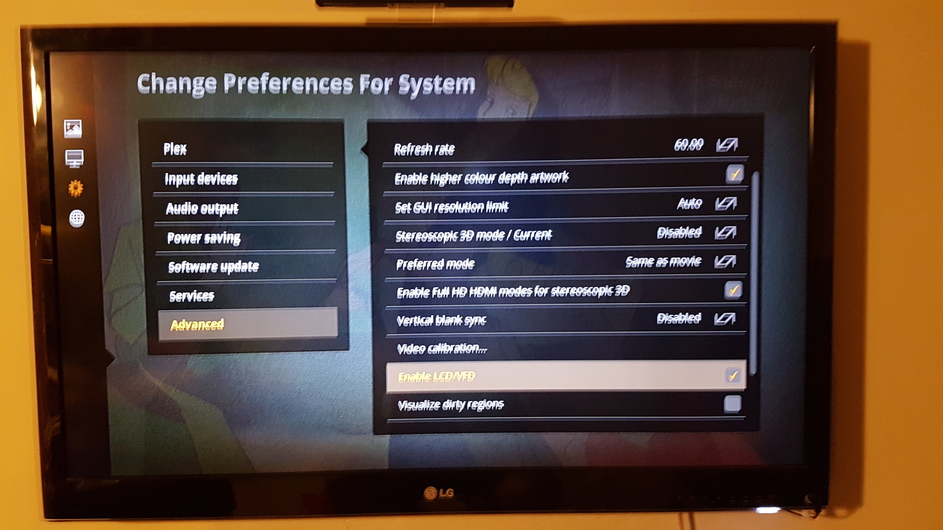
I just turned it on in the settings or preferences, the files are locared in:-
RasPlex:~ # find / -name “hd44780.so”
/storage/.plexht/addons/service.lcdd/lib/lcdproc/hd44780.so
/storage/.kodi/addons/service.lcdd/lib/lcdproc/hd44780.so
RasPlex:~ # find / -name “LCDd.conf”
/storage/.config/LCDd.conf
/storage/.plexht/addons/service.lcdd/config/LCDd.conf
/storage/.plexht/userdata/addon_data/service.lcdd/LCDd.conf
/storage/.kodi/addons/service.lcdd/config/LCDd.conf
/storage/.kodi/userdata/addon_data/service.lcdd/LCDd.conf
I’m not sure which one of these is actually being used. I just replaced them all.
I just turned it on in the settings or preferences
Can you please give me the path? I Use Version 1.8.0.148 RasPlex.
THX
And about this: /storage/.plexht/addons/service.lcdd/lib/lcdproc/
Which permission 755 oder 777?
I can’t at the moment because I’m at work and can only remote to the box via SSH, When I get home I will have a look where the option was.
The permissions are 755
Wow cool, thank you very much.
Ah ok. I have already activated it. My problem is that LCDProc does not start or is not installed.
19:35:59 T:1741681632 NOTICE: ## LibreELEC Addon ## 0.8.9
19:36:00 T:1963063648 ERROR: XLCDproc::Connect - Unable to connect to host, LCDd not running?
19:36:00 T:1963063648 ERROR: XLCDproc::Initialize - Connect failed. Retry in 8 seconds.
19:36:00 T:1733293024 WARNING: Read - waited for data but got none
19:36:08 T:1963063648 ERROR: XLCDproc::Connect - Unable to connect to host, LCDd not running?
19:36:08 T:1963063648 ERROR: XLCDproc::Initialize - Connect failed. Retry in 16 seconds.
19:36:24 T:1963063648 ERROR: XLCDproc::Connect - Unable to connect to host, LCDd not running?
19:36:24 T:1963063648 ERROR: XLCDproc::Initialize - Connect failed. Retry in 32 seconds.
19:36:56 T:1963063648 ERROR: XLCDproc::Connect - Unable to connect to host, LCDd not running?
19:36:56 T:1963063648 ERROR: XLCDproc::Initialize - Connect failed. Retry in 64 seconds.
19:38:00 T:1963063648 ERROR: XLCDproc::Connect - Unable to connect to host, LCDd not running?
19:38:00 T:1963063648 ERROR: XLCDproc::Initialize - Connect failed. Giving up.
ConnectionType=raspberrypi
D7=18
D6=23
D5=24
D4=25
RS=7
EN=8
Are these all the connections you have made with the PI? Or did you still connect in contrast?
Thx
Can you send me you LCDd.conf pls
Here is the conf. Hope it helps
LCDd.conf.zip (12.6 KB)
If you have LCDd inside the /storage/.plexht/addons/service.lcdd/bin folder is would suggest you have it installed