I recently installed Plex on a new computer, redirected the libraries and all that stuff, and everything works just fine.
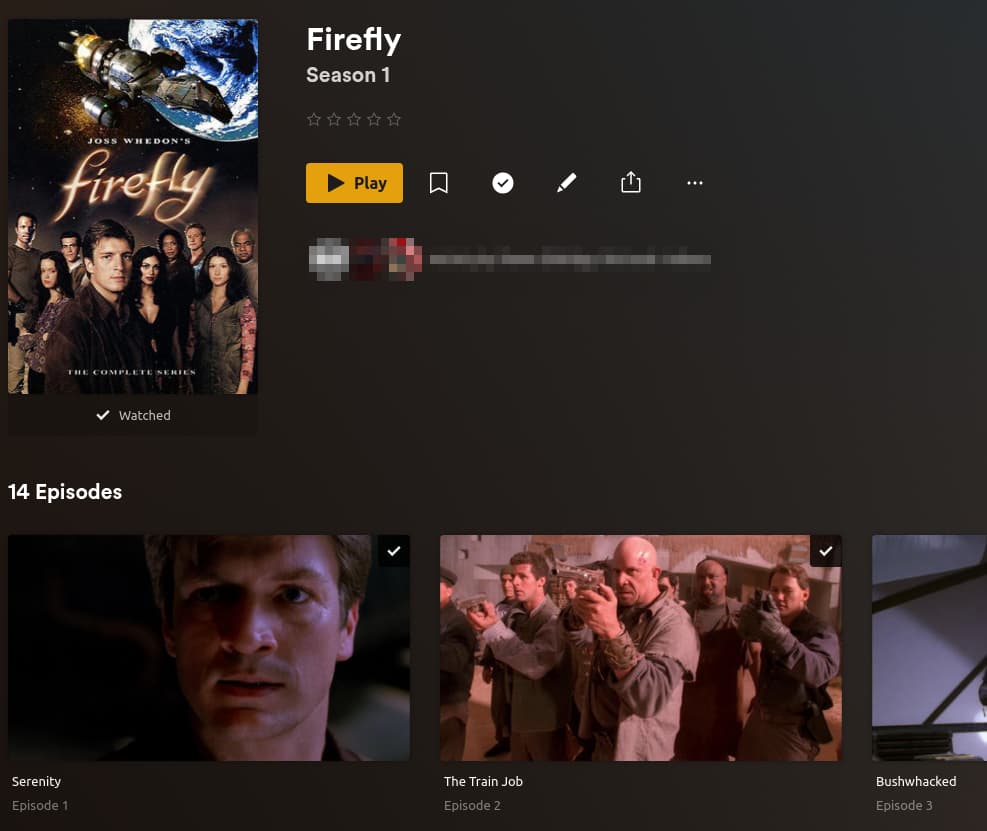
One thing I used to like to do was to take, say, a folder of an entire TV Series, and “play all.” So, I’d open the folder of, let’s say, Season One of some show, and there’d be a play button at the top that would play the entire folder in order. That button is no longer there.
Am I missing something? Is there a setting somewhere that’ll bring back the ability to play a whole folder in order?
I’m an a Mac M4, running Version 1.41.3.9314, under Sequoia.
Let’s say there’s a TV show with five seasons and I want to watch the entire fourth season. There used to be an arrow/button to do that and now it doesn’t seem to be there.
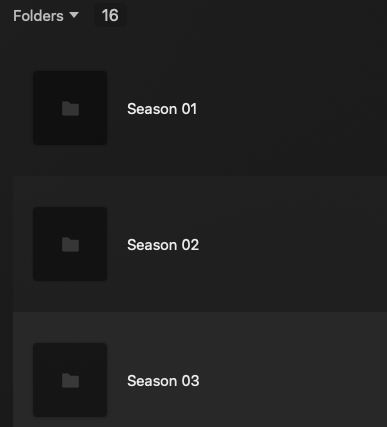
So, once again, it used to be, if I opened the folder SEASON FOUR, there would be a way to play all the files in order . . .that seems to be gone now. Or am I missing something here?
I"m talking about folders that are on my server, not ones online. So, in my “TV SHOWS” folder, I have the various show sub-folders, each with the seasons inside. If I select MY It’s Always Sunny folder, for example, that arrow is not there; if I open up the folder and select SEASON 1, the files are all there but not the play all arrow that was previously there.
Yep, set to movies . . . like it’s always been. This was because, in the past, regardless of how I titled all the files, the “tv” scanner never caught everything. I found that personal video files or movies got everything in every folder.
Just to check, I created a new folder, using the tv scanner, and, yes, it has the Play all" button but only in the TV Shows view. So, when I look at the “TV” version in folder view, that option is no longer there. (In the past, even with the wrong setting, opening up a folder and showing all the files in there STILL let me just play the files.)
The only way to see the play all option, even with the correct tv scanning now, is to go to the “TV Shows” view, which then has all the posters and stuff, and not the “Folders” view, which is a much faster way for me to scroll through stuff.
ANYWAY. . . .my goal is to be able to see things in Folder view and have the play all option. THAT’S what seems to have changed.
Thanks so much for your help . . . I might switch 'em all over to the tv scanner just so I can change view and use the option. Good catch.