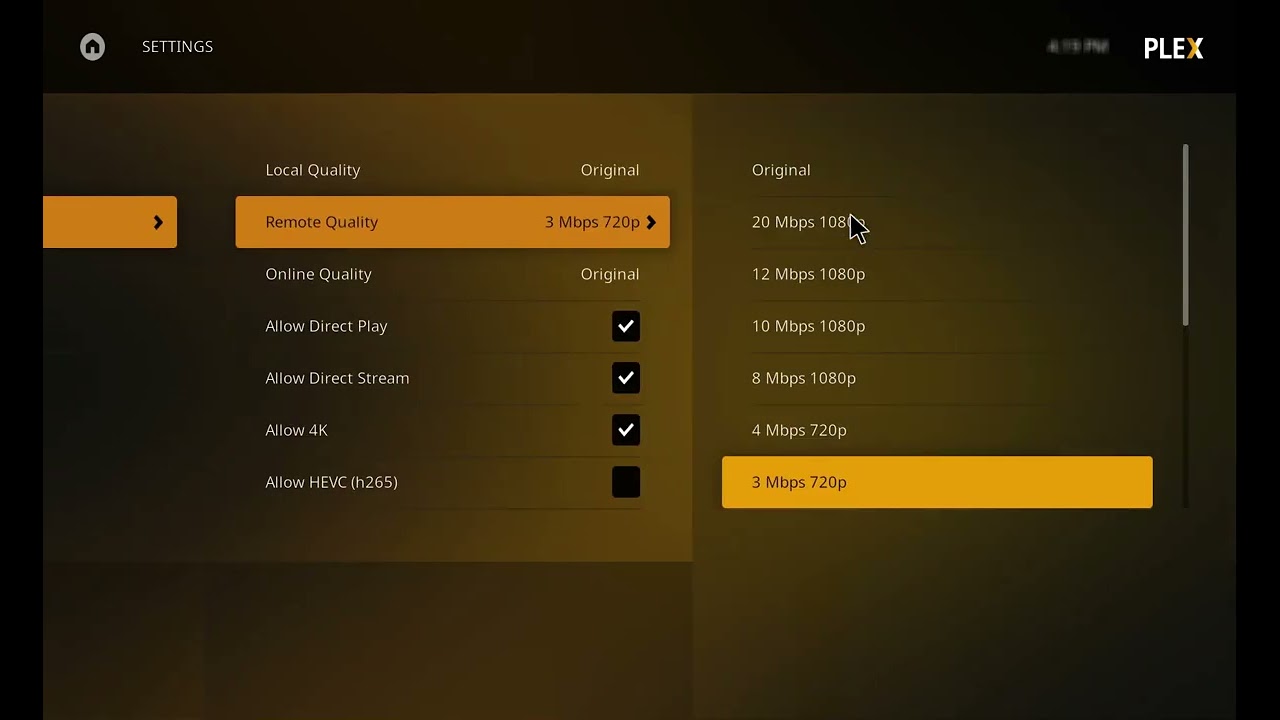
Server Version#: 1.32.8.7639
Player Version#: 5.73.1
Not entirely sure how to explain this but on pretty much every piece of content on Hisense smart tv (running VIDAA), playback is fine for 10 seconds then it buffers and then it throws a “playback error”. This only happens when using direct play but i’m not willing to transcode perfectly compatible media due to an unknown issue.
Hey, thanks but unfortunately that’s not the fix for me. As i said, all media plays for around 10 seconds and that’s when i get the buffering and playback error on direct play. Thank you anyway
Hey! I have the same problem. TV with VIDAA OS. Plex is running on a Synology NAS. At my LG TV everything is fine. My first opinion was a bad WLAN Connection but with a LAN Connection I have same problems. The error message is on a white screen, something like Insufficient working memory.
Yes I have had the same issue from day one of getting the Hisense U8K series, the way I now use PLEX is to turn off ‘allow direct play’ in the PLEX video settings which then only allows ‘direct stream only’ this way I can play at full quality, remember to adjust the ‘maximum remote quality’ to unlimited, then its all down to your internet connection as to whether things play well until there is a fix, enjoy
Try running Plex through a device then to the TV, i.e apple tv, Firestick or gaming console. I couldn’t play anything on my Samsung TV even direct play. Turned out the TV cannot handle it. Running through my Xbox now with zero issues.