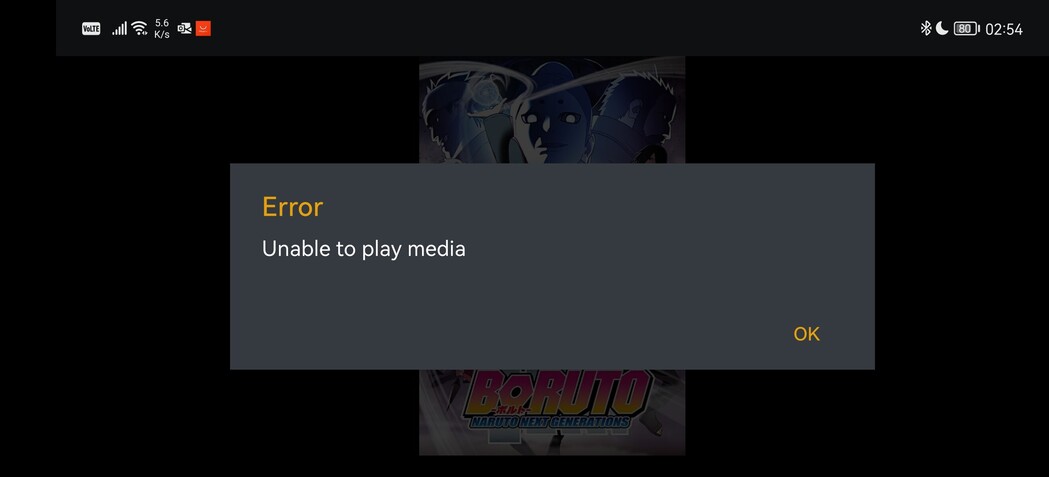
My Plex Server is running on a Windows Machine - Im using the Shield as Plex Client.
I see all my Libraries but i cant start any Movie. Screen stays Black only with the orange spinning circle in the middle and shows the overlay controls (play, pause, forward and so on) but the movie never start to play.
Do i also have to make all those steps mentioned above?
Hey I moved your post from that other topic which was specifically about the server on SHIELD not the client. Since you are running your server on windows, your issues is not the same.
Does your content play fine on other apps like the web app in browser?
Server Version#:1.25.3.5409
Player Version#:8.29.0.30433
I’m getting the “Unable to play media” on my devices, both Android TV set top boxes and my mobile phone. I have no problem watching at the Windows app, though it’s on the same PC as the server. Anything I can do?
Thank you, though his topic seems a bit different from what I can see his problem is. He gets a spinning circle, while I directly get a message replay “Unable to play media”.
01-26 13:03:04.466 i: [MediaDecisionEngine] Server was unhappy with client’s original decision: Neither direct play nor conversion is available.
Your log indicates that the app requested a transcode from your server, but your server didn’t want to transcode the file. Need to see your server logs to see why the server isn’t transcoding the file.
Here are the server logs, I’ve tried playing Episode 22 of Ghost in the Shell: Stand Alone Complex right before downloading the logs. Plex Media Server Logs_2022-02-02_15-47-18.zip (3.9 MB)
I don’t know why it wants to transcode though, the device is connected to the same switch that my PC with the server is connected.
Your server looks like it’s using some IPv6 addresses and it’s not working properly. Turn off that option and see if it helps. You’ll need to restart PMS. Settings \ Network
It’s always been turned on, since the first time I’ve installed Plex like, may be, 10 years ago (I’ve reinstalled the PC since then, but I transfer the appdata and settings). Anyways, no change. The update didn’t change anything either. And I’m having more problems now, like:
That’s since today. Also the update didn’t installed normally, or it said it didn’t, but I had the Bulgarian language for metadata in the options (I’m Bulgarian, so it matters for me) and I’ve downloaded installer from the site, the version from the site was newer.
Hmm, those are provided by Plex over the internet, has nothing to do with your server. If you are having issues with those, something may have changed on your network. Have you tried restarting your router? Was there a firmware update maybe that changed something?
I am seeing a similar issue with same mention in the android tv logs on my shield. I have upgraded my shield to the latest hotfix. will see if that fixes the problem. a reboot of the shield resolves this. same server doesn’t happen with LG player only android player.
My server is running on linux via docker images. Shield is the only similarity with OP is Shield device.
disabling refresh rate switching helped me with this so far no spinner hangs. also shield has some match refresh rate options if I really want it. i haven’t noticed any artifacts of not matching refresh to frame rate.